
🚀 Power Meets Portability: The Mini PC That Keeps You Ahead of the Curve
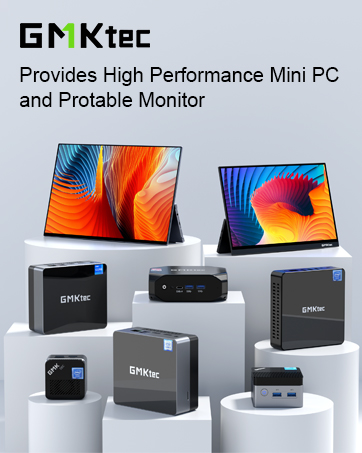
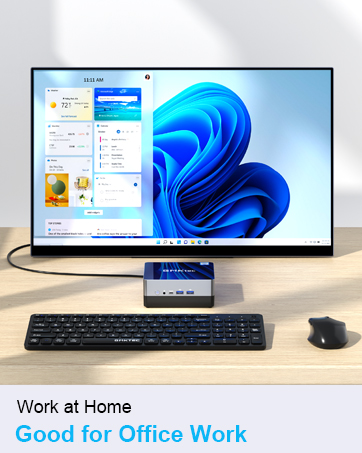
The GMKtec Mini Desktop Computer features a cutting-edge 12th Gen Intel Core i5-12450H processor with 8 cores and 12 threads, turbo boosting up to 4.4GHz. Equipped with 16GB DDR4 dual-channel RAM and a 512GB PCIe 3.0 NVMe SSD, it delivers fast, reliable performance for professional multitasking, gaming, and media streaming. Dual HDMI 4K outputs, WiFi 6, Bluetooth 5.2, and 2.5G Ethernet ensure versatile connectivity. Its compact design with VESA mount support fits seamlessly into any modern workspace, backed by a 1-year warranty and professional support.












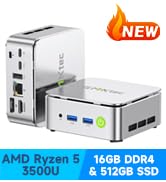




| ASIN | B0CWR3SZVT |
| Batteries | 1 Nonstandard Battery batteries required. |
| Best Sellers Rank | #847 in Computers & Accessories ( See Top 100 in Computers & Accessories ) #22 in Mini Computers |
| Brand | GMKtec |
| Card Description | Integrated |
| Chipset Brand | Intel |
| Color | Black |
| Computer Memory Type | SODIMM |
| Customer Reviews | 4.4 4.4 out of 5 stars (348) |
| Date First Available | March 4, 2024 |
| Graphics Card Ram Size | 16 GB |
| Graphics Coprocessor | Intel UHD Graphics 1.20GHz |
| Hard Drive | 512 GB PCIE 3.0 M.2 2280 & M.2 2242 PCIE/SATA |
| Hard Drive Interface | PCIE x 16 |
| Hard Drive Rotational Speed | 7200 RPM |
| Hardware Platform | Linux, PC |
| Item Dimensions LxWxH | 6.22 x 4.09 x 6.46 inches |
| Item Weight | 3.23 pounds |
| Item model number | M3_Ultra_LD |
| Max Screen Resolution | 3840 x 2160 pixels |
| Memory Speed | 3200 MHz |
| Number of Processors | 8 |
| Number of USB 3.0 Ports | 3 |
| Operating System | 11 Pro |
| Power Source | DC |
| Processor | 4.4 GHz core_i5_12450h |
| Processor Brand | Intel |
| Product Dimensions | 6.22 x 4.09 x 6.46 inches |
| RAM | 16 GB DDR4 |
| Screen Resolution | 4096 × 2160 |
| Series | M3 |
| Wireless Type | 2.4 GHz Radio Frequency, 5 GHz Radio Frequency, 802.11a/b/g/n/ac, Bluetooth |
V**E
The GMK K10 is an excellent, peppy machine.
WOW! My new GMK Core i9-13900HK (NucBox_K10) has put a smile on my face. It's replacing an outdated Win 7 machine for our everyday use: research, email, entertainment, surfing, and some gaming. It came preloaded with Windows 11 Pro, which includes New Outlook. For sure, I was immediately very impressed with the K10's performance. Specifics: Device name NucBox_K10 Processor 13th Gen Intel(R) Core(TM) i9-13900HK 2.60 GHz Installed RAM 32.0 GB (31.8 GB usable) System type 64-bit operating system, x64-based processor Pen and touch No pen or touch input is available for this display Edition Windows 11 Pro Version 24H2 Installed on 5/1/2025 OS build 26100.4202 Experience Windows Feature Experience Pack 1000.26100.107.0 First, I updated the OS using Windows Update. The update took perhaps 2 hrs (typical given other users' comments re: Win11 updates). Next order of business was to install my security software and run a full scan: pleasantly, no issues. Bios access was simple using the esc key, though I had no reason to change anything. The machine runs extremely quiet and was very fast at all the tasks I performed. I'm currently using WiFi and the GMK K10 is equally distant from my router and an Access Point in the lower level. I tested performance on 4 local networks I had defined: Router(2.4 and 5.0) and AP(2.4 and 5.0). No matter the network, the GMK K10 was impressively snappy. The wi-fi antennas are clearly a plus. Web pages appear in a flash, and every task I perform delivers at turbo-speed. I ran multiple applications simultaneously with numerous tabs open and everything ran flawlessly. I plan to add a second SSD and the easy access panel on the underside should make things easier. Additionally, the Kensington Lock capability provides for a layer of physical security if that's an issue. On the flip side, the power button could use better illumination. Depending on ambient lighting, it can be difficult to tell if the machine is on or off (a tribute to how quiet it is). When I ran the OS update the screen went blank multiple times and, judging from the power button, I didn't know if the K10 was asleep, in the middle of a reboot, shutdown, or even if the update was complete. In sum, the GMK K10 is a great machine. Big shout out to GMKTec, I'm impressed. If you're looking for a low cost, up-to-date upgrade to replace your present pc, you should consider the new GMK NucBox_K10.
B**Y
Great Little PC That Crushes Emby & Plex Transcoding!
I was looking for something to replace my N100 mini PC, that replaced my old tiered i5 desktop that runs my PMS. The mini N100 PC was doing a pretty decent job until I decided to run Emby and Plex on the same PC, both would buffer frequently if both were running and transcoding at the same time. It was a bit much for the N100 and Intel UHD intergraded graphics to handle. I didn't want to go back to a full sized desktop, and stay in the mini platform if I could. I came across this mini PC with the i9, which has the Intel iris XE intergraded graphics that I gather is a monster step up from the UHD intergraded graphics. Everything I found while researching stated the the iris XE was capable of chewing through multiple streams of transcoding simultaneously, even up to 4K. I figured I'd give it a try and it's been running for about a week now and it has handled three 4K transcoding streams at the same time without any noted issues so far. It does get pretty warm, so I added a cooling plate under it and vented the cabinet it sets in with an intake and exhaust fan to help keep it cool and prevent any issues with overheating. So far I am pretty impressed with this mini PC, for its size it's pretty fast and seems pretty powerful for such a small package. The 32GB of DDR5 is nice, but at some point I will step that up to 64GB+ so I can dedicate a bit more RAMDisk space for transcoding, but for now it is doing great. I don't notice any more noise from it than the N100 mini PC I have, but it is in a cabinet so I probably wouldn't hear it that much even if it was a bit louder. I can't speak to the longevity of it, as I've only had it up and running for about a week now but so far I have no complaints or issues to report. If anything changes I'll will update my review of this product. It made a noticeable difference going from the N100 processor with 16GB of RAM to the i9 with 32GB of RAM, and so far I am pleased with its performance for what I am using for.
J**.
Great PC! love the small footprint and Hi performance. Important info for Wi-Fi connectivity issues
Absolutely love this PC, it is basically all the laptop guts in a VERY compact format. you get a Hi-performance PC for about 50% less cost. so far it is amazing I am so happy with the purchase. Wi-Fi connectivity: The only issue I was having was the Wi-Fi would have to be reset daily which was a pain and made you think something was wrong with the PC. I found out that in the settings they have allowed the system to shut down the Wi-Fi adapter to save power. if you go into settings and uncheck allow to disconnect for power saving it will fix the connectivity issue.
A**L
Good Overall
First, I am NOT a tech person, so keep that in mind while reading this. Shipping- Box was within a box and all arrived safe and sound and undamaged. Directions- A bit sketchy, as English was the second set of instructions. All in book about 6" x 6" so not easy for old eyes. Set Up- Easy set up, the first few updates took 5-6 hours and that is on 1gb Fiber Internet. My USB dongle mouse is jumpy, but my wired gaming mouse works GREAT. So maybe my normal mouse is a bit dated, beats me. Tons of USD 2 and 3, biggest negatives to me is there is only one Type C port and that is on the front and the 3.5 plug for speakers is on the front as well. My computers at work are that way, but I have never had a personal computer with that configuration. You do not hear the fan, I have been in here for over 90 minutes installing programs and such and zero noise. The bottom panel is a little warm, less than that of a power pack for a lap top. Seems very fast with basic things like Office programs, reading external drives and youtube. Have not transferred large files yet, but I do not anticipate problems. At a little over 500, would I buy it again...yes. I may buy one for my parents to replace their old computer. So far (A little less than a week) no complaints. It goes much faster than my Lenovo 17" laptop that is only a year or so old.
A**.
Fast, cool and quiet. Im not a gamer and I also didn’t use the pre installed windows. I use NixOS and it’s was a breeze to get it going. Compile times are day and night difference as compared to my older 8th gen i7. The disk drive is fast enough but can be improved with a later purchase.
Y**K
منذ الشراء حتى هذه اللحظة كل شيء يعمل بكفاءة وأداء عالي اكثر من ما توقعت، استخدامي للكومبيوتر في الأعمال اليومية والمكتبية بالإضافة الى القليل من برامج التصميم، الأداء كان وما زال اكثر من ما توقعت قبل الشراء، أداءه اكبر من حجمه الصغير ويمكن تثبيته بشكل مخفي، أنا قمت بتثبيته تحت سطح الطاولة، انصح به و ربما قريباً أقوم بشراء جهاز آخر،
ば**ー
nuxbox2からの買い替えです 2は15か月で壊れました(電源は入るが起動しない、USB端子に電気が来ていないので、電源周りの問題か?) 当製品には今のところ問題はありません 静かだし、コンパクトでよいですし、価格も納得です web閲覧、動画鑑賞、OFFICEソフト使用なので性能的な問題はありません(ゲームしないし) もう一度信じてみます 今度は3年くらいもってくれるといいなあ... ※2の時のサポートですが、すぐに返事は来ました 静電気によるものかもしれないので、一連の 動作(回路の放電後、電源の入れなおし)を試してみてほしいとのことでした 結局、回復しなかったので、そう返答しましたが、その後はなしのつぶてです 保証期間は過ぎていたので、期待はしてませんでしたが。 気に入ってたのですけどね 1年ちょいしか持たないのはきつい
A**ー
購入して初期不良があったので、サポートに連絡したところ新品に交換してくれました。日本語で対応してくれて迅速に処理してくれたので感心しました。製品も良いので満足しています。
M**.
This little machine is perfect for a home office. It was effortless to setup, and very easy to connect to a tv through HDMI or a screen with display port. It runs all applications, even light games. It does struggle with heavier games. I had to contact tech support for an issue downloading the image for the machine from their site, they where both extremely responsive and helpful - I now have both the Image and drivers for my M3 Plus.



