We remain fully operational. Our teams are working around the clock to ensure your deliveries continue safely.

下载应用程序


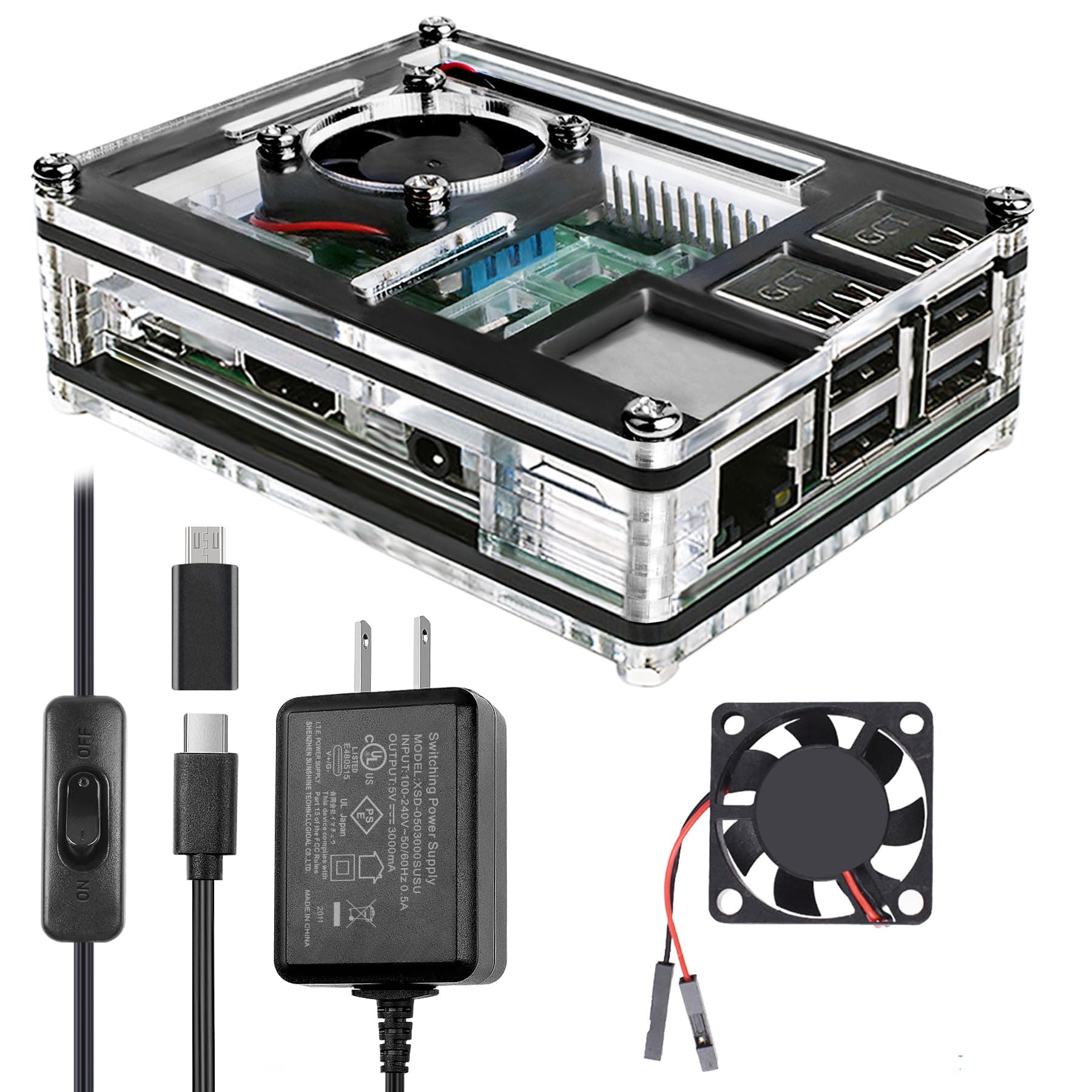
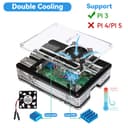
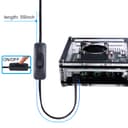
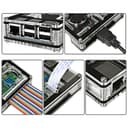
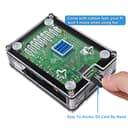
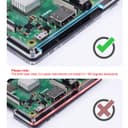
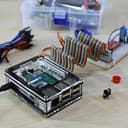
❄️ Power up, cool down, and show off your Pi in style!
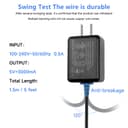
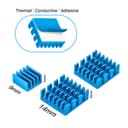
The Miuzei Case for Raspberry Pi 3 B+ combines a sleek clear acrylic design with a dual cooling system featuring a silent 30mm fan and three aluminum heatsinks. It includes a reliable 5V 3A power supply with an ON/OFF switch for easy and safe power management. Designed exclusively for Raspberry Pi 3 models, this case offers full access to all ports and versatile mounting options, making it the ultimate protective and stylish solution for your Pi 3B+ setup.













| ASIN | B07BTHNW9W |
| Antenna Location | Business, Gaming |
| Best Sellers Rank | #45 in Computer Cases |
| Brand | Miuzei |
| Case Type | Raspberry Pi |
| Color | clear white |
| Cooling Method | Air |
| Customer Reviews | 4.6 4.6 out of 5 stars (2,729) |
| Enclosure Material | Acrylic, Aluminum |
| Fan Size | 30 Millimeters |
| Hard Disk Form Factor | 3.5 Inches |
| Internal Bays Quantity | 1 |
| Item Type Name | raspberry pi case |
| Light Color | rgb |
| Manufacturer | Miuzei |
| Model Name | case for raspberry pi 3 |
| Number of Fans | 3 |
| Other Special Features of the Product | Dual heat dissipation, acrylic, clear, transparent, with cooling fan |
| Power Supply Maximum Output | 15 Watts |
| Power Supply Mounting Type | Internal Mount |
| Supported Motherboard | Mini ITX |
| Total USB 2.0 Ports | 2 |
| Total Usb Ports | 4 |
| UPC | 656664836617 |
R**N
Very nice quality, great price!
Love this case! It seems difficult to assemble at first, but as long as you keep all of the pieces in the correct order as you assemble, it’s actually very straightforward. If you let all the pieces get mixed up, it could be quite tedious. It feels high quality and looks clean and neat, the three heatsinks are a nice touch with the 30mm fan as well! Even on high mode, it is not very noisy and I can feel the air being dispelled so I have no doubt about the ability to cool the board. This feels much safer than the board just laying around of course and the thickness feels very secure. I’m a big fan of this thing, especially for the price!
C**O
Excellent Kit to keep your Raspberry Pi safe
I've had this Raspberry Pi 3 B+ for about 2 years now but haven't used it much as I didn't have a safe way to operate it in a useful application. Overall it gives excellent protection to the Pi. Basically the equivalent of having your computer motherboard in a PC case as opposed to running it open on your desk. The power supply is exactly as pictured and seems to be decent build quality. Includes a little fan to promote air movement through the included heatsinks. You can power your fan either on the 5V rail for full speed or the 3.3V rail for a slower speed. I went with the slower speed since I'm not pushing this Pi to its limits and it doesn't add hardly any noise. The room has to be completely dead silent to hear it. PROS - Sturdy - Acrylic layer concept is clever and someone entertaining to assemble. - Price is reasonable - Solid Power supply with a switch, saving your USB ports from constant plugging - SD Card accessible - All the ports have large "wells" so large grip connectors will almost always fit. The side with USB-C, HDMI and 3.5mm is recessed in and is about 11.75mm tall with the HDMI port just about dead center of those. I don't think I've ever owned an HDMI cable with a connector shield too big for that. - GPIO pins are accessible from the top AND the side for a ribbon cable. - Camera and TFT display connectors are accessible with slits. - USB and Ethernet ports are FLUSH with the edge, so overly large USB devices *ahem*CellularDongles*ahem* will fit just fine. - Mounting slots so this could be hung on a wall (caution - short hazard if not careful) CONS - Tools required for assembly: #2 Phillips and a 5.5mm Hex (or needle nose plyers) to get a snug fit. The 77-piece HyperTough Repair Kit from Walmart (in a green case) has both of these bits. - Not compatible with Pi-hats, unless you can DIY an adaptation to this case somehow. I don't own any to try but the most common one I think is the PoE hat and I know that won't fit on this case. Not sure if another case in the same design is made for one or not. - No grille or screen for the fan. Not a safety issue per se but it might get quite dusty. If I need a screen I'll cut out a small piece of window screen and sandwich it between the top layer and the fan. Overall I love this case and I have bookmarked it for future re-purchase if I find myself with a few more Pis to protect. Although the instructions are good, I have some tips and tricks for assembly, which you might want to skip the rest of the review if you are in it for the "puzzle" enjoyment factor of it. As you can tell from the listing photos the case is really nothing more than acrylic layers bolted together. 1. My kit came "preassembled" however you have to take it apart completely to get the Pi into it. Take the four screws and nuts off, and set them aside. Lay the pieces in order on your desk so you can maintain an idea of how it assembles. Peel the films off the acrylics. 2. Install the fan on the top most layer, and set it aside. Be careful and pay attention to which side you mount the fan on. The picture in the instructions, Figure B, is accurate so use that as a reference to figure out that you're holding the acrylic sheet properly. The fan is supposed to go INSIDE the case with the Pi, and the fan's label faces inward toward the Pi, away from the acrylic sheet you are mounting it on. This way the air is forced into the Pi and will pass through the heat sinks and exit via the other openings of the case. Trying to pull air out might be less efficient. 3. I used a 5.5mm socket *FINGER TIGHT* to tighten nuts with a #2 Phillips screwdriver in one hand and the 5.5mm socket in the other hand. Finger Tight as I'm sure any amount of real torque can crack the acrylic. 4. Install the heat sinks but only install the ones on the top for now. 5. This kit has slots to hang it on the wall. The slots are 2 plus-shaped cutouts on the bottom layer. Keep in mind there is NO electrical protection between these slots and the Pi itself, so if you intend to mount it, consider electrical tape or something on the bottom of the Pi in this area to prevent a short. 6. When building up the layers, take two of the long bolts and send them up through the bottom side of the first layer, and use them as alignment pegs as you add the first 3 layers, the Pi, and the 6 top layers. Then add the nuts but leave them mostly loose until you can get the last 2 bolts sent up through the same way. As you can see in my photo the bolts on mine go up from the bottom with nuts on top because of this reason. It's opposite than how it's "supposed to be", per the photos and instructions, but I don't see a problem here. You could instead send the second two bolts down the proper way, then reverse the first two. Tighten the bolts the same way as in note 3 above FINGER TIGHT. 7. Finally install the bottom heatsink. You'll see why we waited. You won't have to "carefully" get the heatsink exact on the chip and have to wonder if it'll fit through that hole during case assembly. Put the rubber feet on the bottom and you're good to go!
J**R
Everything you need but the Pi itself
As a brand new entrant into the world of Raspberry Pis, I didn't really know what I was doing (I still don't, but I didn't then either) and this case had a fan which seemed nice. It is a pain in the ass to put together. I love it. The instructions were excellent and I had absolutely no trouble understanding what to do. I've been messing with computers since they ran 80286s so I'm by no means an amateur but I can see where it's easy to go wrong on this case. I recommend laying out all the layers, one behind the other, putting the screws through the bottom layer to act as guide posts, and going down the line adding pieces. Once you're done, you can take the screws out two at a time and flip them so the heads are on top, or not. No big deal. The heat sinks were the perfect size and the fan worked great. I don't understand why you would possibly want to use the 3.3v pins - I literally could not hear the fan at 5v putting my ear directly against it. The power supply is adequate as far as power goes - I haven't gotten any lightning icons in my tray. The switch is a nice addition since there isn't any way to remove power from the Pi short of yanking the cord. Overall this seems like a great case. I have a sample size of 1 so far so take it for what it's worth but it looks really neat, the fan works great, and CPU temps never really get above 32/33°, which is nice.
G**E
Excellent fit, option power fan with 3.3V quiet
Excellent fit, looks cool. And speaking of cool; nice option to power fan with 3.3 volts, nice and quiet if you don't the extra cooling
S**W
Excellent Pi3 Case - except the HDMI opening is a bit too small for some cables
This case is really cool. It's fun to build, looks great, comes with a fan, heat sinks, and power supply (with an on/off switch) for a great price. The "thermal tape" used to attach the heat sinks seems decent, since I can feel the heat sinks getting warm (which means heat is actually transferring to them from the chips correctly). The fan is quiet, and there are little rubber feet to put on the case, so it doesn't rattle on hard surfaces when the fan is on. The only problem is that the opening in the case for the HDMI port is just a tiny bit too narrow for some cables. I have an "Amazon Basics" HDMI cable, and there is a lot of excess plastic around the actual connector at the end of the cable. This is too much excess plastic for the Pi case to handle, because the opening on the case is about 1/4mm too narrow for it. Other cables with a less bulky end fit just fine, but not Amazon Basics HDMI cables. Why Amazon puts such a bulky connector on the end, who knows? I had to take my Dremel tool and sand down some (but not much) of this excess plastic on my HDMI cable (see pictures) to get it to fit. Yes, I tried loosening the case (since it assembles in layers) but this was not a satisfactory solution since I swap cables frequently. I have several HDMI cables that won't fit in this case (and some that do). Apparently bulky cable ends are typical for HDMI cables. So, I had to knock off one star because the opening around the HDMI port should have been designed a little bigger to accommodate all sizes of HDMI cable ends. I still recommend this case, it is awesome. And maybe your HDMI cable will fit just fine. If it does, then this is absolutely a 5 star case!
M**D
Works Great !!
P**O
Constructing the case around the Rpi was a bit of a chore, but what else can you ask for, it comes with a built in fan cooler and 3 heat sinks, I highly recommend this case, the transparency is cool as well its nice to see the inner workings.
M**C
This is an excellent Raspberry Pi case plus kit, it is exceptionally well put together and feels super premium. The included power supply is able to power the Raspberry Pi 3 without any under voltage warning (unlike all the other so called 5V 3A supply that I tried so far), and the clear acrylic case has a very nice fit and finish and looks great, providing good protection as well as access to all the ports. The kits is well thought out and includes all the parts and accessories, heat sinks, stickers, bumpers, clear instructions, screws, fan etc... it even includes an extra screw and nut in case you accidentally drop one. With the included fan at low speed mode, my Raspberry Pi's steady state operating temp decreased from 65C with the bare board only to 48C with this case setup, with no more undervoltage or soft temperature limit warnings. Good fit and finish and visual appearance Good physical protection Good thermal management Good power management Easy assembly with clear instructions This has my full recommendation
A**S
This Miuzei case is an excellent fit for the Raspberry Pi 3 B+. The acrylic layers snap together neatly, and the included fan and heatsinks make a noticeable difference — my Pi now stays around 38–40 °C under load instead of creeping toward 60. The fan runs quietly, and installation took less than ten minutes. All the ports line up perfectly, and the top lid is clear so you can still see the board LEDs. Great build quality for the price — ideal if you want to keep your Pi cool without spending a lot.
A**G
Worked very well. Was a little wonky to assemble, but works great and everything fits together well. Great buy!
TrustPilot
1 周前
3 周前