We remain fully operational. Our teams are working around the clock to ensure your deliveries continue safely.

下载应用程序


🚀 Power, speed & style — all in one sleek hub!
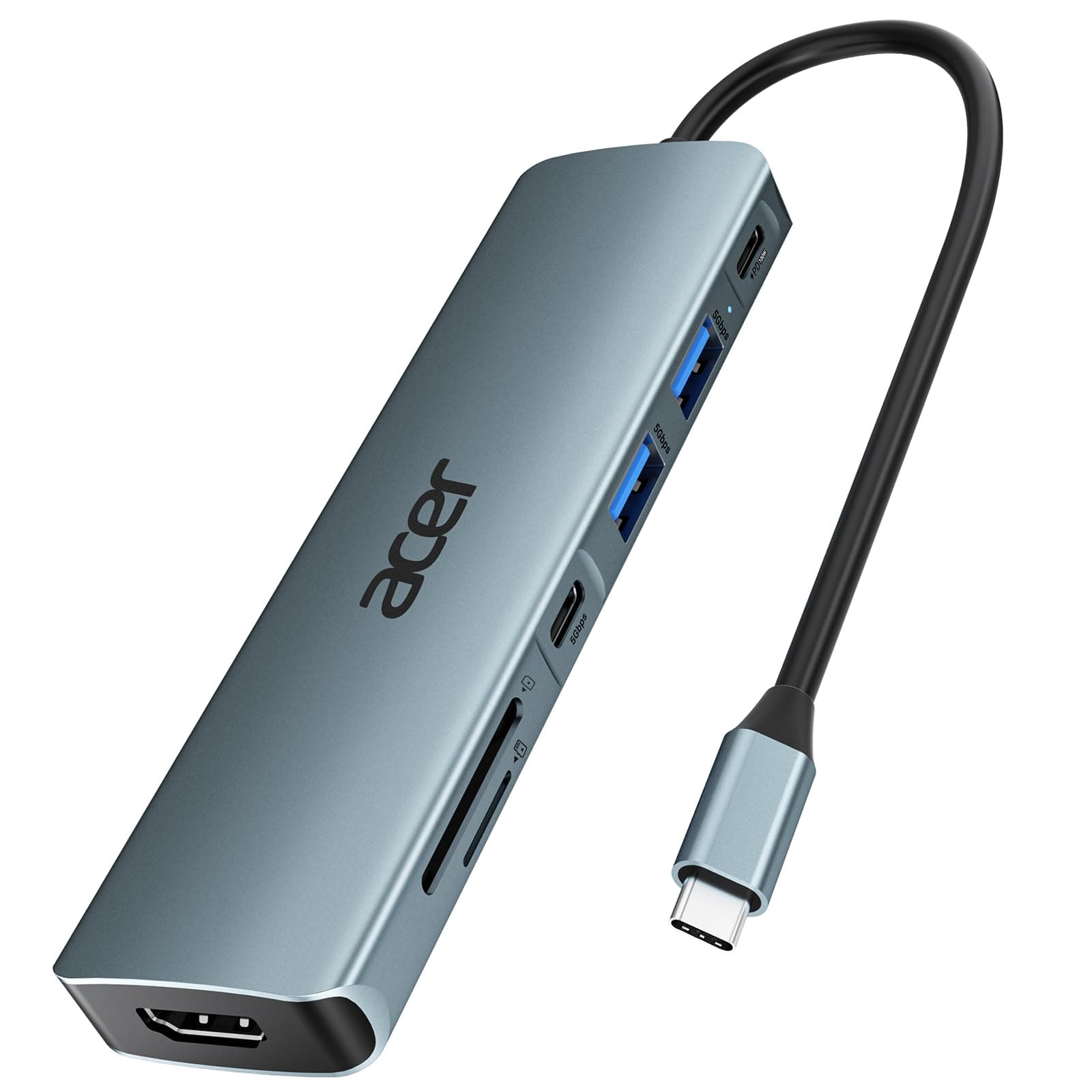
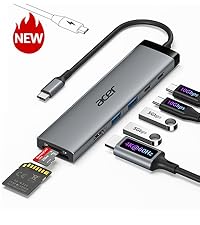
The Acer 7-in-1 USB-C Hub is a premium multi-port adapter designed for professionals on the move. Featuring 7 versatile ports including 4K HDMI output, dual USB 3.1 ports, SD/MicroSD card readers, and a 100W Power Delivery charging port, it transforms a single USB-C connection into a powerhouse of connectivity. Its durable aluminum build in space grey ensures heat resistance and portability, compatible across major OS platforms. Perfect for enhancing productivity with fast data transfer and seamless device charging.




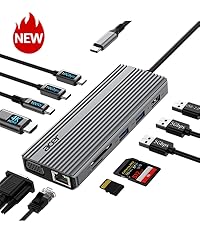
| ASIN | B0CF224WX9 |
| Additional Features | 5Gbps Fast Data Transfer, Heat Resistant, PD 100W Fast Charging, Plug and Play |
| Best Sellers Rank | #8 in USB Hubs |
| Brand | acer |
| Color | Space grey |
| Compatible Devices | Card Readers, Desktops, Laptops, Smartphones, Tablets |
| Customer Reviews | 4.6 4.6 out of 5 stars (5,703) |
| Data Transfer Rate | 5 Gigabits Per Second |
| Enclosure Material | Aluminum |
| Hardware Interface | HDMI, MicroSD, USB 3.0, USB Type C |
| Item Dimensions L x W x H | 5.1"L x 1.4"W x 0.7"H |
| Manufacturer | acer |
| Mfr Part Number | ODK360 |
| Minimum Required Operating System Version | ChromeOS 137, Mac OS 12 Monterey, Windows 11 |
| Model Number | ODK360 |
| Number of Ports | 7 |
| Operating System | Chrome OS, Linux, Mac OS, Windows |
| Total Usb Ports | 7 |
| UPC | 195133227919 |
| Warranty Description | 1 Year Manufacturer |
B**Y
Great value for a small, light, easy to use product.
Just a great, small, light, well-made adapter. Functions well; easy to use, outstanding value.
R**.
Great adapter
Great adapter, really comes in handy and very efficient and easy to use. Material is pretty durable and the sleek design is easy to transport anywhere. I have used it and it works great with my laptop.
K**R
This hub worked when others did not
I have an Asus Zenbook that's at least 7 years old (ancient by technology standards) and it has a very problematic USB hub. I love my laptop. It functions well except for the hub. I usually get OEM peripherals for my electronics. (I use PC and Android. I'm not a Mac/Apple user.) In the case of the USB hub for my Zenbook the Asus replacement hub is garbage with a 1 star review on Asus website with warnings not to buy because of how fast it stops working. The Asus hub I purchased 3 months ago stopped working after using it 3 or 4 times. That's unacceptable in my opinion. I have tried other brands including Belkin, Anker and 2 others that I do not remember. None of them would deliver power to my laptop despite claiming they would. So I decided to try this hub. I need an external hub for the multiple USB ports because the Asus has no ports on the Zenbook itself, and power delivery (in a perfect world when everything works properly) should also be able to go thru the hub to charge the laptop. On my laptop, there's only one USB-C port to connect either direct power supply or a hub. You can't have both connected at the same time unless the hub allows power transfer to laptop, which the other brand hubs that I tried wouldn't support that power transfer, much to my frustration. This hub is the first hub that I've tried that will actually power my laptop. (I also switched my power supply cable to a Thunderbolt, so the combination of the new cable with this hub works.) I use a wireless mouse with a dongle that needs to be plugged in. I have a digital voice recorder that plugs in directly via USB-A to transfer files to the laptop. I use SD cards in my camera and MP3 player that I need a hub to transfer that media onto the laptop. This hub will allow all of that. Every port works that I have tried on this Acer hub and this hub does the thing that the other hubs failed to do on my laptop. The power transfer was the big issue for me and this Acer hub solved the problem that several others including the OEM, Asus, failed to do. Because of how many months I have been dealing with the power supply problem, hubs not delivering what they promised and this being the only hub that did work, I rate this product at 5 stars. It's less expensive than the Asus hub that stops working immediately after purchasing. It has more ports than the Asus hub with the extra SD card reader that the Asus hub doesn't have. It's a heavier duty outer shell compared to the Asus. The cord is thicker and better protected compared to the Asus, so it reduces the chance for stressing or bending the cord in a way that could break the wires inside or break the connector away from the wires. It's just a better design overall, when compared to the Asus hub. I am extremely satisfied with this Acer hub and I would recommend it since it did the "impossible" task that no other brand could do for me. 5 stars, indeed.
A**.
good product
In general, it works well, sometimes there are disconnections, I don't know why, a good product for the price.
Z**S
Instantly addressed a defective unit
2nd EDIT: Not only did the company offer a refund, they also generously shipped me another unit, and it works just as it should! They gave fast responses when the first unit gave me issues, and addressed it as well as you possibly could. I would use them any time! EDIT: the company quickly reached out and offered a full refund as a result of a faulty product. For me, that goes a long way. I have plenty of ACER products and normally have no issues with them. could have just been a faulty single product. Very bummed. For the first 2 hours of use it worked great. When it’s just USB-C to HDMI connected it works fine, but the second I go to plug my Mac in, while using the HDMI to stream to my monitor, the screen begins flashing every second or two on both my Mac, and the monitor. The flashing screen is happening at the same time the Mac keeps making its “chime” that the charger is connected, over and over again. Clearly something is going on that the charging is not staying active. whenever the charger is first connected it causes a quick(ish)black screen, which I could live with if it just happened right as I plugged the charger in… but when the charger KEEPS thinkings it’s just getting plugged in over and over, and keeps flashing, it kind of makes the product useless. And I’ve already thrown the box away so I guess I’m stuck with a product that doesn’t work. Super bummer.
B**C
Works great on my Acer CB314 Series Model N19Q2 Chromebook.
Works on my Acer CB314 Series Model N19Q2 Chromebook. The HDMI connected up with no problem to a 36" curved screen monitor. Instructions are on the Internet on how to turn on the external monitor on the Chromebook. Picture quality is excellent. Note that if your monitor has speaker capability, the Chromebook will auto switch to it. My monitor has the option, but no speakers and I had to repoint the Chromebook to use its speakers. This is not an issue with the Acer USB C Hub. The USB C connector is strong and built well. I use the two additional USB 3.1 ports for an external keyboard and mouse. I haven't used the SD/TF card slots but have no doubt they'll work fine. I plan to purchase a power supply which can also be plugged into the USB C Hub to turn the hub into a complete docking station for my Chromebook. I was surprised to find that when I closed the Chromebook's cover that the external monitor continued to operate. I added an on screen button to shut the Chromebook down so I didn't have to open the Chromebook to shut it off. Adding Linux apps to my Chromebook, and use of the Acer USB C Hub has turned my Chromebook into a very functional computer. Very pleased with the Acer USB C Hub. It works great. UPDATE: The SD/TF slots work great, in both Chrome and in Linux! I have Ultimaker for my 3D printer running in Linux on the Chromebook and am able to create in TinkerCAD, export the .stl to the SD memory card, open Ultimaker and slice the .stl into .gcode. Popping the SD card into the printer, I then print the 3D file. This makes switching computers almost a zero effort. I do almost all my work on my Chromebook instead of on my Windows PC now. An extra power supply is on order and on its way for a true docking station experience with my Chromebook. The only drawback is that a Chromebook isn't as fast as a standard laptop, but with this USB-C adapter, it does pretty much everything I need to do without having to pay for an expensive laptop. It's always difficult to find things that work for Chromebook, this USB hub works.
L**N
Très bien, de qualité
J**O
Estoy contenta con el producto, se ve de buena calidad y funciona perfecto.
A**K
This 7-in-1 USB-C hub is super convenient and works perfectly with my laptop. All the ports function well I’ve tried HDMI, USB, SD card, and everything runs smoothly without lag. It’s compact, easy to carry, and a great solution for expanding connections. Excellent value for money.
H**N
Good quality
H**C
This Acer USB-C hub works exactly as expected. The 4K HDMI output is clear and stable, and the additional ports make it easy to connect multiple devices at once. The PD 100W pass-through charging keeps my laptop powered without any issues. Build quality feels solid, setup was plug-and-play, and performance has been consistent. Excellent value and a great addition to any workspace.