
🎶 Elevate your sound, command your studio — the S61 MK3 is your ultimate creative hub.
The Native Instruments KONTROL S61 MK3 is a 61-key MIDI keyboard controller featuring polyphonic aftertouch and a high-resolution color display. Designed with premium aluminum and advanced NKS integration, it offers seamless compatibility with Windows and Mac systems via USB. Ideal for intermediate producers, it supports major DAWs and delivers intuitive control over thousands of virtual instruments and effects, making it a centerpiece for any modern music production setup.



| ASIN | B0CH3XCMB7 |
| Best Sellers Rank | 56,941 in Musical Instruments & DJ ( See Top 100 in Musical Instruments & DJ ) 18 in Digital Audio Workstation Controllers |
| Colour | multicoloured |
| Compatible Devices | Windows, Mac (USB) |
| Connector | USB |
| Customer Reviews | 4.4 4.4 out of 5 stars (49) |
| Date First Available | 12 Sept. 2023 |
| Hardware Interface | USB |
| Hardware Platform | PC/Mac |
| Instrument Key | Any |
| Item Weight | 8.45 kg |
| Item model number | 29852 |
| Material Type | Aluminium |
| Mixer Channel Quantity | 61 |
| Musical Style | Electronic |
| Number of Keyboard Keys | 61 |
| Power Source | Corded Electric |
| Product Dimensions | 95.53 x 35.41 x 8.92 cm; 8.45 kg |
| Proficiency Level | Intermediate |
| Size | 61 Keys |
| Supported Software | Ableton Live, Avid Pro Tools, FL Studio |
C**K
Great controller but....
I bought this but found you will need to transpose the keyboard octave to see the key switch, so returned it and paid the extra for the 88 note version which is fantastic and have been playing it every day since it arrived. A big shout out to BopDJ the supplier for their help and advice.
M**I
Great kit
Amazing item
G**A
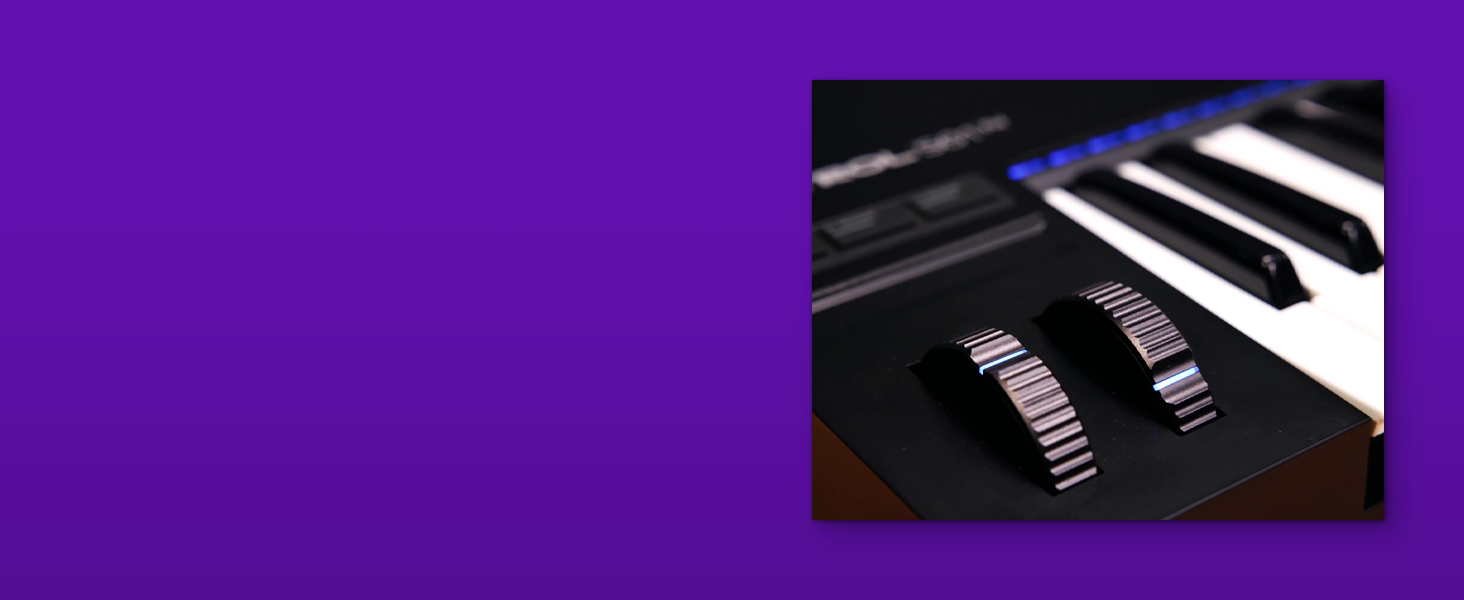
I wasn't sure if I should upgrade from the MK2 version, but I am happy I did. The build of this keyboard is better than the previous version with improvements on the mod wheels as well as moving the touch strip to a location above the mod wheels. The improved screen is brighter and easier to read, and the functionality of the knobs is much better, with adjustments to the plugin parameters done much more effectively. This version of the keyboard now includes polyphonic aftertouch, which is the primary reason for my purchase. The aftertouch provides a level of expression that can now be done when playing and not have to be done in post when recording. It should be noted that aftertouch only works on those plugins that support it. The keys feel great and are very responsive, as are the mod wheels and touch strip. There are also more jacks for adding expression pedals, with four compared to two on the previous version. There are many features on this keyboard that make it a great addition to any studio or for live playing. The only downside I would say about this keyboard is the power needed to run it. The previous version ran off the USB bus, but this version requires an additional USB C cable for power. I would have liked to see a dedicated power block, but this solution works fine if you have an extra USB port available for power. I would definitely recommend this keyboard/midi controller.
C**N
Top choice if you have a lot of NI libraries. I must however say that the first one I purchased I had to send back because I could not get it to work. Couldn't get past update of the firmware. Second one was ok. But the process of getting it up to play was tedious. Many steps and quite frustrating at times. It is also very big. I had it on the side of my desk and turning your head every time you want to use the computer was not good. The controller controls all the NI plugins from the controller itself so that is an advantage. But I sold it and got me a Keylab 61 instead and now I have it infant of my screens and this have made me play A LOT more. So, think about your space and how you will use it.
L**R
Haven't written reviews prior, but due to there being so few on this keyboard, and with how great it's been so far, I thought why not? First on firmware (as people have complained about it): The keyboard shipped with old firmware (~0.2.1) which, in contrast to what it updated to, seems to have been a problem causer. In my specific situation, there was nothing wrong. With that said, I did have the native access software installed before plugging the keyboard board in, and had no problem updating the firmware. I am running Windows 11 as an OS on an X86 architecture (Intel CPU). I plugged the keyboard in via a USB-C connection on my motherboard (ROG MAXIMUS Z790 DARK HERO). I Opened Native Access and proceeded to type in the registration serial from the keyboards LCD screen. Once unlocked I was prompted to update the firmware- which I did. After which I was able to load it into FL21 and Ableton. The keyboard has been amazing, it plays well with Ableton, FL Studio 21, As well as browser MIDI apis (In that order from most to least features). Within FL Studio 21 and Ableton, I set up the MIDI with the configuration shown in the attached screenshots. I was also able to test and parse MIDI information via Javascript (MIDI APIS in Browser), and I can confirm this keyboard sends nearly all relevant data. I have not tested returning MIDI information to the keyboard via the browser API, however, given how it integrates with Ableton and FL21, I'd imagine it is totally doable. With the tech testing/programmatic features aside, everything else on the physical keyboard seems great. In terms of feel- the keys are split into two zones, the initial trigger zone which is springy (in a good way). And a firm secondary zone which is extremely useful for creating controlled oscillation (by default it's mapped to the note velocity, but this value is configurable- and mappable at the very least in most software). Meaning you could emulate vibrato, (sidechain ratio, etc...) or other dynamic attributes of sound within your DAW. The buttons are all "clicky", which to me is satisfying considering it validates that the state has changed (click on, click off). The Mod wheel, as well as the 8 CC nobs, (potentiometer / variable resisters directly below the LCD screen), are consistently firm, which is absolutely great for detailed control. However, you're going to have a harder time (not impossible) with quick oscillation... you'd likely want to do that in the DAW regardless considering the nature of physical items being prone to wear and tear, especially at high rates of movement. The Pitch Bend is firm as well as springy, it returns to its default state when released in a fairly linear fashion. The touch capacitive slider (above the pitch bend and mod wheel), retains its state when released, and indicates said state with LEDs. The Selection wheel is an infinite stepper (while turning you get a click for each step, validating how many units you've scrolled). It is fairly firm and also doubles as a button (the button is as of writing this used to indicate you wish to select/load the selection derived from your stepped scrolling). The 8 CC Nobs are all touch capacitive, however from my experience, the state of the touch capacitors (touched, not touched) is not piped via midi, the values however (while the nobs are being turned) are. While on the topic, the controls that aren't piped directly through MIDI (some of which appear to be piped to a DAW in other ways), (firmware updates might be able to add them later, this is just as of writing): - Fixed Velocity Button - Octave/Semitone Down Button - Octave/Semitone Up Button - Metro Tempo Button - Auto Button - Shift Button - Undo Button - Quantize Button - Play Assist Button - Settings MIDI Button - Left Arrow Button - Right Arrow Button - Previous Button - Next Button - Browser Button - Plug-In Button - DAW Button - Pressed State of Selection Wheel - Keys past 127 With all this being said, the quality of the LCD is great, I have an image attached of a wide angle and close-up of the display. The LEDs are all multi-color and can achieve a decent brightness (color values/brightness are all configurable right from the keyboard). The onboard software also comes with some MIDI candy. Guided scales (the guided scales have a ton of possible configuration... super fun to check out), and an arpeggiator (also with quite a bit of fun config). All in all, the keyboard has been great so far, obviously niche preferences and use case or going to drive whether or not someone would enjoy it. But for music production, sound design, and basic DAW processes, this keyboard is awesome. Hope the review helps!
ア**ア
私は基本的にNIしか使わないので最高の商品です! 防塵加工ももちろんながらディスプレイもガラスになって見やすくなり、タッチパットや各種ボタン類も金属を使っていて高級感溢れしあがりになってて触っててムフフってなります
J**N
It has the same fatar keyed as my korg m1 and Yamaha dx7 one of the most comfortable and responsive keybeds I've used yet



