We remain fully operational. Our teams are working around the clock to ensure your deliveries continue safely.

下载应用程序


🌍 Control your entire server room from anywhere—because uptime waits for no one!
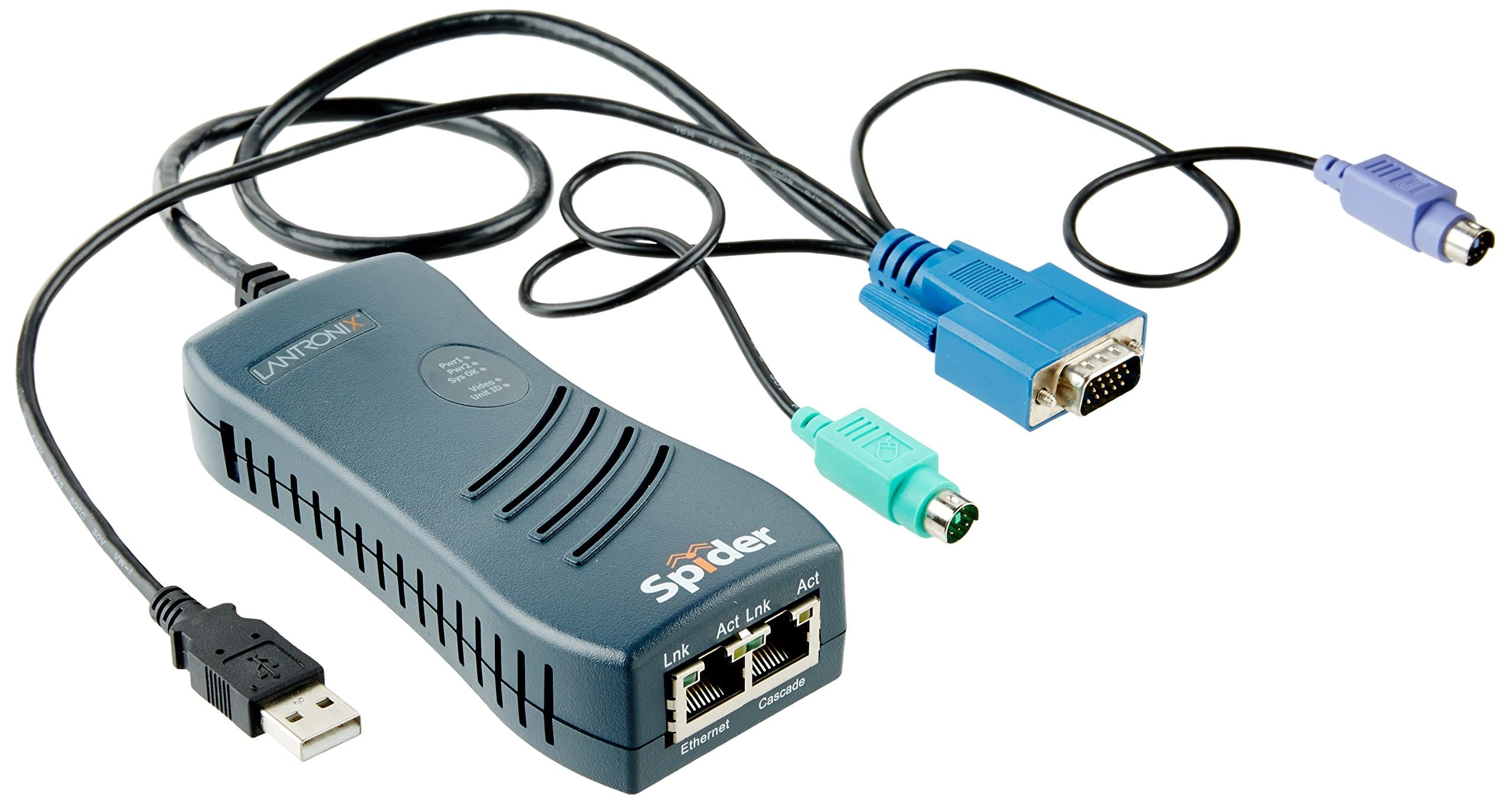
The 1PORT PS2 Remote KVM Kvm/ip Spider is a cutting-edge KVM over IP device that supports USB and PS2 peripherals, VGA video output, and dual 100 Mbit/s Ethernet ports for cascading. Powered via USB or optional mains adaptor, it offers a compact 50 cm cable for easy integration, enabling secure remote server management to maximize uptime.
R**H
Make sure that you have the latest firmware.
I purchased a used model last April at half the new price. Primarily I wanted to use a laptop as a portable KVM to install and configure headless servers. Using Ethernet and a local web browser, it is platform agnostic and suits our non-Microsoft work environment. I have also mailed the device to a remote office, where it was connected to a workstation with a broken network configuration (by the regular office user). This enabled a remote repair and saved travel and hotel costs.The main downside had been the long deprecated (insecure) SSL used by Lantronix, which involved us resurrecting an obsolete OS version. However the December 2018 firmware update addresses that major inconvenience.Purchasers will probably also want a USB toRJ45 console cable (as used with Cisco kit) for device configuration. I bought item B01NGYKRCS from Amazon. I would advise downloading the Spiders User Guide from Lantronix before purchase.The (optional) external power is via a USB mini-B socket, so can use a mobile phone charger.
A**L
Cheapest way to do IP KVM ?
I must admit to having bought this device for a good £50 cheaper off e-bay (new) - however, as I found it here originally, I figure others may stumble this way too, and thus a review here might be well placed.This device is superb - for what I want it to do - there is a major caveat here, which is that it doesn't work well at a BIOS level ( or at least it didn't for me ) - my reason for purchase is sheer laziness, not wanting to run upstairs to constantly check to see if there is activity on a specific system that is VPN'd into somewhere else ( so no chance of running VNC or anything ) - to that end, it is excellent - it is simple enough to configure ( infact, it auto-configures - which the instructions don't tell you - so you may end up searching for a machine that still has a serial port, or a USB to Serial converter ( that would be me ... ) and a HyperTerm replacement for Win 8 ( TeraTerm for the record ) - just to find that the thing has already allocated itself an IP address... )Once up and running though, it does what it says on the tin, and I am happily sharing out the screen, at a far higher resolution than the laptop itself has, across the network, allowing me to be comfortably able to check it from downstairs during the evening rather than having to periodically go up two flights ...Provided you can live with the limitation, there is no reason that this couldn't be an affordable solution to all of your problems !
TrustPilot
5天前
1天前