We remain fully operational. Our teams are working around the clock to ensure your deliveries continue safely.

下载应用程序



🚀 Print Fast, Print Smart, Print Big — Own the Future of 3D!
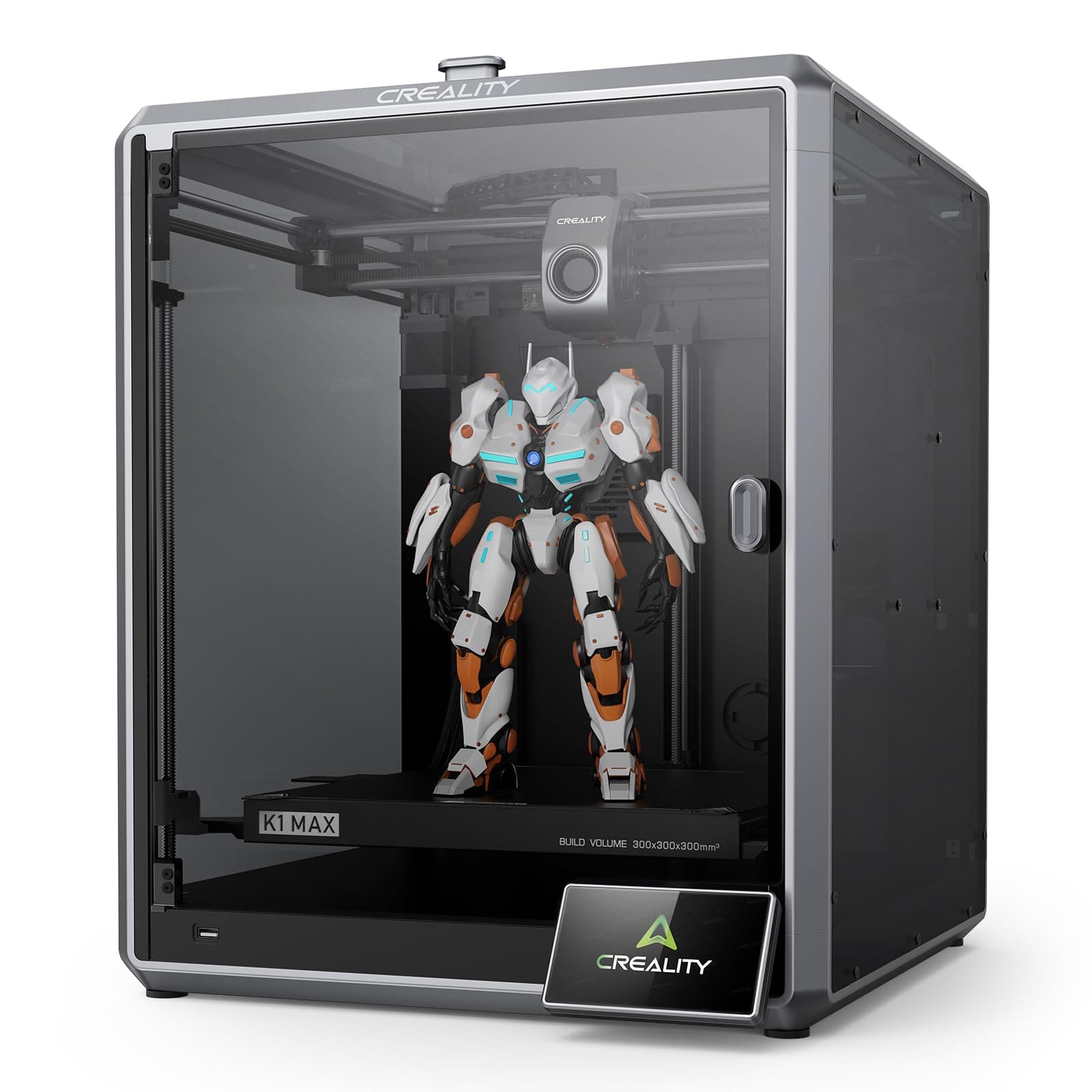
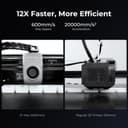
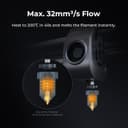
The Creality K1 Max is a high-speed Core XY 3D printer boasting a massive 300x300x300mm build volume and lightning-fast 600mm/s print speeds. Equipped with dual cooling fans, a 32mm³/s high-flow hotend, and AI-powered LiDAR for auto-leveling and error detection, it delivers professional-grade prints with minimal setup. Its robust aluminum frame and advanced sensors ensure precision and reliability, making it ideal for managers and creators who demand speed, quality, and smart automation right out of the box.


| Brand | Creality |
| Colour | K1 Max |
| Compatible devices | Personal computer, smartphone |
| Item weight | 12.5 Kilograms |
| Material | Metal |
| Product dimensions | 46D x 42.5W x 57H centimetres |
H**R
It's big, it's fast, it's good.
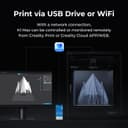
Rarely gets to it's full speed, few fast printers do. But it definitely races along at a fair whack and makes a bed slinging ender 3 look and feel ancient. 8 hair prints on an ender 3 are down to around an hour. Stuff I would never print on an ender 3 is within reach on the k1 max. Good print quality, built in bed levelling via a lidar, inbuilt camera is OK, not stellar but usable. Filament runout sensor built in. It does timelapse on every print, though I haven't worked out how to delete them. Prints over local WiFi, so a bit octoprint like as you can send your files over WiFi instead of using a USB stick, though that USB option is still there if required. Using a USB stick you can also pull timelapse videos direct to the USB stick. Biggest downsides of the k1? No cura profiles at the time of purchase so stuck with creality slicer. Creality slicer works fine but is limited with only 3 profiles, basically high quality slow, medium still slow, and average quality fast. Options are intuitive in creality slicer. Considering it is basically cura they make things difficult when they shouldn't be. You can monitor prints over WiFi, but for me it can't be done from the program itself on the pc, I have to copy the ip address (there is a copy ip option on the print screen so they obviously planned for this issue) to then paste in a browser window which then works fine. If you use a trackball or mouse without a scroll wheel you are in for a miserable time adding custom supports as I cannot find an option to zoom in on the model without that wheel. The only thing to truly HATE with this printer? The phone app. It is full of ads. Ads on ads, ads everywhere. The app is basically an ad app with the printer options you want to access hidden in amongst all the ad misery. Simply put, do not use the phone app if you value your sanity.
A**R
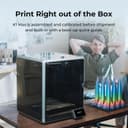
Pretty much print straight out of the box, minimal set up
Needed this printer as I need to print some fairly large parts for a project so wanted high speed and 300x300mm. Also it’s going to be in an unheated and often dusty garage so an enclosure was fairly essential. Also required was higher temperature printing as PLA might be pushing it a bit with regard to structural components on a hot day in summer. First off, packaging is excellent and printer arrived with zero damage. There’s a printed quick start brochure which is adequate but YouTube videos are better. Assembly is basically: unbox, remove protective films of glass panels, fix magnet handle onto door, remove three transit screws from the print bed (big yellow arrows point to these), plug in and mount the screen, mount the supplied reel of filament on the spindle and push through into the print head and switch on. It’s really that simple. Once powered up set up is as easy as it gets. It painlessly connected to wifi and updated the firmware. Levelling etc is fully automated- you do nothing👏👍. It takes about 15 minutes to calibrate itself and sort itself out before you can print your own jobs. I also installed Creality print (slicing software) on a pc and it connected straight away to the printer over wifi. All in, was ready for 1st print well within an hour of opening the box. My first print was a tooling jig I designed myself in CAD. I found the slicing software intuitive and the auto placement and auto supports was fine. I used the default settings for the filament (supplied Creality hyper PLA) and sent the file to the printer and started it going remotely from the pc. Built in webcam shows you the print in progress and status with regard temperatures, time gone and time remaining. Software estimated just over 1.5 hours to print this tooling jig and it was pretty accurate. Printing is fast, very fast and the printer shakes about like some demented lunatic. That said, the print quality was plenty good enough for me and removal of the supports was easy. Oh, did I say this was the 1st time in my life I’ve ever used a 3D printer? It’s quite noisy with the fans and print head traverse motors screaming. And that’s with the door shut and (removable) lid on. In no way is it ear defender territory but you wouldn’t want it in the living room when you’re watching tv. It saves a Timelapse video of the print - remember to turn the interior light on and remove the protective film off the camera lens (not in the instructions). Adhesion. What can I say. I did precisely nothing with regard to prepping the print bed and all 4 prints I’ve done have stuck just fine. They’re also easy to remove by taking off the magnetic metal print bed and flexing it. Size wise, it’s a bit of a beast, you need about 600mm height and depth and about 500mm width space for it. It’s just about small and light enough to wrap your arms around it and carry it if you need to move it. Too early to say about quality and longevity, only done four prints on it so far. I haven’t bothered setting up a Creality cloud account nor putting the app on my phone. Summary. It works, set up is a breeze and you get good quality prints from the get go on default settings. And this is coming from a complete noob. A bit noisy but haven’t tried dialling down the speed to see if that quietens it. Ps. Gave tech support 3 star as I have to put something down even though I haven’t needed to use tech support.
A**A
Nothing but problems with it
Nothing but problems loading the filament since purchasing it. A nightmare! The machine seems faulty, but can’t get through to anyone to sort it out. Update: We now get videos sent to us from support, but it’s one issue after another. It’s never worked properly, unlike the much cheaper Creality Hi which just does what it says on the box. I just wish I’d bought multiple of those instead of this albatross!
M**R
Top notch printer.
Started my printing many years ago on an old wooden framed Anet A8(taught me everything) then I discovered the Creality Ender series and they served me well for a long time and then to this K1 Max, wow what a machine. Simple to set up, then tap a button and it levels itself and checks everything is good and away you go. It's been printing away every day since I purchased it 3 1/2 months ago and I've had 1 failed print. The thing is brilliant.
J**N
Potentially fantastic printer with typical Creality QC issues.
Original Review (August 2023) The K1 and K1 Max are Creality's response the new generation of 3D printers spawned by Bambu Labs who finally kick-started a stagnant market with repeated iterations of the same basic designs. The K1 Max 'could' be a great printer and probably will be. However, Creality do not seem to have made many gains in the quality control department. My printer did 4 successful (and very good) prints before the extruder stopped working. As a person with 6 years + experience in 3D printing, I am used to this and disassembled the extruder in order to troubleshoot the issue. Both of the extruder gears were badly aligned, which was caused by cross-threading of the screws holding them during factory assembly. Thanfully, this was a relatively simple thing to fix with the right tools but, it's a prime example of poor QC and anyone without experience would have been struggling. It's a real shame as I was expecting more considering the gushing positive reviews on YouTube. In some ways, this is a small thing but, when spending £800+ on a printer, no-one should expect to have to get out the tools (including a 3mm thread tapper) within 24 hours of unboxing it due to shoddy assembly. That aside, it is a truely great printer. Fast, high quality prints (results comparable to the Bambu P1P) and a reasonably straightforward unboxing experience (though not as 'joined up' as a Bambu). Creality slicer is 'OK' but still limited if you are a more advanced user. It took some time to dial in a profile for OrcaSlicer. The Klipper install is also locked down so the web interface is a 'display' and file upload interface with next to no control. Once again, a shame considering Klipper is Open Source and Creality are delaying opening up their firmware (as is required). At the time of writing, there is rooted firmware to provide a full Fluidd interface which makes the whole thing a lot more practical for an advanced user. Would I buy another one? The answer is yes but those niggling issues must be addressed before I could wholeheartedly recommend it to others, especially first-time 3D printers. UPDATE July 2024 I now have 3 of these in daily service but they are relegated to specific prints that don't need to be perfect. The print beds on all 3 printers are warped, to the point where even the mesh based auto bed levelling cannot compensate. To exacerbate this, the steel rods holding the tool head flex slightly before the load-cell sensors trigger. This has the effect of introducing over-compensation in the bed mesh. Over the 3 printers, I have had to replace 1 mainboard. 4 extruders, 1 toolhead circuit board and make my own toolhead cable. I also had to make modifications to all 3 printers to prevent them from destroying their own main-boards. There was a documented issue with early models where one of the mainboard screws abraded one of the stepper motor heatsinks, causing it to overheat and eventually expire (hence the mainboard replacement - this was provided by Creality under warranty but took over a month to arrive from China. I purchased a later version of the K1 Max in July 2024 and returned it within 3 days. While there have been improvements (better Hot End, revised extruder design, revised motion system etc), many of the fundamental issues are still present. The extruder design is still fundamentally flawed (it will destroy its own bearings) and most importantly, the print beds are just so warped! The later model I returned also had issues with stepper drivers overheating and I was not prepared to start pulling the thing apart to troubleshoot. Takeaway points - if you are printing novelty items, cosplay parts etc. the K1 Max is 'OK' If you want to produce dimensionally accurate prints with a perfect first layer, these printers are not fit for purpose. Look elsewhere.
H**Y
K1 Max
Worked out of the box. Initial benchy print was perfect. At higher speeds, this is a noisey printer. The Creality Print program interfaces with the printer easily. Dissapointed that this is shipped with the older print head, old stock. Had a problem with one print, see pictures. Sliced with Creality Print.
P**5
The best 3D printer for first time user
This 3d printer is just amazing. Being my first time using a 3d printer I found this a breeze to use and understand. I have printed lots of items and found the printed really well. I would recommend the creality K1 max to any first time user as it auto levelling and ai monitoring of print is second to none.
P**S
Excellent printer
The printer arrived promptly in good condition. Quality of the packaging was excellent. Only a modest amount of straightforward assembly required. Printer works very nicely. Much faster than my old one and does a much better job. Decent build size too. Good software. LAN connectivity is good too. Everything was very straightforward to set up. Overall an excellent purchase and I'm very pleased.