

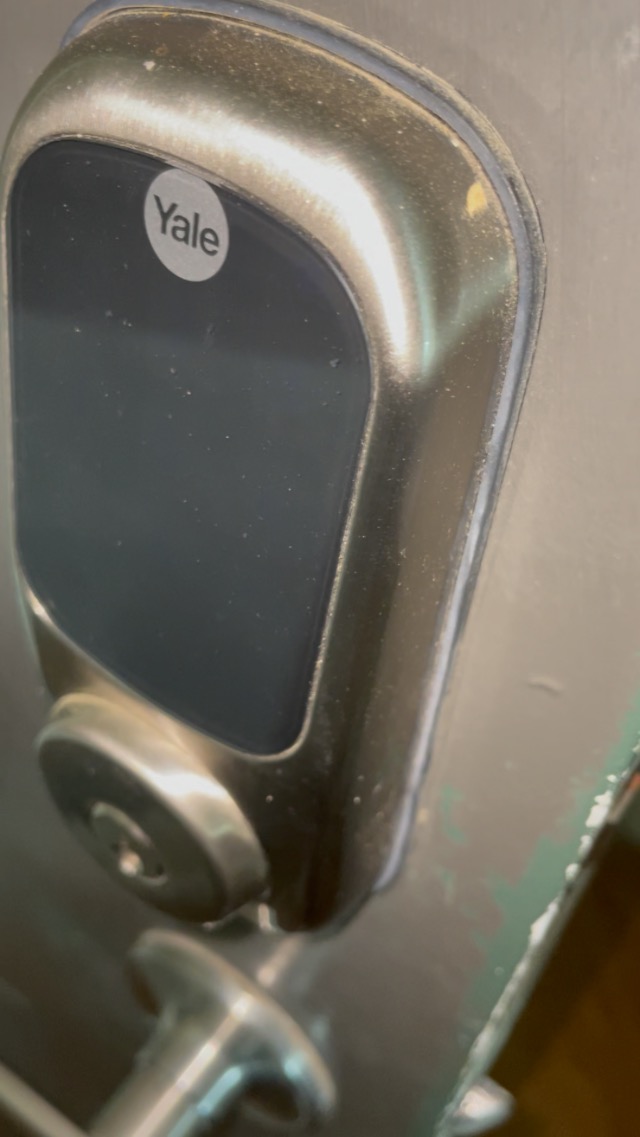

🔐 Elevate your entry game—smart security that’s always a step ahead.
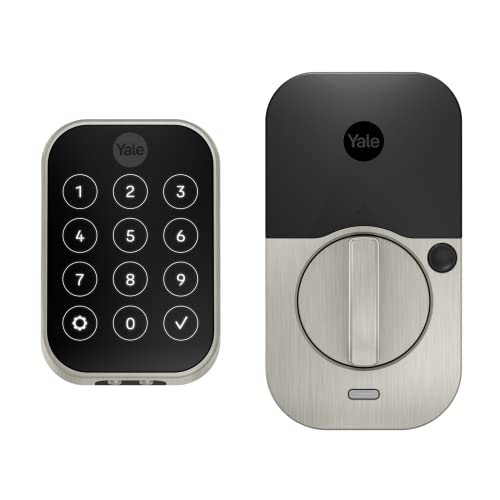
The Yale Security Assure Lock 2 is a satin nickel, Z-Wave enabled smart deadbolt designed for keyless entry via app, keypad, or Apple Watch. It supports seamless integration with major smart home hubs, offers Auto-Unlock and Auto-Lock features with DoorSense technology, and allows unlimited, trackable access codes. Ideal for modern homes seeking secure, convenient, and connected door access.



| ASIN | B0BMS871HB |
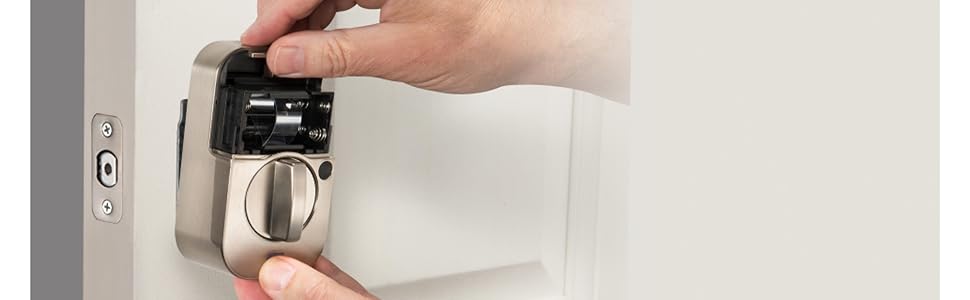
| Batteries | 4 AA batteries required. (included) |
| Best Sellers Rank | #85,017 in Tools & Home Improvement ( See Top 100 in Tools & Home Improvement ) #353 in Deadbolts |
| Brand | Yale Security |
| Color | Satin Nickel |
| Connectivity Protocol | Bluetooth, Z-Wave |
| Control Method | App, Touch |
| Controller Type | Android, Ring, SmartThings, Vera, iOS |
| Customer Reviews | 4.0 4.0 out of 5 stars (286) |
| Finish Type | Brushed |
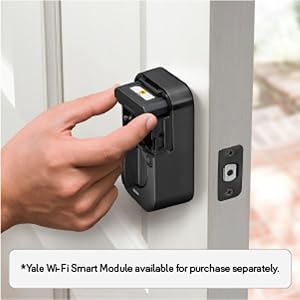
| Included Components | Yale Assure Lock 2, Yale Z-Wave Smart Module, Yale DoorSense, Deadbolt, Strike Plate, Mounting Hardware, Installation Manual |
| Item Weight | 3.58 pounds |
| Item dimensions L x W x H | 2.5 x 3.7 x 2.3 inches |
| Item model number | YRD450-ZW2-619 |
| Lock Type | Keypad |
| Manufacturer | Yale |
| Material | Nickel |
| Model Name | Assure Lock 2 with Z-Wave |
| Number of Pieces | 2 |
| Product Dimensions | 2.5 x 3.7 x 2.3 inches |
| Recommended Uses For Product | Entry Door, Front Door |
| Shape | Rectangular |
| Special Feature | Adjustable Deadbolt, Auto Unlock, Auto-Lock, Keypad Entry, Z-Wave |
| Style | No Key |
| UPC | 081023112253 |
F**E
Great lock
This sleek looking lock not only looks great on my new steel entryway door but it is also quiet, easy to use and boasts plenty of useful features. The Yale app is pretty good and set up was easy. You can set up multiple codes, time of day access, notifications etc. I was also able to easily integrate it into my SmartThings network. The installation was straightforward and instructions were clear and simple. One of the most useful features is the auto-lock, which my old Schlage lock also had, but this lock comes with an open/closed door sensor which prevents the auto-lock from locking the deadbolt if the door is open or left ajar, saving the door frame from damage. There's also a button on the inside that overrides the auto lock for when you want to close the door but leave it unlocked for people to come in and out (e.g. workers). Super convenient. I had to enter a code and perform a sequence of steps with the Schlage lock, which was not if a pain. I haven't tried the auto-unlock feature. Lastly, I choose the keyless lock because in the years that I owned the Schlage lock (which I moved to another door) I never once needed the key. I hope this doesn't come back to bite me.
C**N
Works with Home Assistant Hub
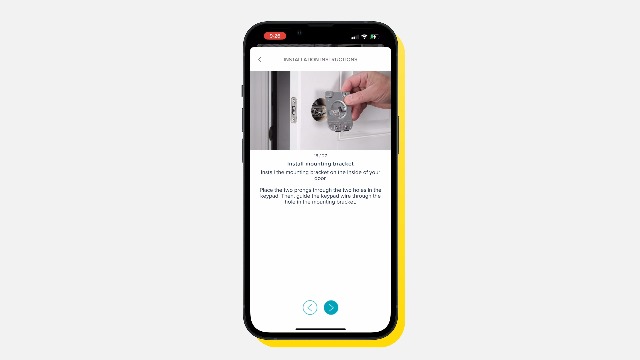
This was the 2nd Yale Assure 2 door lock that I installed in my house. Fairly standard installation. Fortunately for me, I was replacing an existing deadbolt lock so the door and door frame already had the necessary holes drilled. Since I was going to use this lock with my Home Assistant hub, I didn't bother trying to add user codes with the Yale App on my Smartphone. I created the user codes from Home Assistant. The only thing different from my previous installation is that I decided to install the small magnet which works with the 'DoorSense" sensor. I drilled a 5.8" diameter hole about 1/2" into the door frame 2 inches up from the center of the striker plate, and then inserted the supplied small magnet with cover. So when the door is closed, the Yale lock app will show the door status as "closed". Seems to work pretty well.
M**T
Lock is glitchy as best, software and connectivity are terrible. Customer support is even worse.
Bought this as replacement to an older version Yale assure lock. Old lock worked great in terms of mechanical operation, app functionality, and network connectivity. This version falls extremely short of expectation and as a read around on numerous forums it appears many others experience the same frustration. Installation: physically the lock is a fast an east install. If you're comfortable installing a standard mechanical lock you'll have no problem with this. Even if you're a beginner DIY'er the installations are clear and easy to follow. The inital setup however can be painful. First off, the Yale Access app is horrendous. It's clunky and seems little thought was put into development and testing. Establishing a connection between the lock and app is very flaky and consistently drops out (which seems to be common feedback/frustration from others). I had to reset the unit/app several times just to finally perform the inital setup. Customer support was very unhelpful, basically just read the instructions to me over the phone and offered no real technical troubleshooting beyond what I could already do myself. I also installed the door sense system included with this (identifies when the door is open or closed) with same level of frustration during install. Once installed, app connectivity remained an issue from day one. One selling point was to be able to use the app (or proximity via the app) to unlock versus the keypad. The app rarely connects to the lock and I often need to attempt connection 10-12 times before giving up and using keypad. Proximity unlocking never works because the app won't establish connection. Door sense is extremely temperamental. It often detects the door as closed when it's actually open then attempts to auto-lock (which then results in someone slamming the striker into the jam as it auto locks while you're closing the door). Often when it autolocks, the mechanism will continue actuation which repeatedly moves the striker after being in the locked position which prematurely wears the mechanism (I've ensure there is no interference on the strike plate). I've ready the wifi module os very unstable so I later purchased the zigbee module and linked to my Smart Things hub yet functionally and connection are no more reliable. At this point, I use the keypad to lock/unlock from outside, and manually turn the lock when inside to lock the door basically making all the features I paid for useless. The only positive I see is the touchscreen keypad does seem more durable than the previous version. Old version showed signs of crazing in the plastic (little micocracks from UV exposure) and this 2nd version seems more stable. Yale wants nothing to do with making this right and deny any issues in the hardware and software and state its a network issue on my end. As a side note, my home network has no issue supporting any other device in my home and my poor experience seems to be shared my many other owners of this lock. I do not advise wasting your time or money on this lock.
E**D
Perfect replacement for the Nest X Yale lock, works with SmartThings
With Google shutting down the Nest Secure platform and their inability to migrate my Nest X Yale locks and my Nest Protects into the Google Home app, I decided to replace them with this. The Yale Assure 2 is pretty much a direct replacement for the Nest X Yale lock, I installed the ZWave version. I manage these with SmartThings, here's what I found so far. First, install these with the Yale app so you can get the firmware upgraded. You can't use the Yale app and SmartThings to manage these, even though my Yale cabinet lock works like this. Then reset the lock back to factory and install these into SmartThings. You won't be able to do much with these other than lock/unlock with the default ST's driver. I purchased a driver from RBOY and now I have almost full control of the lock. The only thing that I haven't been able to use is the "door sense" feature, but I have a contact sensors on the doors anyway so it really isn't an issue. The lock housing is much smaller on the interior side and the touch screen is a little smaller than the Nest X lock. Now I just have to finish up programming all my Ring devices I've onboarded directly into SmartThings to be completely off of the Nest Secure platform. Update 6mo later: These locks are rock solid. Never had issue. I was able to get these to work with my DIY security system built around SmartThings. I have these locks disarming the security system, just like my Nest X Yale locks used to do with Nest Secure. I am still using a 3rd party edge driver from RBoy to get full use of the features, same 3rd party I'm using for my Ring Keypad drivers. Nest Secure is now dead, RIP. I'm fully using ST's with these locks and a bunch of Ring hardware tied directly to a 2nd ST's hub to create my own, security system with the ST's Home Monitor and the ST's lock management plugins.



