We remain fully operational. Our teams are working around the clock to ensure your deliveries continue safely.

下载应用程序


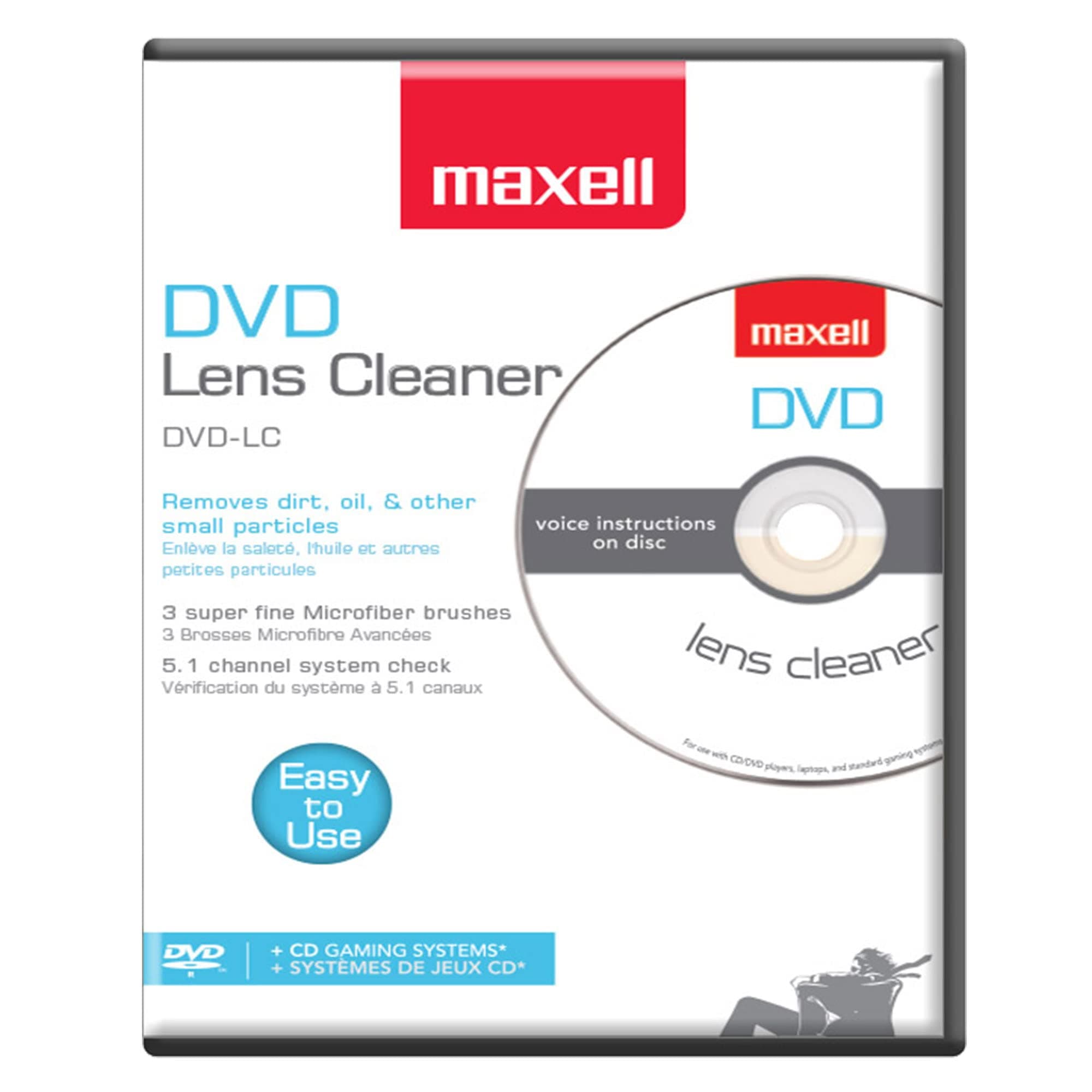
🧹 Keep your lens spotless, your playback flawless, and never miss a moment!
The Maxell 190059 DVD Lens Cleaner features a Thunderon brush system with ultra-fine microfiber fibers infused with copper for optimal cleaning and demagnetization. Designed to remove scratches and improve DVD player performance, it reduces playback issues like skipping and freezing. Compatible with a wide range of devices including Blu-Ray players, laptops, Xbox/Xbox360, and PS1/2 consoles, it is recommended for use every 10 hours to maintain peak device quality and longevity.


| ASIN | B00000JPPI |
| Audio Recording | No |
| Best Sellers Rank | #471 in Video Games ( See Top 100 in Video Games ) #8 in Xbox Accessories |
| Brand | Maxell |
| Built-In Media | Dvd Lens Cleaner |
| Color | White |
| Compatible Devices | Laptop, Personal Computer |
| Customer Reviews | 4.2 out of 5 stars 6,988 Reviews |
| Enclosure Material | Microfiber |
| Global Trade Identification Number | 00025215190209, 00071020436322 |
| Item Type Name | Blank media care & cleaning. |
| Manufacturer | Maxell |
| Material | Microfiber |
| Media Type | DVD |
| Model Name | 190059 |
| UPC | 611101717454 031111126143 021111897211 100177449708 102930561214 071020053956 506990779945 071020436322 168141218378 617407284195 660190895949 809386492160 807320249580 252151902096 809187140512 807031772650 847721115602 072202022104 172304199664 956260299510 767887435331 803982949745 025215190209 163120711093 151903402993 UPC 611101717454 031111126143 021111897211 100177449708 102930561214 071020053956 506990779945 071020436322 168141218378 617407284195 660190895949 809386492160 807320249580 252151902096 809187140512 807031772650 847721115602 072202022104 172304199664 956260299510 767887435331 803982949745 025215190209 163120711093 151903402993 See more |
| Unit Count | 1.0 Count |
| Warranty Description | Please contact vendor for warranty information |
| Water Resistance Level | Not Water Resistant |
R**J
It works!!!
My DVD recorder was not formatting after recording, and I thought I would have to get a repairman to fix it. I read several of the reviews, and decided to purchase this Maxell lens cleaner DVD. I'm so glad I did. I've used it once, and it worked great! I have been able to record two different times, and the DVD recorder is working perfect. Thank you for a great product! I've already told other people about this DVD lens cleaner.
J**E
This did the trick!1
This works well! So easy to run programs and only lasts a short time. They show you on screen the different areas it is cleaning. We used twice through to be sure! Does as it says- nap more white specks, loss of s teens or green pic! We will use as suggested and clean every 1 p hours. Once a week for us. Worth the money!
J**T
DVD, not CD, Unless Yours Does Both!
I looked at a stream of CD / DVD laser lens cleaners that all seemed similar, and seeing one by Maxell, a name that I recognized, I added it to my cart. It arrived this morning, and I took it to the car to try it out with my radio, but no luck. I kept getting an error, although my retail and self written CDs worked just fine. I looked again at the package and sure enough, it said DVD, but not CD. I took it in the house, and it worked fine on my optical drives, and DVD player, which I use primarily for playing CDs. Duh! Of course it worked, because all of these read both CDs and DVDs, and in cleaning the laser lens it accomplishes both because the same laser is used for both. On the disk is a Video file like on DVDs. Nice system for DVD players. I ordered one that says CD and DVD players, and I am curious how it works for both. I hope I don't have to buy a third that is for CDs only. Live and learn.
D**T
I have used it over and over again
Works extremely well, great value for my money, the cleaning power is wonderful.
S**O
This actually works!!
My vehicle DVD player would spit out the discs, and I wasn’t sure if this would fix it. But it did! The first time I put it in my DVD player, it spit it out and said disc error, but the second time I put it in, it stayed in, and then I took it out, I put a regular DVD in, and it worked! Amazing!
A**R
DO NOT PICK AT THE BUMPS ON THE PLAYING SURFACE: Micro Cleaning Brushes
DO NOT PICK AT THE 3 LITTLE BUMPS ON THE PLAYING SURFACE. The Maxell 190050 DVD cleaner came quickly. I opened it up & found no directions written inside the case. Dust cover paper said instructions on rear; so after some tugging, I got the paper out & looked at its back for directions. The DVD enclosed had 3 little bumps on the playing surface, which looked like defects in some plastic surface. So I mistakenly picked at them to smooth them out. But that may have damaged the micro cleaning brushes. They don't look like brushes, but tiny defect bumps on a plastic film surface. Directions say to replace product when brush (singular) becomes visibly worn. I don't see any brush anywhere. I thought maybe it was missing until I noticed on the front dust cover it says, "3 Super fine microfiber brushes." So I figure those 3 bumps must be brushes, but I haven't got out a microscope to look to see if they in fact look like brushes. I ran the disc as directed. The disk played & showed directions on screen and video pictures with a menu of choice: like 1) clean disc 2) check L audio speaker , 23 check R audio speaker , etc. So my DVD player was working to the extent that I could see this menu & heard the classical musical background & watch stuff like clouds floating, plants & insects in a video, while it supposedly was cleaning. But when I got thru on first run, my DVD player would still not play my video DVDs. But then after running the cleaner about 3X, I could now play my DVDs. But after running the disc around 20X, it still would not write on the discs, that is, I still could not record onto a DVD. It could be my fault for not reading the dust cover carefully and having picked at the bumps. But I am next going to try Memorex which advertises 6 brushes, but costs a lot more. Of course if the cleaning does not result in fixing your DVD player / recorder, that proves nothing, since there may be some other malfunction causing your player/ recorder not to work (for example, you might have a bad capacitor on a circuit board). Thus I wish I could make this review "Comments Only," but you have to assign stars to post a review. My main beef is lack of warning on the bumps when you open the case. There should be a piece of paper or warning on disc that says, LEAVE THE 3 BUMPS ON THE DVD ALONE; they are tiny cleaning brushes. UPDATE: I bought the Memorex LASER LENS CLEANER FOR DVD ( 32028015 ) after the Maxell did not restore burn/record ability. The Memorex has more microbrushes that the Maxell. After ~ 1 minute of cleaning, the Memorex restored the DVD burner/recorder so that I could now copy titles off my hard drive to my dvd drive (Pioneer DVR).
R**S
Plastic cover and it WON'T WORK!
I AM SICK OF PROTECTIVE PLASTIC 'PEELINGS' ON PRODUCTS AND EQUIPMENT!!! Every single item lately HAS NOT WORKED until I found the small, almost unnoticed piece of protective coatings. Ridiculous! Leftover plastic on this DVD Cleaner caused it NOT WORK and I should return them! I read the directions! NOTHING STATES REMOVE THIS BEFORE USE except the small unnoticed plastic on the disc....I insert into a server, get a speaker to hear the CD and.... it wouldn't launch and it would not recognize the disc! Great, I tried it in another system and same...defective until I CLOSELY examined the disc and ....It had a small label on the spindle I could not see, a 'protective covering' once removed, it worked but it still would not automatically launch. I'm tired of manufacturers doing this!
Y**R
excellent
My PS5 wasn't reading discs. I ran the cleaning CD through it about 30 times until it cleaned the lens, and my PS5 started working again. Excellent CD. I recommend it.
TrustPilot
1 周前
2 个月前