We remain fully operational. Our teams are working around the clock to ensure your deliveries continue safely.

下载应用程序


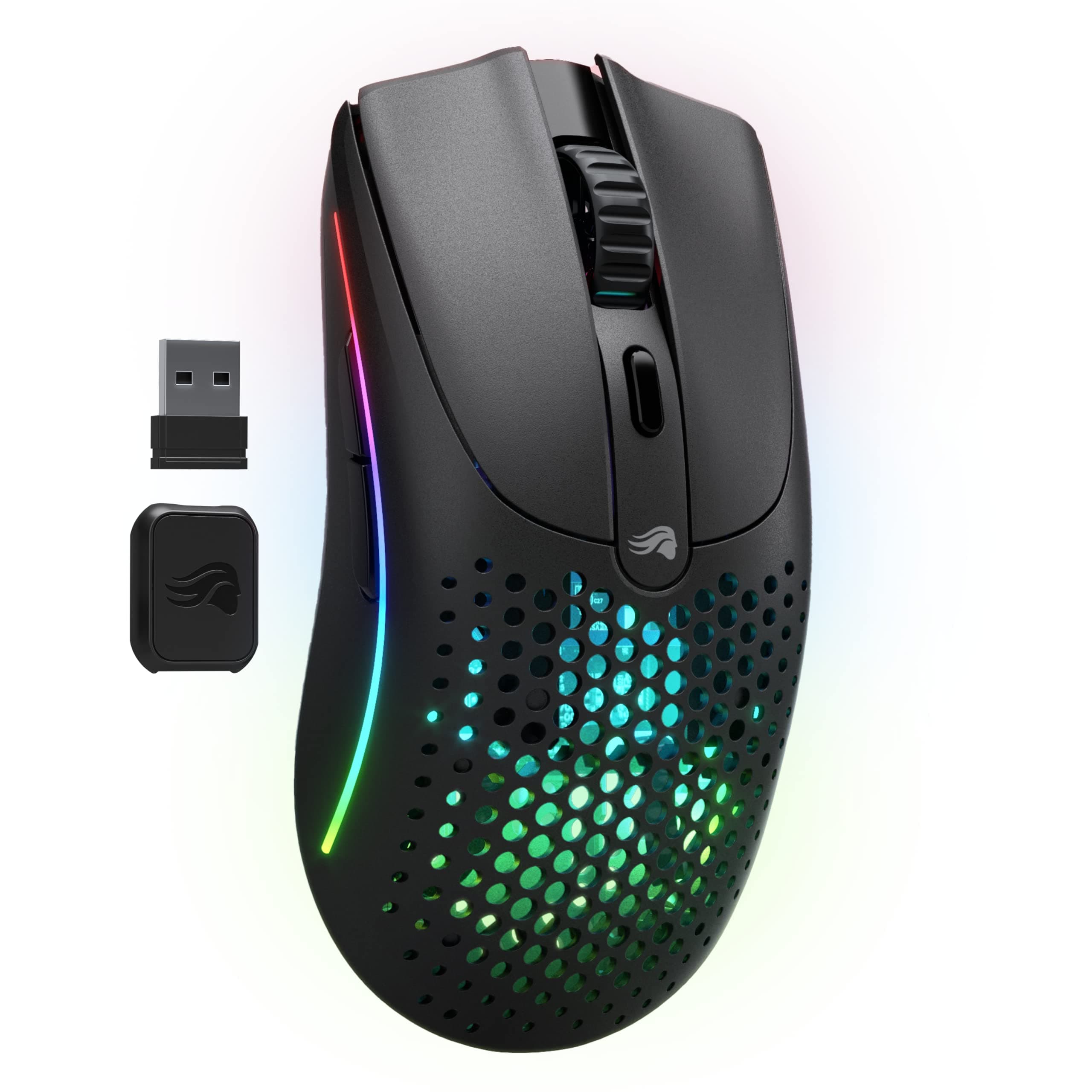
🎮 Dominate your game with featherlight speed and wireless freedom!
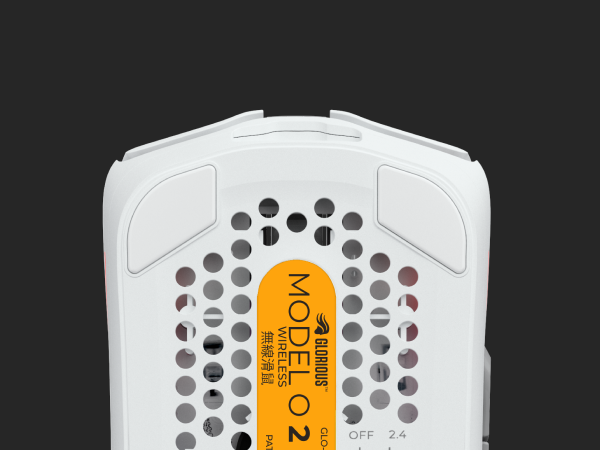
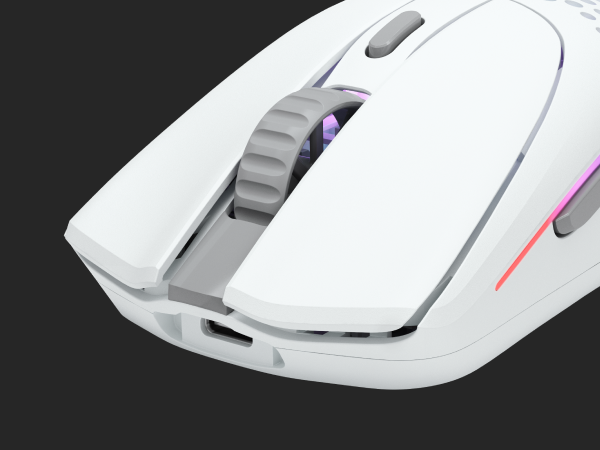
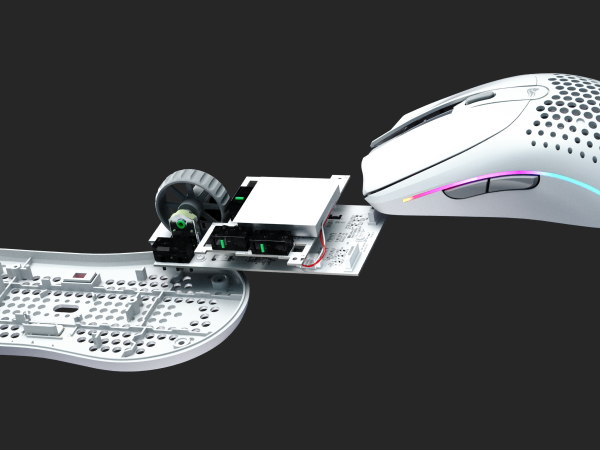
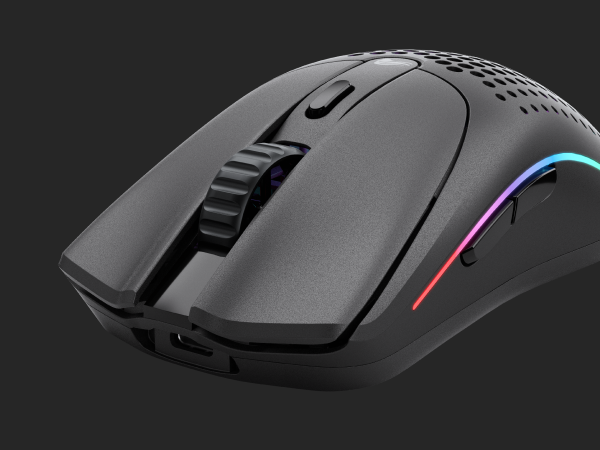
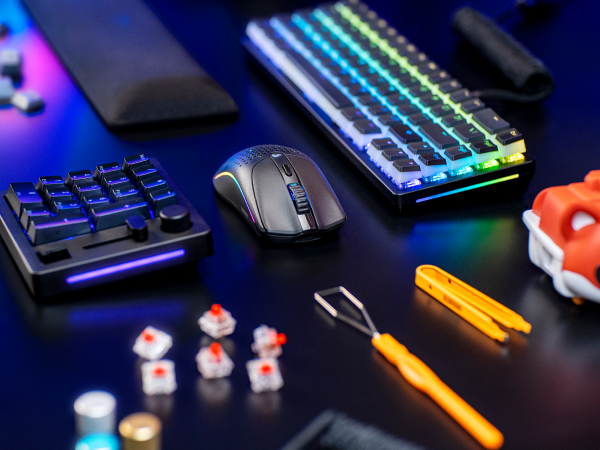
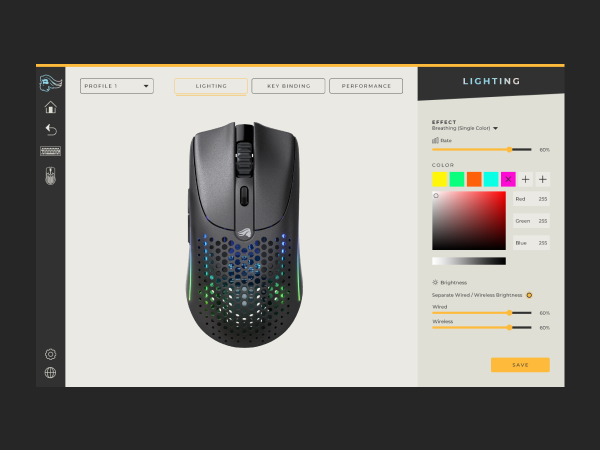
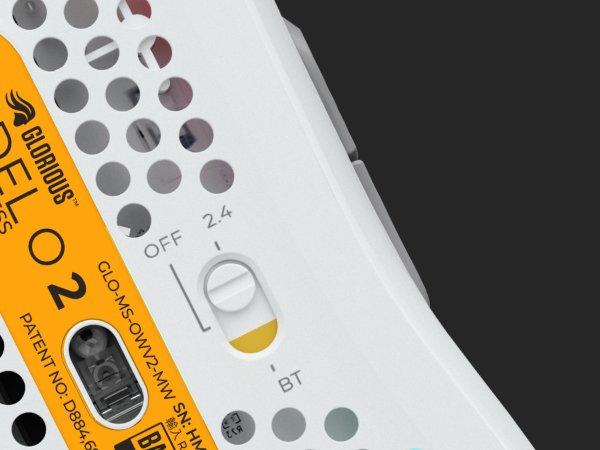
The Glorious Model O 2 Wireless is a cutting-edge gaming mouse featuring hybrid 2.4GHz and Bluetooth 5.2 connectivity, a featherlight 68g design, and the ultra-precise 26,000 DPI BAMF 2.0 sensor. Designed for ambidextrous comfort and equipped with customizable RGB lighting, it offers up to 210 hours of battery life and a premium click experience with durable switches rated for 80 million clicks. Perfect for professionals and gamers seeking top-tier performance and sleek versatility.



| ASIN | B0BLF5NH32 |
| Additional Features | Lightweight |
| Antenna Location | Gaming, Offce Work, School Work |
| Are Batteries Included | Yes |
| Are Batteries Required | Yes |
| Battery Average Life | 210 Hours |
| Best Sellers Rank | #775 in Computer Mice |
| Brand | GLORIOUS |
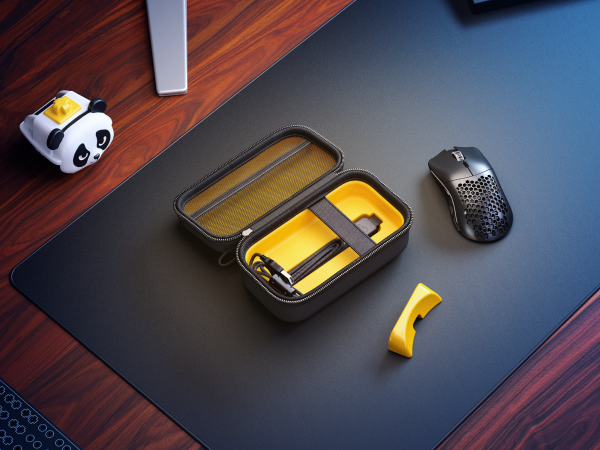
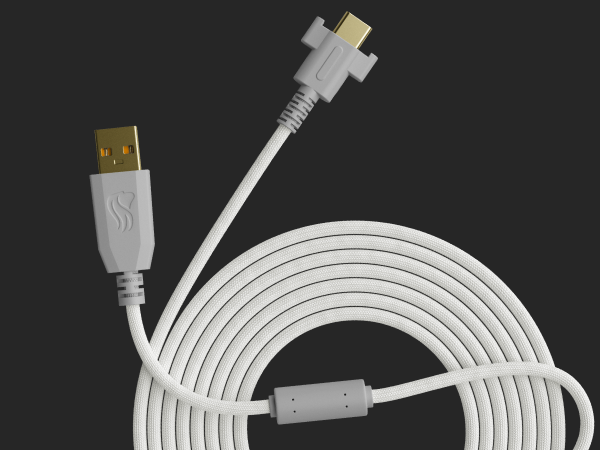
| Built-In Media | Ascended USB-A to USB-C Charging Cable, Gaming Mouse, Wireless Receiver & Extender |
| Button Quantity | 6 |
| Color | Black |
| Compatible Devices | Personal Computer |
| Connectivity Technology | Bluetooth |
| Customer Reviews | 4.2 out of 5 stars 418 Reviews |
| Embellishment Feature | LED |
| Enclosure Material | Plastic |
| Finish | Matte |
| Global Trade Identification Number | 00810069975313 |
| Hand Orientation | Ambidextrous |
| Hardware Platform | PC, PC, Mac, Linux, Console (Supported) |
| Item Dimensions L x W | 4.96"L x 2.6"W |
| Item Type Name | Wireless Gaming Mice |
| Item Weight | 68 Grams |
| Manufacturer | Glorious |
| Model Name | Glorious Model O Wireless 2- Matte Black |
| Model Number | GLO-MS-OWV2-MB |
| Mouse Maximum Sensitivity | 26000 Dots per Inch |
| Movement Detection | Optical |
| Movement Detection Technology | Optical |
| Number of Batteries | 1 Lithium Ion batteries required. (included) |
| Number of Buttons | 6 |
| Operating System | Linux, Mac OS 6, Windows 7 |
| Pattern | Honeycomb |
| Power Source | USB |
| Range | 10.0 meters |
| Special Feature | Lightweight |
| Style Name | Model O 2 (Ambidextrous) |
| Theme | Video Game |
| UPC | 810069975313 |
| Unit Count | 1.0 Count |
| Warranty Description | 2 year manufacturer |
B**N
Great feel, smooth click feel, great mouse
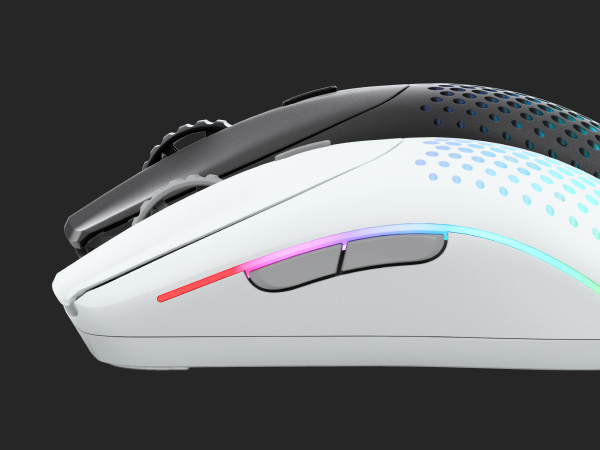
I love this mouse! The shape is a great ambidex shape that is similar to the original Model O with some great updates. The most noticeable is the move towards circular holes, but that is just aesthetics (I like it, but probably a matter of personal taste). Another big change to the physical unit is the left and right buttons. I think the look is more modern and smoother which is a nice touch. I also like the new updated logo on the top (I think the new logo is a big improvement and also not as much in your face as the original Model O). On the bottom of the mouse, you will see there are slight changes in the feet which I think should make it smoother (never had and issues so to me both are very smooth - though remember to take off the paper on the bottom!). Last thing is the RGB seems a little more slick on the side of the mouse (comparing the 'ends' of the light strip you can see more variation/getting more to a point which aligns with the streamlined/modern look). There are a few other upgrades. The first is adding BT connectivity. I like the option, but I wouldn't use BT for gaming. However it is there in case I want it (I use my mouse for gaming and for everyday and sometimes I have to travel, which is where the BT comes in so I don't have to travel with a dongle). Another upgrade is the click feel. When I put it against the original, I think there is more crispness to the click feel and also a little louder (not much but it is there when I click them side by side). Last is the scroll wheel. The design changed and I feel as though it is a little more responsive. One note is I had a slight issue out of the box and had to re-pair the dongle before updating the FW. Not a big deal and I bet they update the FW better out of the box on future units. Overall I loved the mouse and would highly recommend!
D**A
Great mouse!
Bought this mouse after using Logitech g35s for many years. But my recent one had started to develop some weird tracking issues. After using many of those mice through the years, I decided to go with one a bit more expensive. I like the fit in the hand of this mouse. As someone who games very frequently, the way a mouse sits in your hand is important. No cramps after long use. The battery does really well with the rgb turned off. Turned on at max brightness will give a significant net loss of battery life, but it is pretty to look at. The cord is long enough to set the dongle where I need it and if I need to plug the mouse in to charge, I don't have to move the cord. The feet allow a decent enough glide on the desk mat that I use. Though longevity is TBD. Clicking feels great, not super mushy but not overly loud like some mice. Scroll wheel is good as well. Overall this mouse is very responsive and easy to setup through the glorious app. I do use it with no rgb running to get the longest battery life from it. One thing that I will point out as a negative is just the glorious software doesn't seem to really ever know where the battery life sits at any given time. I can charge the mouse through the evening and the indicator will say its at 33%. After reopening the program it can say 62% or some other random number. And it Will stay on that % no matter how much it's been used. Which isn't ideal when in the middle of a gaming session. Overall, I'd give this mouse a 8.5/10. If they can make the battery tracking better in the app, it could definitely be a 10.
R**Y
LOVEEE IT
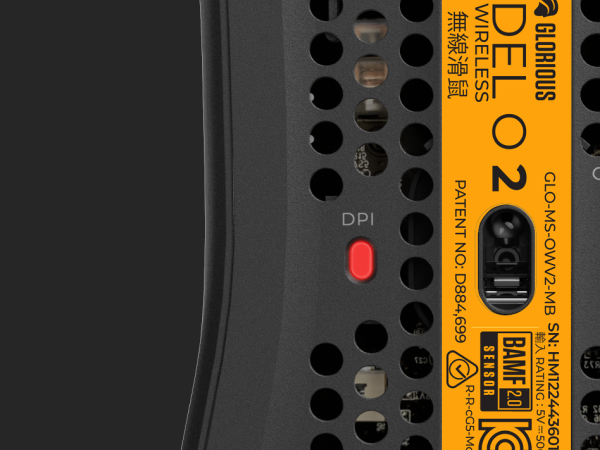
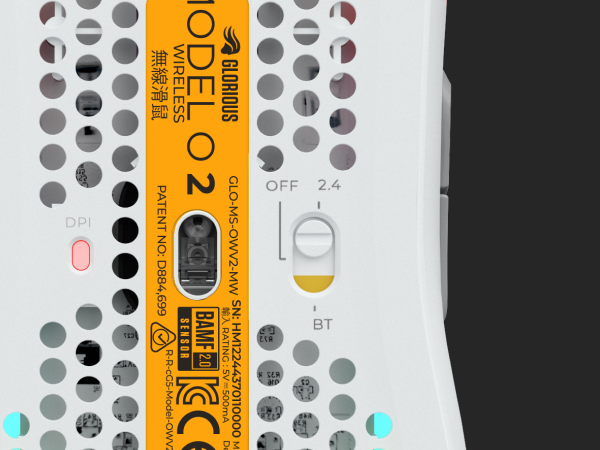
I absolutely love this mouse. The look, the feel, everything about this mouse is perfect. The slick build and look of this mouse match perfectly with my whole setup. The glorious app that you connect to has worked perfectly for me and lets me have lots of customization options. The lightweight feel of the mouse helps me aim when playing competitively and the dps button on the top lets me switch quickly when I am switching between games and surfing the web. I could not recommend this mouse enough.
A**.
Glorified Paperweight
This mouse has great potential except for the fact that it took over an hour and a half to sync it to my computer through the help of random youtube videos. Neither the official website nor the quickstart guide tell you how to connect via Bluetooth.. only through their app. However when you try to link through their app and the included dongle, you literally cannot download the firmware update without fully turning off your computer's firewall (red flag maybe..?) and I STILL cannot connect via the dongle. The instructions mention holding the middle mouse wheel to connect, however it's actually the DPI button you need to hold down, which is a distinctly different button. Again something I needed to find on youtube and random tech blogs. Once I did finally connect via Bluetooth, it worked for exactly 1 day... now the connection only works in 5 minute increments before I have to turn it off and reconnect.. before you say, "charge the battery".. it's at 98%. I wanted to replace my old mouse but at this point they both need to be on at all times else I lose control over my cursor which... for >$100 is absolute hogwash. Would not waste your money here
T**R
Great Mouse but...
This mouse is very light and the battery lasts a long time. My only problem is the software. The software makes your mouse lag when you turn on your PC or plug/unplug it for charging. I have had other issues with the software sometimes you can troubleshoot the problems. Other times you may need to restart your PC. Other than the software this has been my favorite mouse.
A**K
Awesome wireless mouse
I purchased this mouse as an upgrade from a Glorious O- wired gaming mouse that has worked really well for many years. This wireless O2 mouse works great. However, at first I had severe lag issues with the Bluetooth connection even after installing the latest firmware. But after installing the external wifi/blutooth antenna that came with my computer (Alienware Aurora R15, DDR5, Nvidia 4090) the problems went away completely! The bluetooth performance is now almost as good as the performance using the USB dongle. Only in certain games you might notice a tiny difference. But when the mouse is used outside of games, you can't tell the difference at all.
R**I
Good for Drag Clicking
Great mouse for drag clicking, awesome design, EXTREMELY light. This mouse just slides across my mousepad like it's on air.
D**A
Amazing light mouse with disapointing firmware and software issues.
First impressions of this mouse are really strong. It's super light, very comfortable for my hand size, (I would say I have largish hands), and it glides like butter. The actual build of O2 wireless was top-notch. Now for the bad, which is everything else. The mouse's firmware and software are terrible. Whenever the Glorious Core software is opened, it causes the cursor to lag for roughly 5 seconds. That wasn't that bad though, I could live with that issue. What killed it for me was the connection between the wireless receiver and the mouse itself. Whenever I moved my cursor quickly, the mouse would occasionally lag and it was very noticeable in regular use. I could not figure out the issue with the lag. I tried different USB ports, using a dongle to close the gap between the receiver and the mouse, and reinstalling the drivers...nothing worked. The only fix was to use the included USB-C cable, and when it was wired the lag wouldn't happen. But what's the point in paying a premium for the wireless version if I'm just gonna use it wired. I scoured random forums and reddit posts to find a solution, but apparently this is a widespread problem and I couldn't find a fix. The connection issue with the receiver has been an issue for a while now, but it doesn't seem like the company ever fixed it. Returning this mouse was bitter sweet for me because I really did want to make it work. Everything about the mouse build is just perfect, but man the firmware/software have QA issues that still need to be resolved. Another issue I had that I did resolve was that the mouse battery kept dying. That was because there's an option in the glorious core program that needs to be turned on for the mouse to auto-sleep, but shouldn't that be on by default for a wireless mouse? Sometimes the mouse still wouldn't go to sleep after 10 seconds, and it would never go to sleep and just die overnight. After returning the O2 wireless, I saw someone recommend the Keychron M3 wireless on a random reddit post. I think I like the build and ergonomics of the O2 wireless a bit better, but the Keychron M3 doesn't have any connection issues. No random firmware or software issues that cause connection issues. It just works right out the box. I wish the O2 wireless worked right out the box as well. If it did I would've kept it.
TrustPilot
2 个月前
1天前