We remain fully operational. Our teams are working around the clock to ensure your deliveries continue safely.

下载应用程序


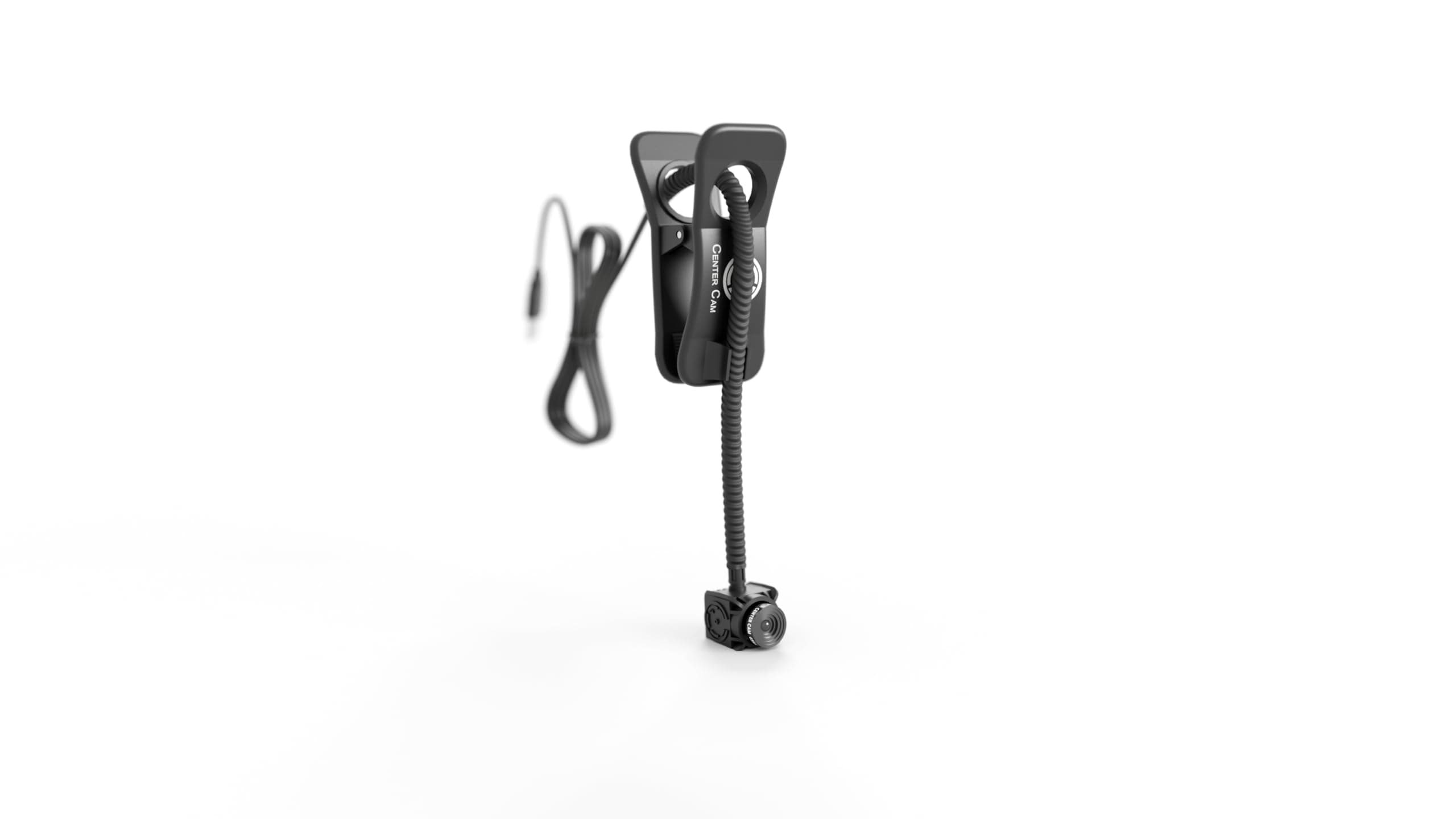
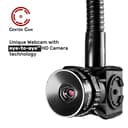
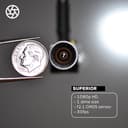
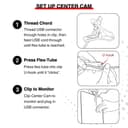
🎯 Own your virtual presence with Center Cam — where clarity meets control!
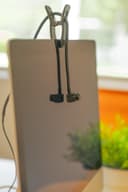
The Center Cam Middle-Screen Webcam delivers professional-grade 1080p video at 30fps with a 65° field of view, designed to keep you perfectly framed and in focus. Its flexible eye-level mount and adjustable clip fit most screens up to 2 inches thick, ensuring optimal positioning for every setup. Compatible across Mac, Windows, Android, and Linux platforms, this plug-and-play USB webcam offers hassle-free installation and reliable performance for video conferencing, streaming, and content creation.



| ASIN | B0B4TZWMML |
| Antenna Location | Home video conferences |
| Are Batteries Included | No |
| Best Sellers Rank | #823 in Webcams |
| Brand | CC CENTER CAM |
| Built-In Media | Center Cam Assembly, Adjustable Clip Mount, and Lens Privacy Cover. |
| Camcorder Type | Webcam |
| Color | Black |
| Compatible Devices | Windows, Mac, Android, Linux |
| Connectivity Technology | USB |
| Customer Reviews | 3.5 3.5 out of 5 stars (236) |
| Display Resolution Maximum | FHD Pixels |
| Effective Still Resolution | 1080 Pixels |
| Effective Video Resolution | 1080 Pixels |
| Exposure Control Type | Automatic |
| Features | Center Cam, Middle Screen Webcam |
| File Format | JPEG |
| Flash Memory Type | SD |
| Focus Type | Auto Focus |
| Form Factor | Handheld |
| Has Image Stabilization | No |
| Image Aspect Ratio | 16:9 |
| Lens Type | Zoom |
| Manufacturer | Shenzhen Geniuspy Intelligent Technology Co., Ltd. |
| Maximum Aperture | 2.1 f |
| Minimum Aperture | 2.1 Millimeters |
| Model Name | Center Cam |
| Model Number | CC CENTER CAM - Center Cam |
| Operating System | Mac, Windows, Android, Linux |
| Screen Size | 2 Inches |
| Sensor Type | BSI CMOS |
| Shooting Modes | Low Light |
| Supported Image Format | JPEG |
| UPC | 860007409608 |
| Video Capture Format | MP4 |
| Video Resolution | 1080p |
| Viewing Angle | 130 Degrees |
| Warranty Description | 1 Year |
| Water Resistance Level | Not Water Resistant |
| White Balance Settings | Auto |
| Zoom | Optical |
P**Z
Camera is very small and still provides clear video!
Background: I manage a team of 14 technical resources and I often facilitate internal courses that have up to 40 students. My main monitor is a 55" 4K curved display. When I am conducting 1x1s with my team members or facilitating a class, it is important for me to be able to look directly at the camera. With my large main screen, a camera below the screen tends to look up my nose and a camera above my screen focuses on my nearly bald head. Neither of these is acceptable. I have tried a couple of standard webcams on narrow stands, but both the stand and the cameras blocked significant sections of my screen. Positives: The camera, itself, is very small. It is very close to the size of a US dime (and smaller than a US penny). The camera is not visually obtrusive. Even with my big monitor, I am able to position it near the middle of my screen. The video quality is very good. It works well in moderately low light and works exceptionally well with ample light. I do not use the built in camera mic, so I cannot speak to how that performs, but the camera, itself, has exceeded my expectations. Other small cameras that I have tried were larger than this one and tended to provide a "fisheye" distorted image. I use this camera dropped from the top of my monitor. The provided clip feels like it is secure (no tendency to unclip or move) and still does not hold so tightly that it impacts the screen. Constructive: The stiff cable sleeve that goes from the clamp to the camera is about a third the width of the camera, itself. This is actually more visually impactful than the camera, itself. A narrower sleeve would improve this. The camera comes with a 62 degree lens. This was a bit too narrow for my purposes. The 80 degree lens is an option that I wish that I could have chosen when ordering the camera (instead of getting the 62 degree default lens). Better still, it would be great to have the option of having both lenses included. Bottom line: If you are using a large screen and need to be able to both use that screen and look directly into a camera that is level with your face, this is absolutely the best solution out there. I highly recommend it.
V**N
Whole lotta money for a whole lotta nothing.
This camera is a great idea and it may work for many folks (I certainly hope so), however, for me it is a bust. The camera quality (materials and components) seem to be pretty sound. The flex arm that supports the camera has great adjustability and moves easily. I am able to set the camera at eye-level in the center of my 49" curved monitor and the cable still reaches to my laptop that is setup on the side. Installation was easy; thread the cable through the clamp, set it where you want it, and plug it in. The quality of the picture is pretty bad. Not only ever so slightly fuzzy, but the brightness seems to be set on ultra-max or something. I can't install teh camera software on my work computer, which is the only place I need a web cam, so I cannot make adjustments there. Also, being bald doesn't really help me. I was able to get the brightness tolerable by setting my wallpaper to a black image (so it doesn't case much light), minimizing all windows (except for the Zoom window), closing the curtains in my office, shutting off the overhead light, and increasing soft light around my desk. This makes my work environment gloomy and unpleasant (for me) and I really don't want to go through these steps every time I need the camera. The attached image is after taking all f those steps. With my normal working environment I look like an over lit lightbulb. Yeah, definitely sending this one back.
R**N
Face: Front and Center!
The Center Cam Middle-Screen Webcam is a versatile and affordable option for video conferencing, online meetings, and content creation. With its 1080p resolution, plug-and-play functionality, and adjustable design, this webcam offers excellent value for the price. Key Features: 1080p Full HD Video: Capture clear and sharp video with a resolution of 1920x1080 pixels. Plug-and-Play Compatibility: Easily connect to your computer or laptop without the need for additional drivers. Adjustable Design: The flexible clip and 360-degree rotation allow you to position the camera in the perfect spot for your video calls. Built-in Microphone: The integrated microphone ensures clear audio quality for your video conferences. Privacy Shutter: The physical privacy shutter provides added security and peace of mind. Benefits: High-Quality Video: Enjoy clear and sharp video for professional-looking video conferences and content creation. Easy to Use: The plug-and-play functionality makes setup a breeze, allowing you to start using the webcam immediately. Versatile Placement: The adjustable design allows you to position the camera in the perfect spot for your needs. Privacy Protection: The built-in privacy shutter ensures your privacy is protected when the camera is not in use. Affordable Price: The Center Cam Middle-Screen Webcam offers excellent value for the price, providing a high-quality webcam at an affordable cost. Overall: The Center Cam Middle-Screen Webcam is a great choice for anyone looking for a reliable and affordable webcam. Its 1080p resolution, plug-and-play functionality, and adjustable design make it a versatile and convenient option for video conferencing, online meetings, and content creation.
T**R
Yorumlarda çok fazla olumsuz olan vardı. Korkarak aldım. Video kalitesinin kötü olduğu söyleniyor ama alakası yok. Gayet tatmin edici bir kalitesi var. Görüşme sırasında hem ekrana bakmak hem de karşı tarafın gözüne bakıyor izlenme vermesi benim açımdan paha biçilmez.
A**R
It does what it says....it sits in the middle of the screen so you are looking directly at the camera. The camera quality I'd horrendous, I've reverted back to my old camera . If I hadn't have thrown the packaging away I would have sent it straight back. I will never use it. Complete waste of my money and very disappointed 😞
A**L
Carma focus is not very good. It's very blurry.