We remain fully operational. Our teams are working around the clock to ensure your deliveries continue safely.

下载应用程序


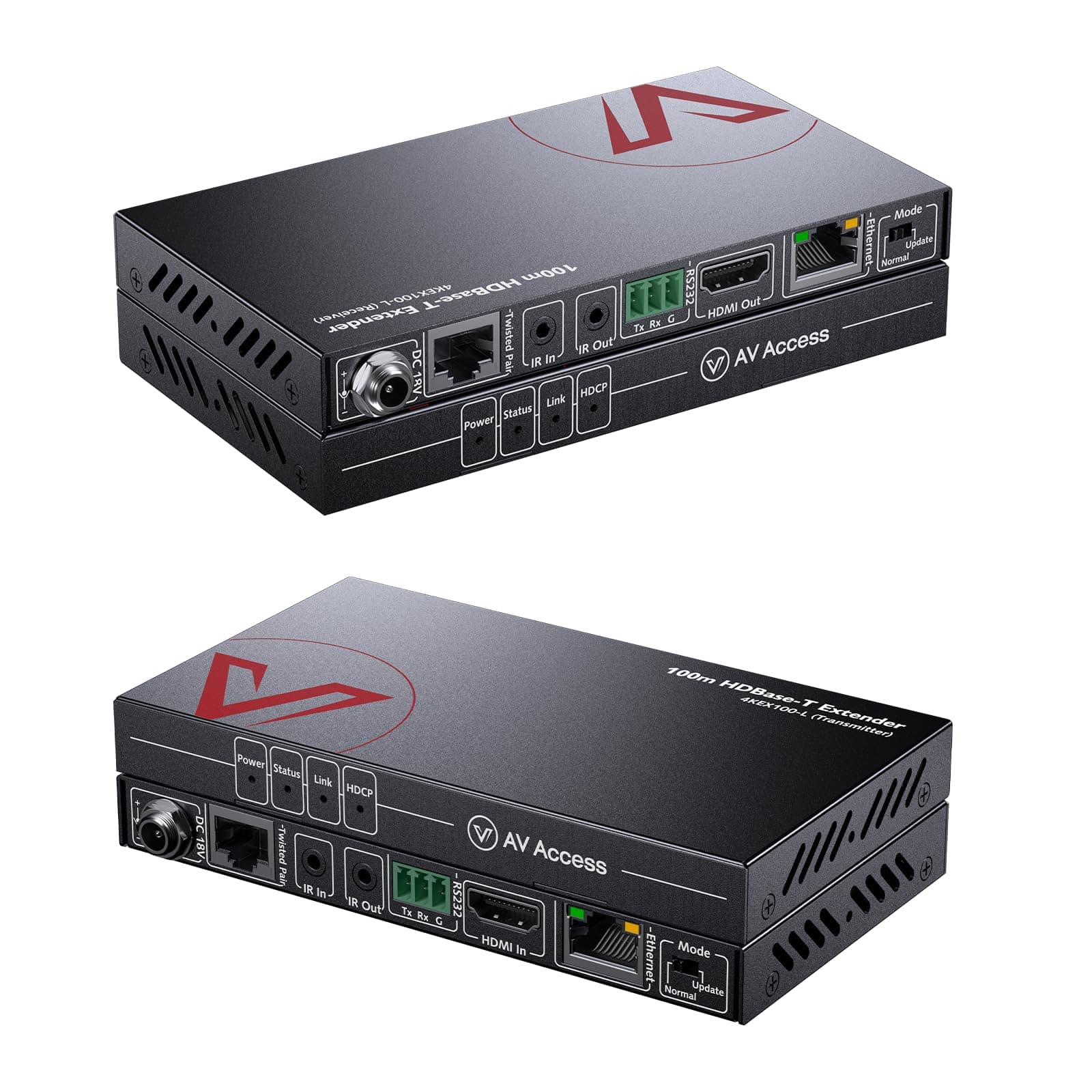
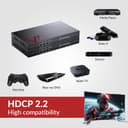
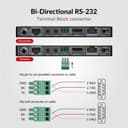
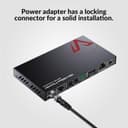
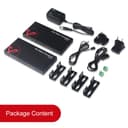
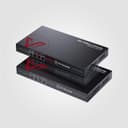
🚀 Elevate your AV game with ultra-long reach and pro-grade control!
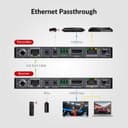
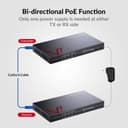
The AV Access 100M HDMI Extender delivers professional-grade 4K UHD video and audio transmission up to 330 feet over standard Ethernet cables. Featuring HDR10, 3D support, HDCP 2.2 compliance, and advanced EDID management, it ensures seamless compatibility and crystal-clear visuals. With integrated LAN extension, bi-directional IR, RS232 control, and 2-way PoE power, this extender is engineered for versatile, reliable, and easy AV setups in demanding professional environments.





| ASIN | B01GYL54JK |
| Best Sellers Rank | 11,019 in Computers & Accessories ( See Top 100 in Computers & Accessories ) 27 in KVM Switches |
| Brand Name | v AV Access |
| Cable Type | HDMI |
| Color | 4KEX100-L |
| Compatible Devices | Laptop, Monitor, PC, Projector, Speaker |
| Connector Type Used on Cable | RJ45 |
| Country of Origin | China |
| Customer Reviews | 4.1 4.1 out of 5 stars (181) |
| Item Weight | 0.25 Kilograms |
| Manufacturer | AV Access |
| Number of Ports | 2 |
| UPC | 667673853113 |
| Unit Count | 1.0 count |
C**W
Brilliant piece of kit
Against the advice of an AV engineer I know, I bought a cheap HDMI extender before this one. It worked fine for a bit, and then packed up. You definitely get what you pay for. This item is much better made, has a number of indicator lights which would make it easy to diagnose a problem if there was one, is more versatile, and works brilliantly. The Infra red remote pass through is excellent as well. Update: I've recently had a problem with the IR pass through. Alex at AVaccess couldn't have been more helpful, and the issue is now fully resolved at no cost to myself. Another good reason for buying this item.
C**B
Works really well - slight glitch at first but customer support excellent
Bought the product and it sat in its box for about 5 months. When hooking it up it worked perfectly except the IR would send messages from where our TV is back through to where the Sky box was. Tried various things, contacted the support team at AV Access. Alex was superb, walked me through several things to check that were very straight forward to do and easy without needing any tooling or advanced skills. On determining either the transmitter or receiver IR cable was dead, he shipped me a new one that arrived next day. Lo - it all works. I have the HD feed that I need from my SkyHD box, full remote capability and perfect picture quality. Would recommend and when the time comes to go up to 4K, would look at the AV Access products again as part of that upgrade.
J**L
All Systems are GO!
I wanted to extend the connection from my Virgin V6 Media Box to a Samsung Smart TV using my home network cabling (via a Patch Panel). When I received the HDMI Extender 4KEX70-L I was impressed by the build quality, and how small it was. After connecting the extenders in accordance with the manual, the Receiver failed to acknowledge a Video/Audio signal. However, after an email to AV Access I got a very quick response with clear instructions on how to change a setting on my Samsung TV. I am pleased to say that I can now watch television through my home network cabling and I would recommend this product to my friends. I should mention that I my TV can no longer control the Virgin Media via the HDMI cable, but as the new V6 remote control uses a RF signal I can use that remote from another room
N**D
but flickers in the menu screen and gives sparkalies on 4k Netflix but is fine with Kodi at 4k
The search continues... I've a 15m usb powered HDMI lead under the house that just about works with Shield TV at 4K 60Hz, but flickers in the menu screen and gives sparkalies on 4k Netflix but is fine with Kodi at 4k. However, XBOX one X won't do 4k of any type over my existing powered HDMI lead and the Virgin V6 box gets in a right muddle and I have to throw a long HDMI lead on to re-set things so there's any picture. So I had high hopes for this as I'd also run 2 CAT 6 cables under the house. However, it can only do 4K at 24Hz with the shield (59.6, 60 and 50 were out), so it's dropping frames on most video and the virgin video stopped working (oddly the menus were there). Swapped back to my old cable and Virgin video was working. Didn't try the IR and Ethernet projection as it didn't meet my needs. PS don't see why reviews for a matrix and a splitter are mixed in with reviews for this, it's misleading.
J**O
Works really well but ensure you use HDCP 2.2 compliant HDMI cables
I have been tearing out what little is left of my hair trying to get this (and other similar devices to work with our new 4K TV. (Very) long story short our setup involved a concealed 10m HDMI cable from our Virgin Media box in another room to our main living room TV. I didn't realise until too late that you can't run HDM over 10m without loss, so our fancy new TV looked rubbish. Short of ripping up floors there was no easy way to replace the cable, but I came across this device. We did (fortunately) also have Cat5e cable run across the same distance, so I was able to make use of this. I couldn't understand why it didn't work initially and spent a huge amount of time troubleshooting, replacing every cable and even running a direct 10m Cat7 cable between the Transmit and Receive devices, all to no avail. It was showing a signal but the HDCP light was off, suggesting no HDMI signal. I did some more research and found not all HDMI cables were HDCP 2.2 compliant, even though I had swapped them out for others they must all have had the same limitation. From Googling more about HDCP I realised I needed a cable which supported this, managed to source one and it's all working fine. The picture is now crystal clear and finally does the new TV justice! I didn't need the remote control function as we have the new Virgin Media 360 box which doesn't use IR line-of-sight remote, but the additional pass through ethernet is good as it allows our TV to have a wired internet connection if we want to watch using the built-in apps.
P**R
Very good but problems with samsung uhd
Very good but never worked with my Samsung uhd blueray, The recable hdmi work best for 15m or above
J**P
Does it all .....I really like the Industrial feel of this unit (screw in power--solid metal chassis and small--nice feel)....It works great. My tv is 145 feet away thru Cat 6 (Belkin) looks great...really surprised. The HDCP 2.2 is a critical feature and a big deal if you want to use 4k and extend it. I like it so I can distribute my video signals from a single closet. My Rokus, Fire TVs and Dish network all all inputs to my 8 X 8 video matrix (8 inputs and 8 outputs). I use this on the output side so for example I do not need a 8 Dish network units (Hopper3 and Joey) (that would cost $7 each a month X 7 = $49 per month --first unit is included in base cost with dish)--I use two (cost $7 per month) for all of my TVs. I use my phone as my remote using the Dish app--- Functional responses are faster than the IR....not sure why but it is....The Hopper3 was critical to make all this work...
D**M
Le produit ne fonctionne plus après a peine 7 mois d’utilisation... le câble reliant les deux boîtiers fait moins de 10 mètre et est de catégorie 7. Vérifié par un testeur, j’ai également fait des tests de débit ! Bref ne pas acheter je souhaite faire valoir ma garantie !
R**K
unfortunately after weeks of trouble shooting, support informed me that this unit the 4KEX100-L is not compatible with Roku 4 devices... as the roku is the #1 streaming player out there, i can't recommend this device to most of my friends. the units plug in quickly and intuitively. no setup is required and the Ethernet pass through works great. the units will get pretty hot at times so something to keep in mind. they work great for 1080 signal from a computer and from an older apple TV (not the 4k). but as soon as I plugged in my new roku 4 for some 4k fun, I started seeing artifacts in the image and frame drops. it all got too much for me and I contacted the support. they send me the 4KEX70-R which is supposed to be more Roku friendly but it doesn't have ethernet pass through and makes things better but doesn't completely solve the issues with the image artifacts. if you don't use a roku, give this a shot. if you do. pass for now and let me know if you buy something that works with all the same functionality.
A**R
This Product looks like a dream! However, it does not work the advertised distances. The two unit won't even talk to each other at 150' of Cat6a shielded cable. They do work 125' or less, flawlessly might I add. If you don't need the 230 feet, or the 333 feet, then this product does as advertised. I will be returning mine though as I needed to go 150' and 175' and it simply does not make the connection.
A**I
Have this for 7 months now. Mostly pleased. Running HDMI over Cat5e from my Cable box and AVR upstairs to my Panasonic plasma TV downstairs. Power light always on at receiving end, but link light flickers and does not show video for a while, 1 minute to 20 minute sometimes. Then it suddenly connects with steady green link light, and video works very well for as long as I'm watching TV. Next time I use it, it either works right away or it does the blinking thing again, unpredictable. It seems more of an issue the first time TV is used in the day. Very frustrating. The quality once the link is steady, is very good. What could this be?
TrustPilot
2 周前
1 个月前