
下载应用程序


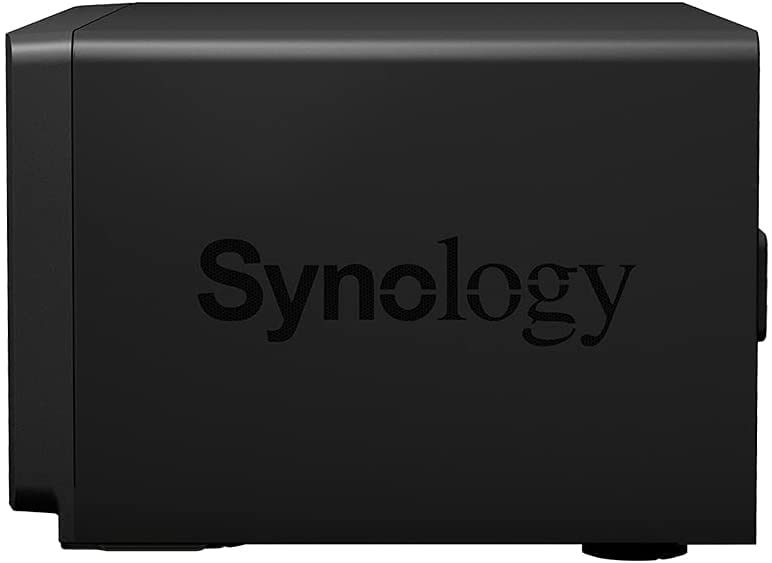
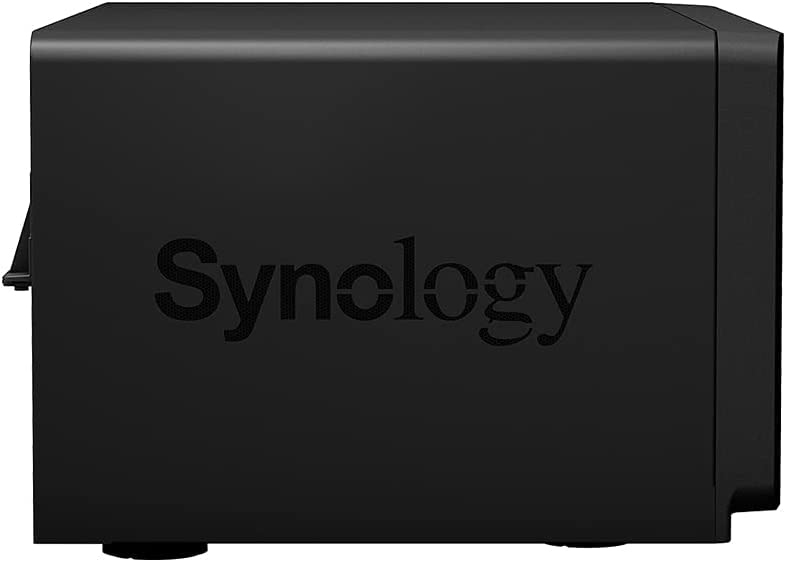

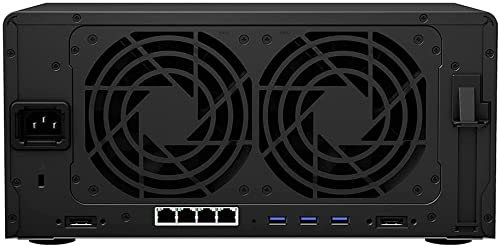
🚀 Elevate your data game with Synology DS1821+ — storage that works as hard as you do!
The Synology DS1821+ is a high-performance 8-bay desktop NAS pre-installed with 16TB of reliable Western Digital Red Plus drives. It delivers 177% faster 4K random read IOPS and 76% faster sequential write speeds compared to its predecessor, supports NVMe SSD caching for up to 20x HDD acceleration, and scales up to 18 drives with expansion units. Featuring comprehensive backup solutions and 10GbE network readiness, it’s designed for professionals seeking scalable, secure, and lightning-fast storage.
| ASIN | B0B7XPBV8V |
| Best Sellers Rank | 53,004 in Computers & Accessories ( See Top 100 in Computers & Accessories ) 129 in Network Attached Storage (NAS) Devices |
| Brand | Synology |
| Colour | Black |
| Customer Reviews | 4.4 4.4 out of 5 stars (252) |
| Date First Available | 28 July 2022 |
| Form Factor | 3.5-inch |
| Guaranteed software updates until | unknown |
| Hard Disk Description | Mechanical Hard Disk |
| Hard Disk Rotational Speed | 5400 RPM |
| Hard Drive Interface | Serial ATA |
| Hard Drive Size | 16 TB |
| Hardware Platform | PC |
| Item Weight | 9 kg |
| Item model number | DS1821+/16TB-REDPLUS |
| Manufacturer | Synology |
| Package Dimensions | 44 x 34 x 29 cm; 9 kg |
| Series | DS1821+ |
R**E
Excellent piece of kit suitable for Home or small business
I'd been told that Synology were tricky to set up. Not True. Adding disks, without the need for fiddly screws etc, then using find.synology.com to install the DSM (disk storage manager) software. It was all a breeze. HYBRID RAID I've set mine up to use SHR1 or 2 (Yep I bought more than one of them) - That's Synology Hybrid RAID with 1 or 2 redundant disks. The storage capacity is pretty good too. Basically, you'll need to deduct 1 or 2 drives worth of storage from the total available for the RAID and a disk extra if you intend to keep a hot spare. - so my 6Tb x 8= 48 theoretical but in practice it is somewhere over 30Tb, with huge safety and failover capability. use the Synology web site to check the calculations with their little graphical tool. Hybrid RAID means that extra disks of any size larger can be swapped in to replace disks on the installation. Handy for when those 3Tb disks reach end of life and are to be replaced with - say - 6Tb or larger drives. PATIENCE REQUIRED Dealing with big numbers means that the initialisation of the RAID takes time. The system has to chug through all of the hard drives performing a parity check and this can take (literally) days. My trick is to build the initial system with just two drives and to create a Storage Pool. That means the drive can be used and directories created etc. Then I can add the other drives and the slow review by the system of the parity/bad sectors can chug along on an otherwise functional system. CACHE DRIVES The Plus (+) series allow the addition of a cache: two small SSD drives (giving RAID 1 protection for Read/Write operations) This is handy and appears to improve throughput. I used Samsung 970 EVO Plus 500 GB PCIe NVMe M.2 (2280) Internal Solid State Drives and they fit into two hidden slots inside the unit. It's like having extra disks inside dedicated to cache operations. NETWORK BIND. There are four 1Gb ethernet connection on the units, which can be bound together to give 4Gb LAN access, if your switch can take it. Another useful performance boost. SOFTWARE: There's a good selection and it uses 'wizard-like' features to guide one through the varied processes. I have only needed a few extra software beyond those pre-installed. They are easy to install and appear to 'just work.' The instructions are well-written and very practical. I found it quite a delight to be guided through most things with a light touch instead of the usual procedural manuals. DISKS: I'm using WD RED and they seem to work reliably and quietly. I'm not getting the noise that some people comment about. In fact I have to look at the lights to know that the things are running. EXTRA MEMORY : Can go up to 32Gb with 2x16Gb kits. I tried it for one unit with DDR4-2666 SODIMM but the end result is that I'm using 2% (Two percent!) of the memory. I haven't bothered with the other units which have a standard 4Gb factory fitted and bob along at 5-7% memory usage. USAGE: I'm using one as a main operations unit, one for backup and a third for off-siting. The operations unit has working files on it and I've figured out how to run most things across the LAN - including Lightroom and Final Cut Pro. It's outside the scope of this review to describe how, but it all works and means I can decommission a Thunderbolt-attached Drobo 5 from one machine. I'm also using a separate volume created on one unit for Time Machine backups of the several machines and laptops that pop up on the LAN. I'm also using a mix of Chronosync (Mac) for backup, as well as HyperBackup between Synology units. It is also handy that the Synology are WAN accessible, so a side-effect of this update has been creation of a private cloud. OVERALL : Very good units. Simple to use, quiet and fast.
D**N
Great NAS and better than the newer models!
Unbeatable device and a better buy than the more recent models which are plagued by vendor lock-in restrictions meaning you can only use Synology's own-brand drives, RAM etc (which, funnily enough, are 4-10x more expensive). This device is quite fussy when it comes to RAM upgrades, so make sure you research module compatibility. When it's going, it's rock-solid massive storage with one of the best UIs around.
A**G
Quality product
Happy with the 1821 nas drive. Simple to install seagate enterprise hard disks and extra ram. Intuitive Dsm software allows for easy setup of storage volume. Been up and running for a week now, able to access files from various apps around the house.
D**D
Quality hardware.
Excellent NAS, the Synology interface is fantastic. If you’re buying this as a PLEX server, bear in mind video transcoding is limited so you might need to use it as a NASand have PLEX server running elsewhere as opposed to natively. I’ve upped it with 32Gb of ram and 2x M.2 caches.
A**O
Great NAS
If you need a massive NAS for video editing or massive backups, this is extremely good. Can get a little hot, but is to be expected of a NAS. I recommend frequently clearing for dust.
A**R
Only Synology Drives Will Work...
Synology were great units at a very competitive price however their recent decision to limit the drives that can be used in them to Synology branded drives is a massive issue. This therefore renders this unit useless to me and it is being returned, I am ordering three QNAP 8-bay devices instead of three of these Synology unit. I know there are some 3rd party scripts that can be run to force drive compatibility but that really shouldn't be needed on a device like this. Every other NAS brand doesn't have issues supporting ALL drives which leads me to wonder what about Synology's product is so poor that is renders the device in such a precarious state that only a few drives will work. I'm not prepared to take the risk with this unit or the 3rd party scripts so will take my money elsewhere.
M**.
Easy to use
Easy to use, good performer, Synology memory expansion expensive
M**E
DS1821+
What can I say.. I have retired a DS1813+ and replaced it with the DS1821+. Working as expected and the old DS1813+ is now being used as a backup
N**R
One of the Best in the industry feature rich reliable, expandable and cost effective high performance NAS
A**A
La possibilità di espandere il prodotto con Cache e Ram aggiuntive e il fatto di averlo preso al prezzo del fratello minore con 6 bay, fanno di questo mio acquisto uno dei migliori di sempre. Sono passato da due NAS (Synology 4 bay e un 2 bay per la videosorveglianza) a questo modello, migrando con una facilità unica gli HDD dei vecchi NAS a questo... Quindi dedicando i 4 dischi a storage pool e 2 gli altri dischi a videosorveglianza in un altro storage pool sullo stesso apparato... con un avanzo per futura espansione di 2 HDD. Unico accesso con tutti i servizi. Quello che volevo! Prodotto consigliato se si vuol più di un semplice storage, fa un pò di tutto e permette anche di implementare delle VM ed espandere la versatilità del NAS. Ho inventrato in un unico apparato Storage, Backup, Videosorveglianza, Domotica di Casa, Server di Posta, Active Directory, Media Server e Hosting... e può fare anche di più.
G**N
So this is my 3rd Synolyg NAS. I have a 4 and a 12-bay and the reason for the purchase of the 8-bay was to move to a newer supported platform since my 12-bay has reached end of life and does not receive new SW updates. With today's sizes of hard drives an 8-bay works out great for me. Having 5 disks in a SHR-2 configuration gives med enough space and I also have 1 disk sitting on the shelf if I need to replace any of the disks in the future (this actually happened for the 12-bay last month that I needed to replace a disk and had it done in minutes instead of days if I had to order a disk). So this leave me with 3 empty bays. I'm planning to run my cameras to the NAS in the future so two of the bays will be housing hard drives meant for surveillance workloads in the future. I also bought a Mellanox ConnectX-3 10 GBe network card instead of a Synology branded one since it was cheaper and I needed the SPF+ interface. Some memory to upgrade from Kingston also worked even though it isn't on the compatibility list (Look at NasCompares YouTube channel and website, they have tested non Synology RAM in different models). I would recommend the Synology brand for NAS devices to everyone. They do not have the lowest price but I think it is worth it.
D**P
Excelente como todo lo que hace Synology. Barato?. no. Lo que no me gusta nada es tener que pagar una fortuna por el nuevo modelo de RAM con ECC. Dejense de estupideces, con los anteriores modelos no habia problema de corrupcion de RAM alguno que solucionar. ¿Para que usa una RAM carisima?.
A**Y
Oh my what can I say or where do I start, let us limit to the problematic issue of compatible drives and the unavailability of local solutions of drives, which makes this whole idea useless, I got the synology for the obvious software and less headache with a turn key solution, first thing sourcing drives is neaxt to impossible and DOA drives is a norm, and finally I decided to go the Toshiba route, which I am told is the same as the symbology drives just rebranded, imaging my surprise when they came up with the new system with a very tight compatibility and seem to be going down the route of locking their system to there drives, I know that they have issued statements that the older systems will not be affected, but that is a big risk you will be taking with a company that seems to be going down a route of making an echo system that removes flexibility. This is not IMO suitable for the mentality of a home user that seeks a NAS solution, if I wanted turnkey to that extent, I might as well have gone to cloud storage. Long story short, I ended up disabling updates to the OS and lost the main reason I went the Synology route.