We remain fully operational. Our teams are working around the clock to ensure your deliveries continue safely.

下载应用程序



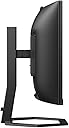


🚀 Elevate your workspace with panoramic clarity and effortless collaboration!
The Philips 34E1C5600HE is a 34-inch curved UltraWide QHD monitor featuring a 3440x1440 VA panel with 100Hz refresh rate and FreeSync support. It offers vibrant color reproduction via Ultra Wide-Color technology, seamless USB-C connectivity for video and power, and an integrated 5MP webcam with noise-cancelling microphone for professional-grade video calls. Designed for productivity and multimedia, it includes built-in speakers, height adjustment, and a sleek, cable-minimizing setup ideal for modern workspaces.


| ASIN | B0B3WJ7JN3 |
| Adaptive Sync | FreeSync |
| Aspect Ratio | 2.39:1 |
| Best Sellers Rank | 4,060 in Computers & Accessories ( See Top 100 in Computers & Accessories ) 100 in Monitors |
| Box Contents | 1 year technical support, Philips 34E1C5600HE - WLED 34"" VA 4ms, |
| Brand Name | Philips |
| Camera Description | The item features a 5 megapixel webcam. |
| Colour | WebCam / USB-C |
| Compatible Devices | Devices with HDMI, DisplayPort, or USB-C interfaces and compatible resolutions |
| Contrast Ratio | 3000:1 |
| Customer Reviews | 4.1 4.1 out of 5 stars (126) |
| Display Technology | LED |
| Display Type | LCD |
| Global Trade Identification Number | 08712581783464 |
| Hardware Connectivity | DisplayPort, HDMI, USB, USB Type C |
| Has Color Screen | Yes |
| Image Brightness | 300 |
| Is Electric | Yes |
| Item Dimensions D x W x H | 25D x 80.7W x 60.1H centimetres |
| Item Type Name | Monitor |
| Item Weight | 9.29 Kilograms |
| Manufacturer | Philips |
| Maximum Display Resolution | 3440 x 1440 Pixels |
| Model Name | 34E1C5600HE/00 |
| Model Number | 34E1C5600HE/00 |
| Mounting Type | Wall Mount |
| Native Resolution | 3440x1440 |
| Network Connectivity Technology | USB |
| Picture Quality Enhancement Technology | Flicker Free and Low Blue Mode Technology |
| Pixel Pitch | 0.31 |
| Power Consumption Size | 57 Watts |
| Product Features | Built-In Speakers |
| Product Warranty | 1 Year |
| Refresh Rate | 60 Hz |
| Resolution | QHD Ultra Wide 1440p |
| Response Time | 4 Milliseconds |
| Screen Finish Type | Glossy |
| Screen Size | 34 Inches |
| Series Number | 34 |
| Shape | Curved |
| Specific Uses For Product | Desktop, Gaming, Multimedia |
| Total HDMI Port | 1 |
| Total USB 3.0 Ports | 1 |
| Total Video Out Ports | 1 |
| Unit Count | 1.0 Count |
| Viewing Angle | 178 Degrees |
| Voltage | 240 Volts |
| Warranty Type | 3 Years Manufacturer Warranty |
S**N
Highly recommended monitor with integrated webcam, good option vs dual monitors
Excellent monitor with built in speakers and webcam, so less wires, which is always welcome A good choice vs dual screen setup and no centre bezel to interrupt the view
J**E
Tricky set up for umbilical use
Love the fact the screen includes a webcam…wouldn’t mind more focus options but it’s fine as is. Had to use a converter for Ethernet as there is no direct Ethernet post on the monitor like its 49” cousin. Great screen once set up!
P**L
Not great if your primary use is reading/ writing
I purchased this monitor mainly for productivity and long writing sessions, but it ended up being better suited to entertainment than office work. The positives first: the VA panel gives strong contrast and deep blacks, which makes gaming and watching films look excellent and immersive. For media use, it looks great. However, for reading, writing, or text-heavy work, I found it less suitable. Because it uses a VA panel, there was noticeable colour ghosting/trailing when scrolling text or moving windows. This made text feel less stable and caused eye strain for me within 30 minutes. I tried adjusting brightness, contrast, blue-light settings, and lighting conditions, but the behaviour remained during normal use. Build quality and features were otherwise good, but I ultimately returned it and switched to an IPS monitor, which better suits productivity and reading. In summary: great choice for gaming and films thanks to the VA panel’s contrast, but I would recommend considering an IPS panel instead if your primary use is writing, browsing, or office work.
D**E
Works with MBP Late 2013
Purchased this screen second hand to replace my very old (~18years) Dell 30" 3007wfp monitor which was a daily driver until something electrical inside failed. Connecting the display to my Late 2013 MacBook Pro, happy to report it works as expected.
F**P
Great screen, absolutely hideous webcam picture!
The clarity of the screen is incredible displaying excellent graphics, however, I bought this becasue it has an integrated 5mp webcam. The webcam is appalling! The picture it displays is very grainy and struggles to focus. There is also an awful green hue to the picture. When using an external webcam the picture is crisp and clear, perfect really, so I can only assume the screen i bouhgt and returned either had a faulty webcam or is just really awful.
B**M
Nice panel but webcam didn’t work
Image and speakers were fine but even with Phillips support could not get webcam working so am returning. It was a warehouse deal so maybe broken prior to getting to me but no real diagnostic help from Phillips so lost faith in getting it working!
J**A
No 4k support on hdmi !!!
I found out after I got the monitor for both work and gaming that hdmi 2.0 does not support 4k so my Xbox one x only works with full had. Thus I only use the display port for work
M**N
Great picture, but the extras let it down
This is a stylish monitor and once you configure the picture using the monitor’s settings, the picture looks amazing. The stand is height adjustable too, which is nice. It features a USB hub, USB-C connection, HDMI and DisplayPort too. It’s more expensive than some of the other curved 34” ultrawide monitors, but I splashed out because it has an integrated webcam, microphone and speakers. Windows showed it as having 75hz refresh rate. It’s let down by the integrated webcam. The picture quality is low, and the image grainy. I bought a £25 1080p webcam from Amazon during lockdown and the image quality on that is so much better. You can’t tilt the webcam up/down either, so unless the monitor is quite low you will appear low down in the shot. The built in speakers also sound very tinny, like a cheap LCD TV. Fine for basic audio calls but not good enough if you like listening to music. I didn’t try the microphone. I’ve since returned the Philips monitor and will be buying an LG one for £100 cheaper without a built in webcam and microphone. A shame really as I wanted to integrate all my peripherals into one device.
E**A
Ottimo monitor, tiene anche la scrivania super ordinata.
L**1
Modèle Philips 34E1C5600HE Je suis vraiment satisfait de cet écran très polyvalent et orienté télétravail. Je l'ai choisi après beaucoup de recherches et de comparatifs. Je l'utilise pour le travail à la maison sous Windows 10 et avec mon MAC pro perso. Mon Mac est sous OSX Ventura il est branché en Display Port à une RX580 et tout fonctionne parfaitement (résolution 3440x1440 en 100hz) et en USB-C pour faire fonctionner la caméra et les ports USB. Aucun problème de compatibilité. Il est vraiment très agréable et offre un espace plus que confortable. Au tarif actuel de 330€ c'est le meilleur rapport qualité prix du moment. Par contre le prix a baissé juste après ma commande, j'airais apprécié un petit geste d'Amazon ;-)
G**Y
Toller Bildschirm, klare Farben und Bild bei den normalen Anwendungen. Für Spiele nutze ich ihn nicht. Toll ist die direkte Integration der Kamera. Das funktioniert gut, Ton beim Gegenüber bei Teams auch einwandfrei. Von den integrierten Lautsprechern sollte man nicht viel erwarten. Die sind für Meetings geeignet. Musik darüber hören ist eher nicht zu empfehlen. In der Preisklasse insgesamt ein super Bildschirm.
A**N
I’ve been using this Philips 34” ultrawide with my MacBook Pro for a few weeks, and it’s made my work more enjoyable and not to mention giving my eyes the much needed comfort. What stands out: Sharp, immersive screen – text looks crisp once set to sRGB, and the wide format makes spreadsheets, writing, and coding much easier. Excellent for multitasking – I can comfortably run three windows side by side without feeling cramped. Solid build – the stand is sturdy, and the monitor supports VESA if you prefer an arm. Easy connectivity – one USB-C cable handles video + data, and the built-in webcam, while not the best, is great for calls. Smooth refresh rate – 100 Hz looks great for scrolling and light gaming. Where it falls short (but not dealbreakers): USB-C charging is weaker than the spec. I measured ~43 W instead of the advertised 65 W, so I keep my MacBook’s original charger connected when under load. Running the monitor at 100 Hz noticeably increases power draw and battery drain. Unless you need the smoothness, 60 Hz works perfectly fine for everyday office use. When you use it with the stand, it is only height adjustable, you cannot move it sideways, a minor hitch that was resolved with the purchase of a very economical 360° Rotating Swivel Stand Turntable. Final verdict: This monitor nails what matters: workspace, image quality, and ease of use. If you’re after a 34” ultrawide for productivity, this one delivers excellent value. Just manage expectations around charging, get a turntable (if you plan on using the provided stand) and you’ll be very happy.
S**D
Bra skärm för hemmakontoret. Kameran räcker gott och väl till Teams möten etc