We remain fully operational. Our teams are working around the clock to ensure your deliveries continue safely.

下载应用程序


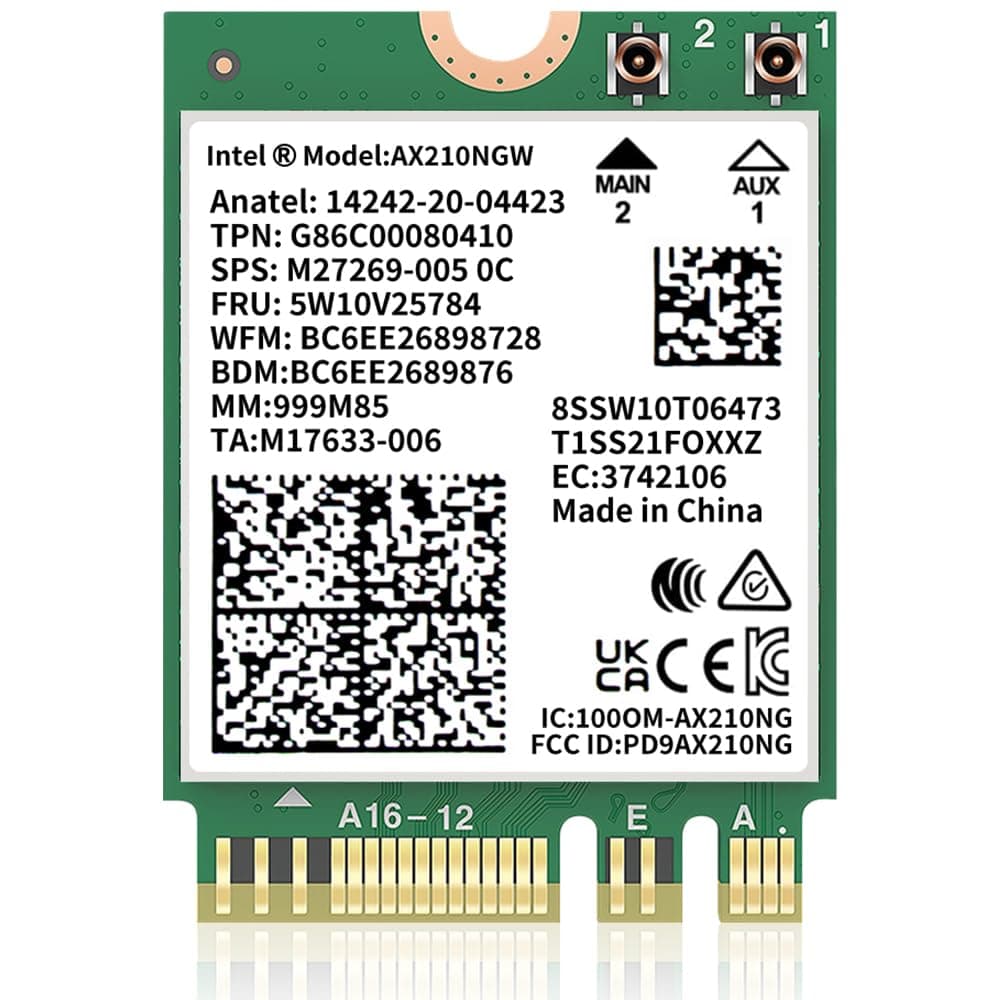
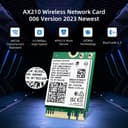
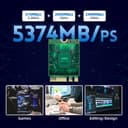
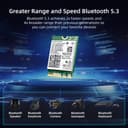
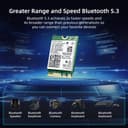
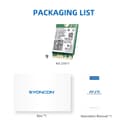
🚀 Unlock lightning-fast WiFi 6E & Bluetooth 5.3 — because your laptop deserves the future today!
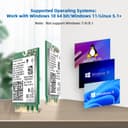
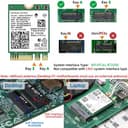
The Intel AX210 NGW M.2 WiFi card delivers tri-band WiFi 6E connectivity with speeds up to 5400Mbps, Bluetooth 5.3 for ultra-low latency, and robust WPA3 security. Designed for laptops with M.2 2230 slots, it supports Windows 10/11 64-bit and both Intel and newer AMD processors, making it a cutting-edge wireless upgrade for professionals seeking top-tier performance and security.


| ASIN | B0B39631G1 |
| Best Sellers Rank | #3,847 in Internal Computer Networking Cards |
| Brand | SYONCON |
| Built-In Media | AX210 wifi 6E module, screw, screwdriver |
| Color | multicolor |
| Compatible Devices | Desktop, Laptop |
| Customer Reviews | 4.7 4.7 out of 5 stars (1,236) |
| Data Link Protocol | Bluetooth, IEEE 802.11ac |
| Data Transfer Rate | 5000 Megabits Per Second |
| Hardware Interface | Bluetooth 5 |
| Item Dimensions L x W x H | 1.18"L x 0.87"W x 0.09"H |
| Item Type Name | wifi cad |
| Item Weight | 20 Grams |
| Manufacturer | SYONCON |
| Mfr Part Number | AX210NWG |
| Model Number | AX210NWG |
| Warranty Description | 1 year manufacture |
N**E
Great upgrade option
This is the next generation of Intel's WiFi/BT modules. Whilst AX200 is WiFi6, AX210 complies to WiFi6E supporting 6GHz range (5.9 actual). Just take into account, that unless you're running W11, Intel's driver for W10 doesn't support 6GHz band unless you find old driver for that... Also, neither W10 or W11 (and of course older versions) support it by default, so if you're upgrading to this module and that's your only network access option, download drivers first. Exact same module is used for bigger, PCIEx4 desktop PC modules (in some cases just covered with heatsink..)heating... So, if you are upgrading your laptop or certain Dell Optiplex desktops (with on board WiFi), all you have to do is swap with this module... If your PC/Laptop isn't compatible or CPU not supported by W11, you can save few $ and get AX200NGW based one ... or, if your home WiFi isn't 6E ... Otherwise it is great upgrade option, pretty easy to replace existing one...
J**S
Upgraded from Killer WiFi to this Dell XPS 9570
This was a bit odd purchase. Even though this is an Intel branded WiFi adapter, when received, one would think that it's a Syoncon brand WiFi Adapter. It clearly states on the packaging "BRAND: SYONCON". On the photo of the WiFi Adapter, it clearly states Intel. Either way, this is an Intel WiFi adapter card that works great in the Dell XPS 9570 line of laptops. It'd be an understatement of saying this is extremely fast compared to the stock Killer WiFi that comes with the XPS 9570. Night and day doesn't even begin to describe zero latency and no hesitations, something the Killer WiFi has been doing since I purchased this Dell XPS 9570 32GB model four years ago. This is a must have. I can't begin to describe all the strange issues I've had with the Killer WiFi adapter of the years and all the different things I've tried to stabilize the issues. In the end, just not installing the WiFi app and running just the drivers was much better than using the Killer wireless suite. I switched out the NVME at the same time and installed Windows 11 Pro and no drivers were required for this wireless adapter. It states in the description that drivers should be downloaded prior to installing the WiFi adapter. YMMV. I do not use Bluetooth, so I can't state one way or the other on the performance of the "Bluetooth 5.3" printed on the label on the box it comes in.
K**H
Last Purchased on December 19, 2020: AX210NGW Wi-Fi 6E Card - A Reliability Journey Beyond a Year!
Reflecting on the past year, I'm reminded of my last purchase on December 19, 2020 – the AX210NGW Wi-Fi 6E Card. This remarkable investment has proved its worth over time, delivering unparalleled connectivity and performance. From its tri-band capabilities to the advanced Bluetooth 5.3 technology, this card has consistently elevated my wireless experience. While I haven't yet ventured into testing it on Linux, its impressive compatibility with Windows 10 and Windows 11 serves as a testament to its durability. Looking back, this purchase has truly stood the test of time, providing steadfast connectivity in an ever-evolving digital landscape. Here's to another year of exceptional performance!
M**.
Great upgrade to 9260NGW Wi-fi card
Update: I bought a second one of these cards to upgrade a Beelink SER 5800H from Wi-Fi 6 (AX) to Wi-Fi 6E. Once again, reconnecting antenna leads was a 10 minute challenge. The second card works fine also. However, having 2 6E standalone PC's brought my own misunderstanding to light. I had assumed that if the two machines were close together, they would communicate with each other at something close to the theoretical 6E speed. The cards are advertised as having "5400Mpbs" speed. Sort of true. Maybe. Some call it marketing hype. The machines do link to each other at a link speed of 2700/2700Mpbs. 2700+2700 = 5400. But doing a test with OpenSpeedTest Server disclosed speeds in the 810 Mpbs up/down range. What I learned was that these cards are MIMO 2 x2 cards. MIMO stands for multiple input/multiple output. They have two antennas not the four required for 4 x 4 MIMO to go full speed. Not a problem...just a feature that limits the maximum theoretical speed of 866 Mpbs. Most clients will be 2 x 2 devices (there are fancy 4 x 4 MIMO devices that won't work in my small PC's for a LOT more money). So my misguided expectation was that my two 6E devices would connect to each other far faster than is possible with this technology. I learned something and it isn't an expensive lesson. ----- Original review which is unchanged: I bought this Wi-Fi card to upgrade my HP Elite Desk 705 G4 from Wi-Fi 5 (AC) to Wi-Fi 6E (AX) running Windows 11 Pro. I have a new 6E router and, given the price being right, felt it was a reasonable upgrade. The real challenge, and I have some experience with this, is reconnecting the antenna leads to the card. They must be pressed on "squarely" without too much force. I found that connecting them to the card before it is in the M2 socket worked best. I couldn't connect to Openspeed Test server on my PC. It was worked in the past to give benchmarks without involving my ISP but, perhaps because of settings on my new routers, it isn't working today. So the benchmarks below are from the HP PC to my ISP and don't reflect the full potential of the new card. When/if I resolve this, I will update this review. Will the card worked out of the box without installing a new driver, the PC didn't recognize the 6Ghz signal. Following the directions on the included instructions to download and install drivers directly from the Intel website solved that issue. Old Wi-Fi 5 card 5Ghz: down: 411 Mbps up: 11.2 Mbps New Wi-Fi 6E card 5Ghz: down: 477 Mbps up: 11.2 Mbps New Wi-Fi 6E card 6Ghz: down: 560 Mbps up: 11.6 Mbps My ISP speed through an ethernet connection is 580 Mbps down and 11.8 Mbps up Other's results will vary based on proximity to the router and architecture of the home but I'm pleased to the improvement available on both the 5Ghz and 6Ghz bands. Totally worth the investment. Pro: 1) Improved Wi-Fi bandwidth 2) WPA3 security Con: 1) Installing card connections a bit tricky 2) Had to download drivers from Intel website to enable 6Ghz band. I am very happy with my purchase.
J**J
Wolf in sheeps clothes
While this may be branded Syoncon, as many others have pointed out it is indeed an Intel chip. I installed it into a hp dy2073dx. My install was a little different than most. Mainly because my system only comes with one antennae rather than two. The packaged directions leave a little bit to be desired and didn't explain what to do in this situation but it is rather plug & play. I originally hooked up the antennae to the "main" connector on the chip but my Bluetooth was dropping out so I switched it to "aux and I haven't had any problems since. I replaced the Realtek 8821ce chip that came with the laptop and there's a noticeable improvement. I also downloaded the Win11 drivers beforehand but I didn't need them.
G**M
asus tuf a15 fa507nv için uygun
M**I
منتج ركبته على لابتوبي وشغال كويس
T**E
Bought as replacement part for a laptop. Worked a treat.
S**B
Bought to replace a failing 802.1AC card in my Dell Precision 7510. Direct plug in replacement, easy to fit, the most difficult part was re-attaching the tiny aerial connectors. No driver installation required in Windows 11 it was simply detected and working on boot-up. Good speed and Bluetooth connectivity. I can't currently take advantage of the Wi-Fi 6E capability. Well packaged, includes a screw and retention plate that I didn't need as I reused the existing.
M**G
Super Aufwertung des Notebook auf neue / höhere WLAN! Einfacher Austausch für mich. Funktioniert super, alle vorhandenen WLAN-Netzwerke von uns sofort gefunden und nutzbar. Hinweis: Windows nimmt eigene Treiber, womit Karte auch direkt funktioniert. Für volles Potenzial der WLAN Karte habe ich sowohl den WLAN Treiber, als auch den Bluetooth Treiber von Intel für Win 10/11 runtergeladen und installiert!