We remain fully operational. Our teams are working around the clock to ensure your deliveries continue safely.

下载应用程序


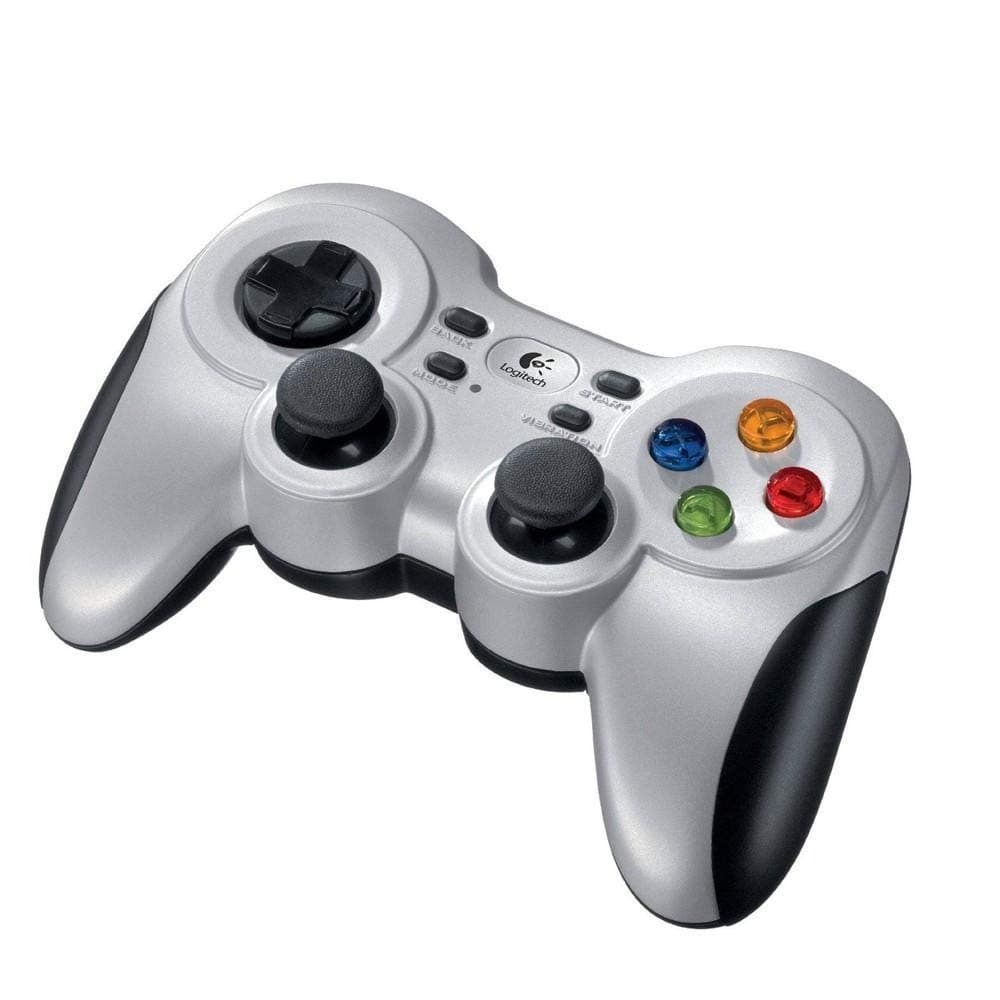
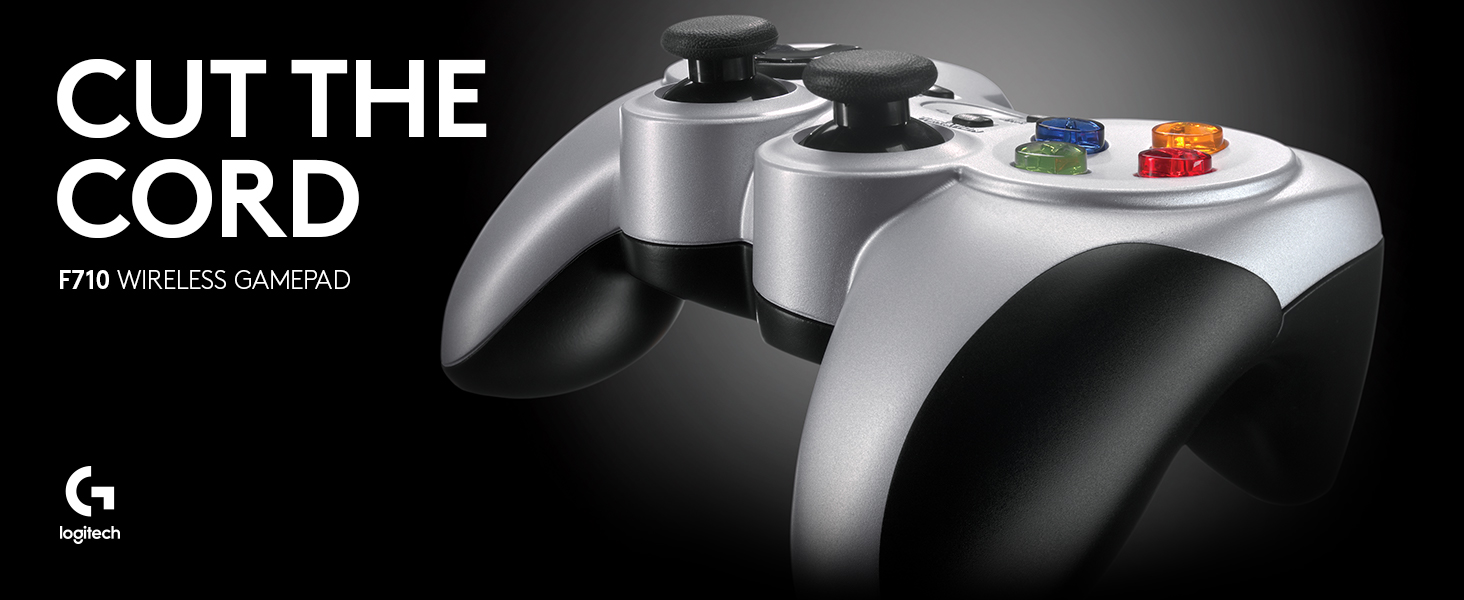
🎮 Level up your game with wireless power and immersive feedback!
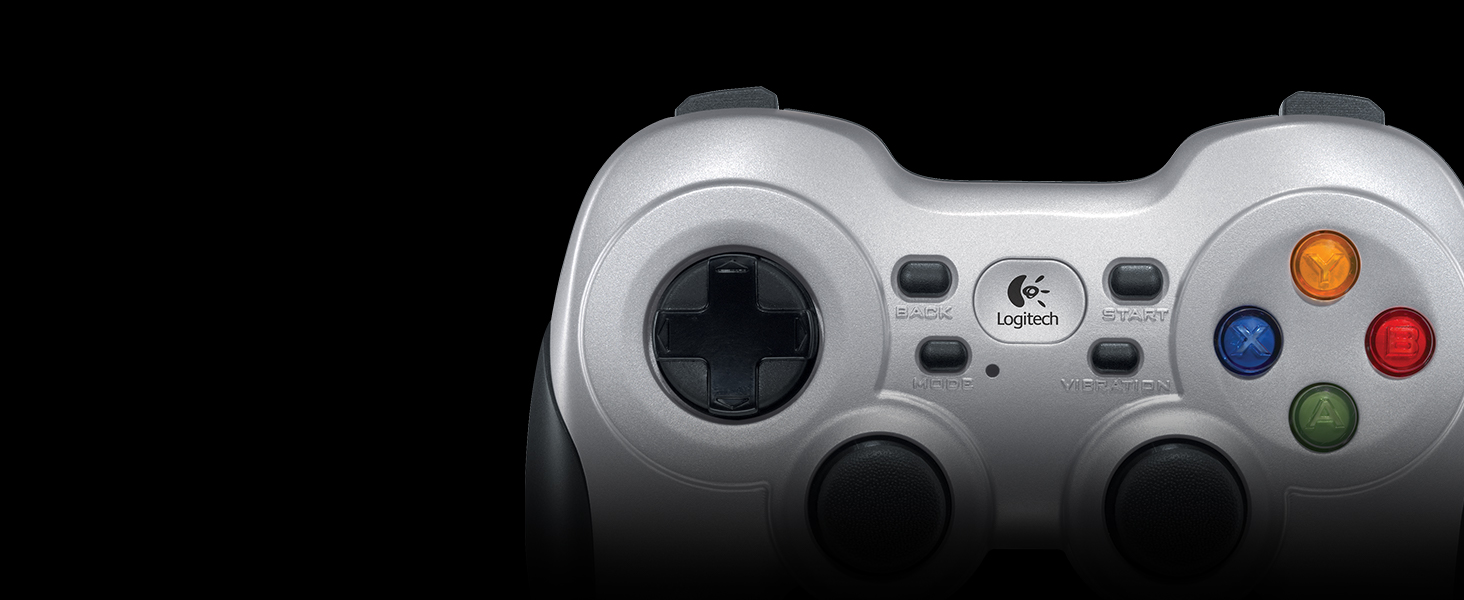
The Logitech G F710 Wireless Gamepad delivers a premium gaming experience with reliable 2.4 GHz wireless connectivity, dual vibration motors for realistic feedback, and broad compatibility across Windows platforms. Its customizable controls via Profiler software and ergonomic design make it a top-tier choice for PC gamers seeking freedom, precision, and durability.



| ASIN | B0041RR0TW |
| Additional Features | Grey, Black |
| Best Sellers Rank | #2,217 in Video Games ( See Top 100 in Video Games ) #50 in PC Gamepads & Standard Controllers |
| Brand Name | Logitech G |
| Button Quantity | 15 |
| Color | Silver |
| Compatible Devices | Windows 11, Windows 10, Windows 8, Windows 7, or Windows Vista, ChromeOS |
| Connectivity Technology | Wireless |
| Controller Type | Gamepad |
| Customer Reviews | 4.2 4.2 out of 5 stars (4,868) |
| External Testing Certification | Anatel: 01342-13-03229 |
| Global Trade Identification Number | 00097855068859, 00978550688590 |
| Hardware Platform | pc |
| Item Dimensions | 6.61 x 3.11 x 7.87 inches |
| Item Weight | 290 Grams |
| Manufacturer | Logitech |
| Model Name | F710 |
| Package Quantity | 1 |
| Power Source | 2 AA batteries |
| UPC | 097855068859 |
| Warranty Description | 1 Year Limited Hardware Warranty |
N**D
You can't go wrong.
Logitec is a quality driven company. The only ones I do business with. I use all their wireless keyboards and mice. But this game controller is incredible. It is built like the man of steel. I fully expect it to outlast my lifetime. It is rather heavy do to it's rugged construction. I can't really figure out the rumble pack feature, seems to just vibrate when you push the button. Might be because I am using retro game software. Although a little expensive it is worth it.
-**-
Perfect Purchase
Logitech is a gaming industry veteran, known for their innovation and solid designs. This gamepad continues that tradition. It feels great and works instantly, from box to PC, running Windows 11. Nothing to install but I will download the latest Logitech app for programming the buttons. Initially tested out using PCSX2 and a variety of PS2 arcade, sports and driving games. No lag, precise movement, sitting about 20 feet from the USB receiver, using the included USB extension cord. The gamepad itself has a heavy, solid feel, partially thanks to the 2 AA batteries (included). I love the rubberized grips. All of the buttons, pads and sticks feel solid as well. Once again, Logitech shines with its versatility, allowing users to switch between game interface modes - the newer Xinput and legacy Directinput for older games. The vibration feedback works well. It's exactly what I needed and all the better coming from Logitech, a brand I've trusted for nearly 40 years. Great price too! UPDATE: After putting through extensive testing (aka gaming) I have to say I love this gamepad. No lag, wireless great range. My -only- complaint would be the smallish size of the front buttons (L1, L2, R1, R2) compared to my Xbox controller. But you adapt, as one does. Duh.
M**F
Great controller for playing PC games
This controller works great for PC games. I've used it to play both the new Batman Arkham games and Portal 2 without any problem. 2 comments for those thinking of getting this. 1- this does suffer from wireless signal interference. I sit around 10-15 feet from my computer when I play and normally its fine, but once in a while it will start to miss my actions and not respond as well as it should. It comes with an extension cord (that says for controller only not any usb device, who knows why) and you can use that to pull the receiver away from other electronics which helps. Pretty much standard for nearly all wireless controllers. 2 - the controller comes with 2 modes and a toggle switch between the triggers. One mode activates a type of emulator/control panel where you can set up more customized controls for each button, the other mode is for games that are programmed specifically to be played with controllers or keyboards. My computer registered great with the first mode and showed the controller as an input device but when I tried to play Batman or Portal, the controls would not work right. When I put it into the second mode my computer kept saying no controller was connected so I thought it was a special mode that I had to install something else to make work lots of time online and no solution. Turns out it was connected and working fine and is the correct mode for the games I was trying to play. Don’t know why Windows tells me it’s not connected when it really is; but if you have a similar problem, just try to play your game with it saying you have no controller and see if it works before you spend a lot of time troubleshooting online to find a way to make windows recognize the second mode. 4 stars for being a great controller and meeting all my expectations. The fifth star is reserved for the controller that finally prevents the wireless interferance issue.
C**S
Heavier than the wired version but worth it to ditch the wire
I upgraded from the Logitech wired version of this. I was surprised by how much heavier it was, but still not too bad. Much of that weight is surely the battery and vibration motors (which the wired version lacked). Otherwise it works fine just like the wired one. I thought that it would be charged with something like a USB cable, but no, it appears to just take two AA batteries. I don't think it has an off switch so I assume you just put it down and forget about it when you're done; I guess it transmits when you pick it up and do something. Pretty easy to work with. Recognized by Steam controller configuration.
B**N
Great!
R**M
Lo usó principalmente para jugar con emuladores de videojuegos hasta la sexta generación de consolas en una laptop con Kubuntu 20.04. El sistema operativo lo reconoció de inmediato en ambas funciones (direct input y Xinput). Los botones se sienten duros al principio, pero inmediatamente te acostumbras, los botones laterales hacen click al presionarlos y los gatillos se sienten bien. El control direccional es preciso y los controles análogos son como los de las consolas de Sony. La vibración va desde suave a muy intensa dependiendo del juego y como lo configures con los distintos emuladores. Se siente pesado por las baterías AA que utiliza, pero con el tiempo te olvidas de ello. El diseño es muy ergonómico, se ve que está diseñado para las partidas largas. Los plásticos son buenos, me se ha caído un par de veces y sólo ha sido el puro susto. Recomiendo que el conector inalámbrico esté siempre "visible" para el control, si es posible, usar la extensión USB que viene incluido para mejor recepción. me siento a 2 metros de mi laptop que está conectado a la televisión y el lag es casi nulo, durante varias horas de juego al día se desconecta una o dos veces por un segundo. Un detalle positivo es que puedes guardar el conector USB dentro del compartimiento de las baterías. Llevo semanas con el control y aún las baterías con las que vinieron con el dispositivo siguen funcionando. Este dispositivo es de lo mejor que he probado, sólo superado por los controles originales del Xbox y PS4. Incluso funciona sin problemas en un PS3 (modo D-input) y en juegos con un teléfono android (debes usar un adaptador OTG).
A**T
Pros: - Best overall compatibility with newer and older games, newer and older OSes, games requiring Xbox-style controllers (i.e. games not compatible with DualShock 4) - Long battery life (8-12 hours per pair of AAs), will never need to throw away the controller due to an aged Li-Ion battery - Rumble feedback seems strong enough, and seems to be compatible with games that use it - Despite its inexpensive appearance, build quality is very high, comparable to DualShock 4 - Does not require Bluetooth functionality due to its 2.4GHz dongle Cons: - Comfort: The LT and RT triggers have a lot more resistance than DualShock 4 for example, which can result in fatigue. My solution to this is to only calibrate these buttons to 40-50% of their range, rather than 100%. Other than this, i have no complaints about the comfort of the controller. - No DS4-style touch pad - Only available in gray - If you misplace or forget to bring your USB dongle, you can't use the controller - Using 4 controllers at a time would require 4 available USB ports If I could only own one game controller, it would be this one, no doubt about it.
L**I
Controle muito bom, rápido e de boa empunhadura. Baixo consumo e carga de pilhas que duram bastante. É super resistente e durável.
J**.
Great product for retro to modest level gaming (at least). Gameplay functions are just as perfect as a well tuned wired controller (you would never know you were using wireless - unless you happened to see there's no cable!). It is a bit heavier which I like. Based on my experience with lighter (wired) joysticks, this adds durability without compromising feel. Two things though. First, I would highly recommend using the included USB three foot extension cable to distance the wireless dongle from any usb ports. I put mine on top of my computer tower now, with a direct line of sight to the controller. Before when I had mine plugged into a front usb port, I had occasional (but very unsettling) dysfunction but now I have zero interference. The second thing is for W10 (and probably 11) users. You may run into a problem like I did where the computer might inexplicably drop the driver files for the device and no longer recognize it in a functional form (typically after startup / reboot). To correct this I went through the "Update Driver" procedure (from Device Manager). Basically you want to select to set the device to the "X Box 360 Wireless Controller" device drivers that are native to Windows (not a misnomer here, I do mean X Box... drivers for this Logitech product). This is done by manually selecting the driver files to install rather than have Windows search for the "Best Drivers...". For me (W10), this has 99% fixed Windows from rejecting the device (only 1 drop in about 40 reboots). My research indicates Logitech does not have any updated drivers for the F710 so I don't think they are going to be much help, at least from a software basis. To conclude, I'm sure there are better wireless pc controllers out there but I doubt very many will be as affordable as this one. This is a really good 'retro to mid' level gaming wireless controller for budget conscious consumers.