We remain fully operational. Our teams are working around the clock to ensure your deliveries continue safely.

下载应用程序


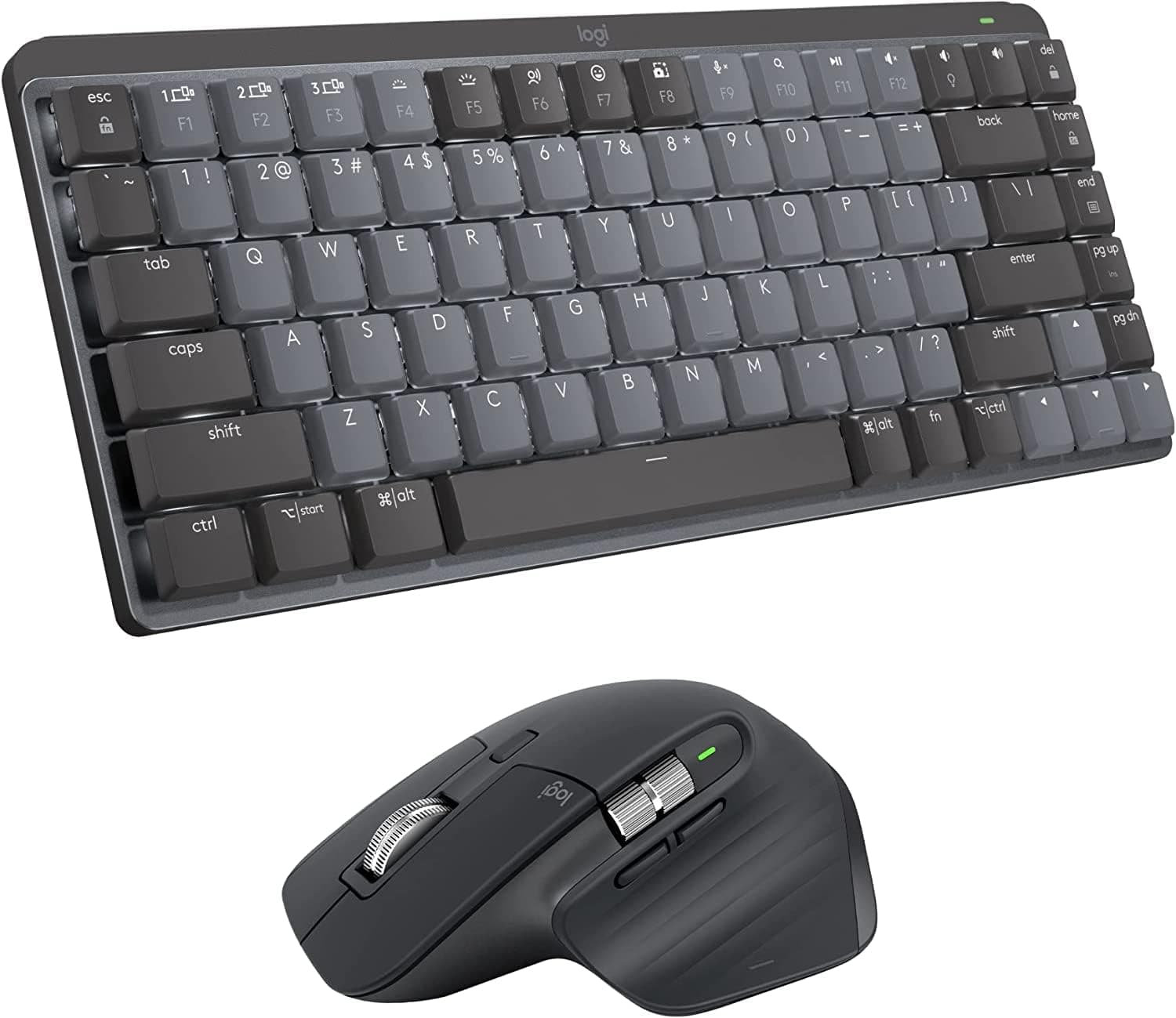








🚀 Elevate your workspace with the ultimate quiet, compact, and connected duo!
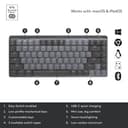
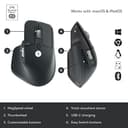
The Logitech MX Mechanical Mini TKL keyboard and MX Master 3S mouse bundle delivers a premium, compact mechanical typing experience combined with ultra-precise, quiet mouse control. Compatible across Windows, macOS, Linux, iOS, and Android, this wireless duo features smart backlighting, multi-device connectivity, and customizable controls designed for professionals seeking comfort, efficiency, and sleek desk aesthetics.

| ASIN | B09ZLRS1R9 |
| Additional Features | Rechargeable |
| Antenna Location | Office |
| Best Sellers Rank | #194 in Computer Keyboards, Mice & Accessories |
| Brand | Logitech |
| Built-In Media | Keyboard, Mouse |
| Color | Black, Grey |
| Compatible Devices | PC |
| Connectivity Technology | Usb |
| Customer Reviews | 4.5 4.5 out of 5 stars (75) |
| Enclosure Material | Plastic |
| Hand Orientation | Ambidextrous |
| Keyboard Backlighting Color Support | Single Color |
| Keyboard Description | Mechanical |
| Keyboard Layout | QWERTY |
| Manufacturer | Logitech |
| Number of Keys | 87 |
| Power Source | Battery Powered |
| Style Name | Tactile (quiet typing) |
| Switch Type | Mechanical |
L**A
This is a review for the MX Mechanical Mini keyboard and MX Master 3S mouse bundle
I bought the bundle and like both the keyboard and the mouse. I've been working at a computer for 25 years and this is the first time I ever bought a high-end keyboard or mouse, and I wish I had done it sooner. I liked the keyboard when I bought it, but I loved it after I bought a silicone cover for it. The silicone cover has 4 advantages for me: * Protection from spills and dust which is essential since I work and eat at my desk * Makes the keyboard look sleeker and thinner -- seriously! * Makes the typing sounds ever so slightly quieter * I expect it will protect the keys from developing shine and keep them looking new I too was annoyed at Logitech that the new Bolt receivers aren't backwards compatible, but now that I have bought into Bolt, I like it. The Bolt app is much more intuitive and refined compared to the old Unifying app. It's also nice to know I'm using the best encryption available. Logitech has the best connectivity in the business for keyboards and mice. The one-key device switching is a feature I enjoy using every day. Notes on using these devices on a company computer that is locked down with no Bluetooth and no ability to install the Logitech Options app: * The Bolt dongles come already paired to the keyboard and mouse, so you can just plug the dongle into the work computer and start using. If you do this, you will need to plug in both dongles -- one for the keyboard and one for the mouse. Also, if you use the devices straight out if the box without using the Logitech software you won't be able to change the default button/key mappings. * If you load the Bolt app onto a personal computer, you can pair multiple devices to a Bolt dongle, and then move that dongle to the work computer. The pairing info is stored on the dongle, not on the computer. So the dongle will still have the pairings when moved to the work computer. * I'm still testing to find out if reprogramming of buttons/keys done using the Logi Options app on the personal computer can be transferred over to the work computer. So far, it isn't working for me, but it may be because my work computer mouse and keyboard drivers are very old. I've requested my IT guy to update to the latest Windows mouse and keyboard drivers to see if that makes a difference. Right now, both keyboard and mouse work but only with the default button/key mappings. Which really isn't bad and I'm satisfied as-is.
J**F
Mouse like butter, keyboard has big brother quality
Love the effectively silent operation on the mouse. Flick the scroll wheel and the thing just spins and spins for days before the electromagnet re-engages for the clicky feel. Wife says the mouse is "smooth as butter". Keyboard is compact for travel, but full quality of it's big brother's "quiet tactile" keys. Layout spacing is that of a full sized keyboard, so no problems hitting a full 90 words per minute that I'm used to. Nowhere near as quiet as the mouse, but key feel and travel remain exceptional. Bought combo for traveling with steam deck.
L**O
Me han ayudado con el dolor en mis manos, asi la mejor inversion que he hecho
A**A
Nice keyboard, woderful mouse
The keyboard is very nice but I was really impressed with the mouse. Very smooth and comfortable.
J**H
Very comfortable low-profile keyboard and one of the best mouses.
Very comfortable low-profile keyboard and one of the best mouses for work.
F**O
Total trash
This thing is absolute garbage. The mouse has a random floating across the screen that I can’t control, the keyboard keeps disconnecting from the computer, the Bluetooth is a complete failure and will not connect when booting my computer and constantly disconnects when it finally does connect, the source switch is also a total dismal of failing garbage. I’ve been a Logitech user for years, and this is the worst peace of trash I have ever owned from them. I’m very disappointed that I spent 200.00 for this garbage. If I could give negative stars I would.
J**C
Small but mighty
I'm too lazy to buy multiple things to compare them and then send back what didn't make the cut. So I don't know if there are other options out there that I would like better but I have been happy enough with this set. Reviews rated this setup high and I see why. I recently downsized my setup from a 60" x 30" desk, three mounted monitors (portrait 19", ultrawide, and 16" laptop), Corsair K95 Platnium, and Corsair Scimitar. I now have a 43" x 24", mounted ultrawide, and this MX combo. Not having the wires and the small size of the keyboard still leave me plenty of space since I can move them around. My only compliants after a mouinth or two of use is the gesturing on the mouse feels awkward and the key layout on the smaller keyboard is taking taking longer to get used to than I thought. I am not a keyboard warrior thought and rely more on the gestures and the customization the Logi+ software offers. So I am hoping the gestures start to feel more natural soon.
M**T
A solid set of equipment.
Logitech makes some good equipment.
E**N
Great wireless set that combines a work-appropriate productivity mouse and keyboard with excellent functionality for gaming. Any wireless latency isn't noticeable enough to matter. The compact layout is a nice medium between 60% and TKL. The battery life on both is pretty good. I get 1-2 weeks per charge depending on how much gaming I do after work.
TrustPilot
1 个月前
2 周前