We remain fully operational. Our teams are working around the clock to ensure your deliveries continue safely.

下载应用程序


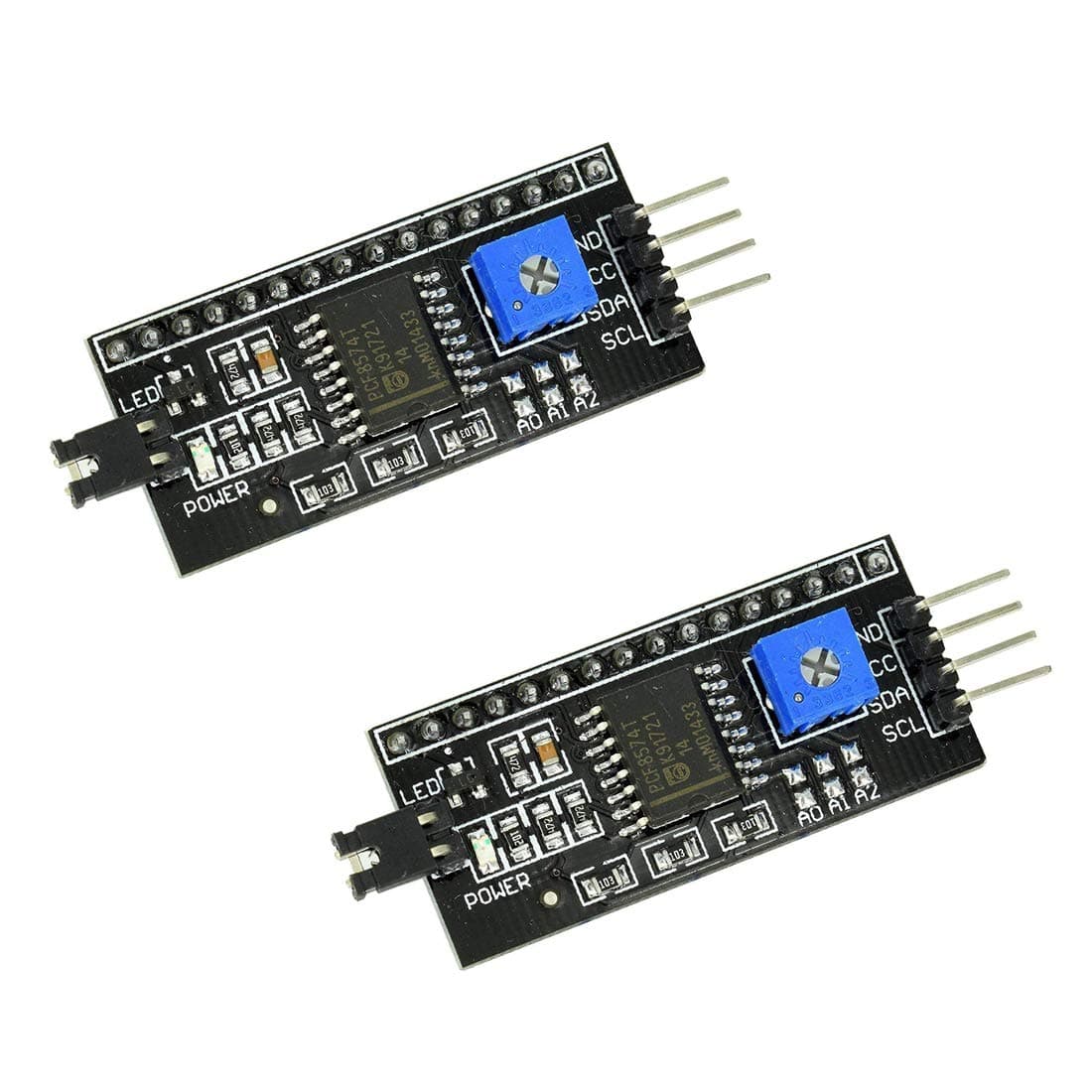
🚀 Upgrade your Arduino display game with smart, space-saving I2C power!
The HiLetgo 2pcs IIC I2C Serial Interface Adapter transforms standard 1602/2004 LCDs into efficient I2C-driven displays, drastically reducing Arduino IO pin usage. Operating on a flexible 2.5-6V supply, it features adjustable backlight control, a front potentiometer for contrast tuning, and supports cascading up to eight modules with unique addresses. Compact and sleek, this black PCB adapter is ideal for robotics, automation, and prototyping, backed by a strong 4.6-star user rating.
| ASIN | B00VC2NEU8 |
| Additional Features | Compact |
| Best Sellers Rank | #67,822 in Computers ( See Top 100 in Computers ) #160 in Serial Adapters |
| Brand | HiLetgo |
| Built-In Media | 2 x LCD Display Module |
| Cache Memory Installed Size | 2 |
| Color | Black |
| Compatible Devices | Arduino |
| Connectivity Technology | I2C |
| Customer Package Type | Standard Packaging |
| Customer Reviews | 4.6 4.6 out of 5 stars (246) |
| Enclosure Material | Plastic |
| Form Factor | Microcontroller |
| Hard Disk Description | Mechanical Hard Disk |
| Hard Disk Interface | Serial ATA |
| Hardware Connectivity | Serial Interface |
| Installation Type | Internal Hard Drive |
| Item Dimensions L x W x Thickness | 42L x 19W x 15Th millimeters |
| Item Weight | 5 Grams |
| Manufacturer | HiLetgo |
| Model Name | 3-01-0080 |
| Model Number | 3-01-0080 |
| Number of Items | 1 |
| Specific Uses For Product | Robotics, Automation, Prototyping |
| UPC | 797698770260 |
C**0
Not super easy to get setup on Arduino Uno but its working great. I learned the length of hookup wires make a difference. Longer wires (1 foot or so) caused ghosted letters on the display. Here are the critical lines of code: #include <hd44780.h> #include <hd44780ioClass/hd44780_I2Cexp.h> // include i/o class header hd44780_I2Cexp lcd;
R**S
Works perfectly, reduces the number of pins used on the mcu. Fits directly on to the back of the LCD display. Libraries are available for Arduino.
J**L
I was building an external LCD display to use with my Odroid-C4. I needed an I2C interface. This product provided a reliable circuit board, a pinout description to assure compatibility and easy installation. I just don't like the external power pins for backlight since they are extending beyond the board and don't allow for dynamic controls. I ended up using a 2N7000 with a PWM to control the backlight.
D**O
Can't get these to work. They probably do work but I must not have correct library, though I used the libraries they say to use.
J**S
After previously purchasing a 20x4 I2C character LCD - also from Hiletgo - I wanted to dive deeper into the world of I2C communications, and I thought that this would be a great companion to the 16x2 character LCD that was included with my Elegoo Arduino UNO starter kit. I had a little bit of trouble with adding solder to the jumpers that assign an address to the modules, mainly because my soldering iron tip was too big, but I eventually was able to set the modules to the addresses that I wanted; I set one to 0x26 and the other to 0x25 to avoid conflicts with the 20x4 display, which I left at the default 0x27 address. Once the custom addresses were set, I proceeded to test the modules using the I2C scanning sketch for Arduino, and they both showed up with the addresses that I wanted. After adjusting the contrast, I wrote up a quick sketch to do some further testing, and both modules did their job and did it quite well. I removed the jumper for the backlight and replaced the jumper with a potentiometer for easy brightness adjustment.