We remain fully operational. Our teams are working around the clock to ensure your deliveries continue safely.

下载应用程序


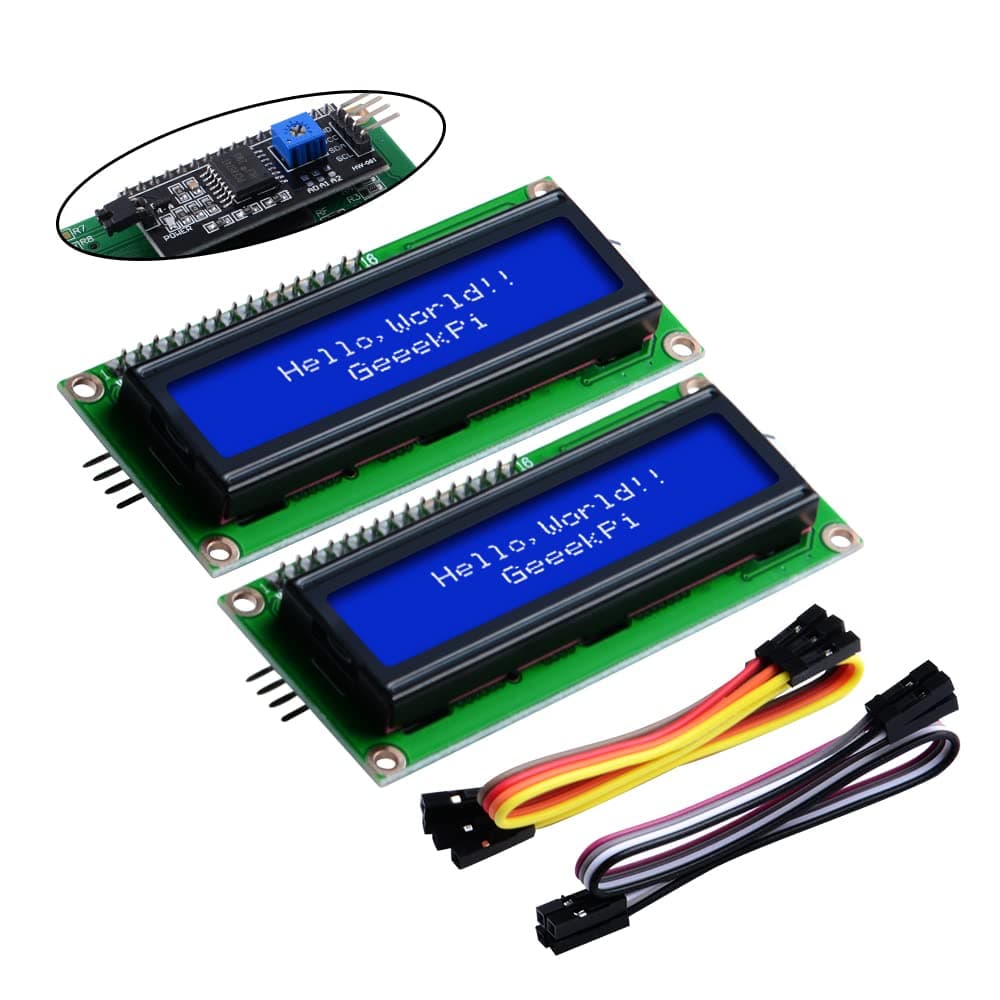
💻 Elevate your DIY game with crystal-clear blue brilliance!
The GeeekPi I2C 1602 LCD Display Pack of 2 features a 16x2 character blue backlit screen using the efficient I2C protocol to minimize wiring. Compatible with a wide range of development boards including Arduino and Raspberry Pi, it offers adjustable brightness and contrast via a built-in potentiometer. Compact and lightweight, this module is ideal for IoT, smart building, and maker projects, delivering reliable, easy-to-integrate visual output.


| ASIN | B07S7PJYM6 |
| Brand | GeeekPi |
| Built-In Media | 2 x Blue backlight I2C LCD1602, 8 x Jump wire |
| Compatible Devices | Arduino, Raspberry Pi, Tinkerboard, Nano pi, Banana pi, STM32 |
| Connectivity Technology | I2C |
| Customer Reviews | 4.6 4.6 out of 5 stars (440) |
| Item Dimensions L x W x H | 8L x 3.1W x 0.7H centimeters |
| Item Weight | 0.15 Kilograms |
| Manufacturer | GeeekPi |
| Mfr Part Number | 464 |
| Model Name | 464 |
| Model Number | 464 |
| Operating System | Linux |
| Processor Brand | ARM |
| Processor Count | 1 |
| RAM Memory Technology | LPDDR4 |
| Total Usb Ports | 1 |
| UPC | 703501205768 |
M**C
very nice for the eyes and very readable.. easy to use with the I2C.. not great if on battery (because consumption is 20-25ma) but love this display and the next one will be 4x20 just for fun!!
J**S
I am using this for a little project I'm working on. No complaints at all, but here are a couple of things that might be good to know: 1. The LiquidCrystal_I2C library available from within the Arduino app works fine. You don't need any of the variant versions. Just go into the Library Manager and search for LiquidCrystal I2C. The default one by Frank deBrabander works great. The warning "THIS LIBRARY MIGHT NOT BE COMPATIBLE WITH EXISTING SKETCHES" is probably valid, but I had no issues. 2. Be sure to check the pin order on the I2C thing. They are labeled. Don't just trust pictures in tutorials. 3. The device ID on mine was indeed 0x27. Apparently there is at least one other commonly used value possible, 0x3F. I saw nothing on my display initially, so I tried the I2C scanner on Instructables, which confirmed mine was indeed 0x27. Moral of the story? The potentiometer on the back is very important! Once you're sure your device ID is correct, adjust brightness. Very good deal for what it is - 16x2 characters, nice and bright, and only requires 4 pins (2 of which are power and ground).
A**A
Arrived quickly and well packed. Good display and easy to use
B**E
Very inexpensive screens that work well. Easy to connect thanks to the I2C backpack. The adjustable contrast is really nice as well. Works perfectly for my Arduino projects.
L**N
Utilisé pour divers projets DIY avec Arduino, reste à voir les boitiers et les rendre autonomes avec VCC, bcp utilisés pour différente programmation, semble bien efficace et solide!