We remain fully operational. Our teams are working around the clock to ensure your deliveries continue safely.

下载应用程序


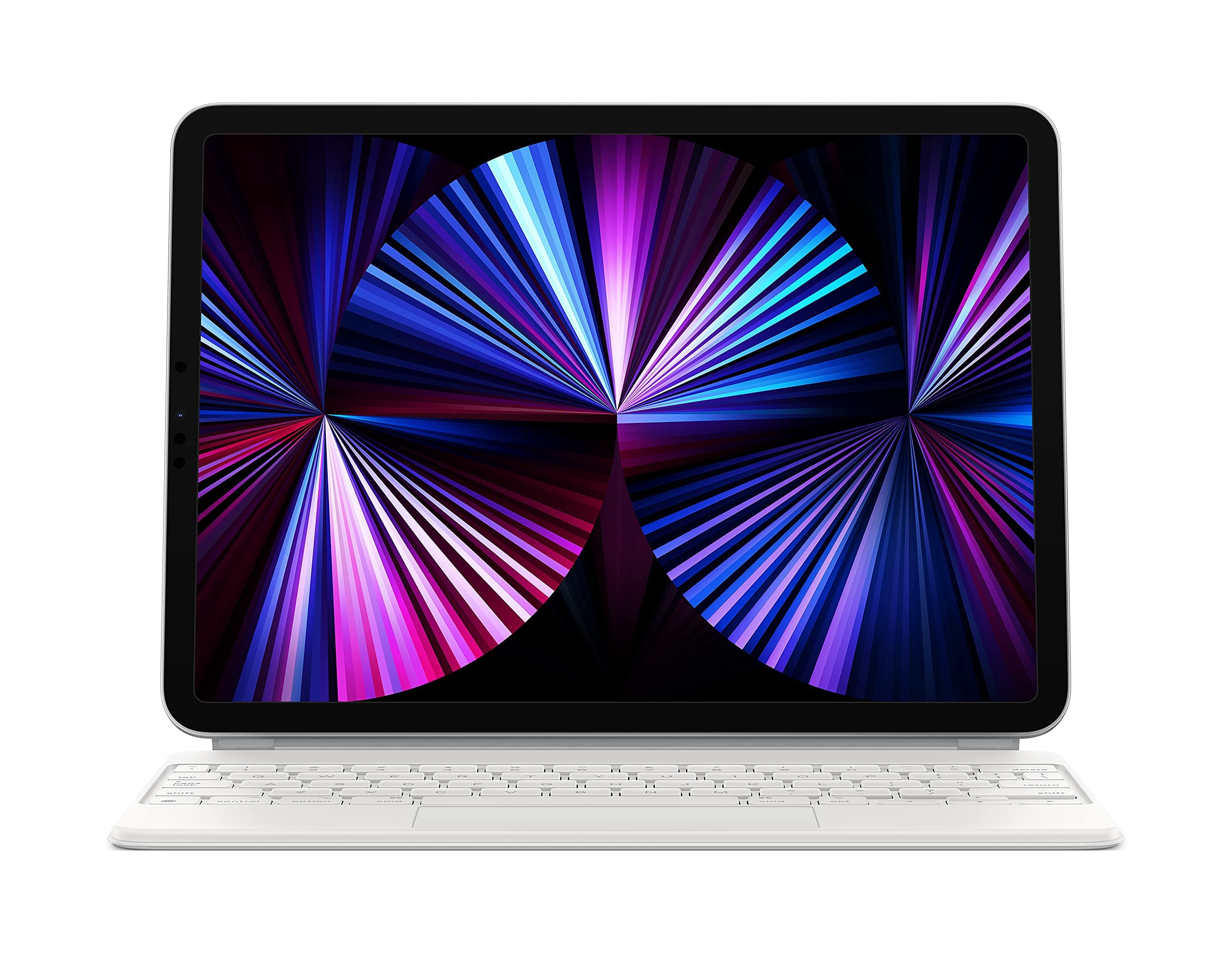
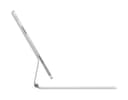
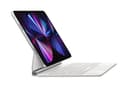
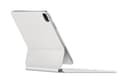
⌨️ Elevate your iPad game—type, track, and charge like a boss.
The Apple Magic Keyboard for iPad Pro 11-inch and iPad Air (4th, 5th gen, and M2) combines a premium typing experience with a built-in multi-touch trackpad, backlit keys, and a USB-C pass-through charging port. Its innovative floating cantilever design magnetically attaches your iPad, allowing smooth angle adjustments while providing front and back protection. Compatible across multiple iPad generations, this keyboard case transforms your tablet into a versatile, productivity powerhouse favored by professionals and students alike.
| Brand | Apple |
| Compatible Devices | iPad Air (4th generation), iPad Air (5th generation), iPad Air 11-inch (M2), iPad Pro 11-inch (1st generation), iPad Pro 11-inch (2nd generation), iPad Pro 11-inch (4th generation), iPad Pro 11-inch (3rd generation) Compatible Devices iPad Air (4th generation), iPad Air (5th generation), iPad Air 11-inch (M2), iPad Pro 11-inch (1st generation), iPad Pro 11-inch (2nd generation), iPad Pro 11-inch (4th generation), iPad Pro 11-inch (3rd generation) See more |
| Connectivity Technology | Bluetooth, Smart Connector, USB-C |
| Keyboard Description | Flexible, Multifunctional, Multimedia |
| Recommended Uses For Product | Office |
M**O
“Gets the Job Done”
1st Impression: I was previously in the market for a new keyboard as at the time, I was just starting an accelerated Bachelor of Science Degree & needed a keyboard that could keep up with my busy life-to-be. In comes the apple keyboard for my iPad Pro. All I can say is, this did NOT disappoint. 4 years later, we have completed the entire Bachelors & a Masters Degree on this! FUNCTIONALITY: Lets face it, not all keyboards are created the same. This is a simple fact. The apple keyboard is so unbelievably user friendly & I can use the keys with minimal issues (If any). The keyboard pairs perfectly with my iPad & hasn’t given any problems over all of the years. This includes all of the many terms papers I’ve researched + written on here. DURABILITY: Apple products have held up over the years in my personal experience. When I decided to slurge on the $299 price tag, I had to know that this product not only deemed the purchase as “Worthy”, but held up to the rigorous experience ahead of it. After all, I bought this to assist me in the completion of a fast-paced degree. Thankfully, this did NOT disappoint in that test. As stated previously, even after all of the papers & research I’ve typed on here (Including this review), the keys have held up extremely well & have not faded even the slightest. I would absolutely tell me to go for it if they are on the fence about buying one of these for their devices. FIT: The apple keyboard fits the iPad Pro like a new pair of Bose NC headphones, just right & without any bulge. One part of the keyboard that I have come to love is the integrated charger port on the bottom left side. This especially comes in handy when charging the iPad so that I can use the iPad port to charge my iPhone or other electronics simultaneously. “THE VERDICT”: If you’re in the market for a good keyboard that’ll hold up to practically anything thrown at it, look no further than the iPad Pro keyboard. Despite its hefty price, it’s an investment that absolutely will be able to get you through whatever work you want & need to complete. I would buy again in the future if needed. I kept this review simple & to the point. Any questions that weren’t answered can be done in the comments below if needed. Thanks!
G**2
Great Keyboard - Some niggles, but worth it, even at the price.
Ok so this is my first Apple branded iPad keyboard. I bought my M2 Air a few weeks ago at microcenter and also picked up a logitech combo touch. I was happy with that case but soon enough was plagued with issues like the keyboard not connecting and having to reboot the iPad and connect the keyboard to the case a certain way. So annoying. I started looking at alternatives and was thinking about the ESR case but then stumbled upon the “used, like new” option on the magic keyboard. It just works. Pros: - Immediate connection. - No hassles; I can pull the iPad off and use it as a tablet and then snap it back onto the keyboard case with no issues reconnecting. - Looks good. I really like the cantalever effect when I open up the case. The iPad floating is kind of neat. - Typing experience: this is nice to type on, I’m fairly accurate even for an 11” iPad. It’s small, but that’s fine. I had a Duet 3 and it was about the same size. - Backlighting is perfect and I love the keys glowing just perfectly in a low light condition. Cons: - Weight. This thing makes the iPad kind of heavy, but I’ll be carrying it in a backpack for my upcoming trip so that’s not a big deal. - Size. I have the 11” and it’s a little small, but like I said above, I came from a Duet 3 and it was about the same size. - Price. Holy cats, I bought this as a ”used, like new” and it was still $200. - No edge protection. That’s the only advantage the logitech offered. - No flap for the Apple Pencil. This is a niggle and if I want it, I can buy an ESR case with the flap to hold the pencil. Overall? This is a great option for a keyboard to turn your iPad into a semi-laptop/netbook. I love how easy it is to connect and just use.
J**L
Just get it!!!
I know, I know. The $300 price tag for this thing is hefty, and I would be lying if I said I wasn't skeptical when I was actually about to buy it. From the moment I got my iPad, I wanted to get the Magic Keyboard, but I couldn't yet justify the price. It wasn't until I realized I could use it for work and school that it was a necessity. I honestly think it takes the iPad to the next level with portability, functionality, and productivity. Having this thing literally makes you want to work! Also, it’s great for watching movies and gaming while sitting at a table. While in bed, it can be a little wobbly since it’s so top-heavy; you have to find the sweet spot in your bed for it to not fall back. I also love the viewing angles. I know some people are frustrated that it can't go alllllll the way back, but that would literally be pointless because this case is made for typing. If you want to use your iPad like a tablet then don’t get this case. But if you want to use it as both, then all you have to do is simply pop it right off the case and set it on top, and you're good to go to draw and jot down notes. People are also frustrated that this doesn't have function keys, which would have been nice to have or at least even an escape key, but I digress. All in all, it’s definitely worth the money, especially if your iPad is your main device. Get over the $300 price tag because 1. it's an investment just like the iPad, 2. You already spent almost $1,000 on the iPad, so why not get the full experience with the Magic Keyboard? Just don’t get it if you know you're not going to use it very often because then that would defeat the purpose of even getting it. Last thing, you can't even complain about the price because it's literally always on sale on Amazon. I got mine for $200, so definitely take advantage of that price! Oh, I almost forgot, the trackpad is awesome! It’s a little small, but it’s not bad, and the keyboard is amazing, wayyyy better than the keyboard on my 2019 MacBook Air because my Mac has a butterfly keyboard instead of scissor switch keys like the Magic Keyboard. For the 11-inch, it is a bit cramped, but I don’t mind it too much. Okay, now I’m done. Just get the damn thing; you won't regret it!!!
Y**D
Expensive but transformative
Okay, lets get the price out of the way. Yes it’s expensive. Yes you could buy another base iPad for not much more than the cost of the keyboard. But this accessory completely transforms the way you interact and function with your iPad. Ever since picking up the magic keyboard I have been using my iPad Air as my mobile daily driver for work/school and rarely feel the need to pull my laptop out anymore. The build quality is excellent, keyboard is satisfying to type on, and trackpad support in iOS is excellent. The balance of the keyboard is such that you never feel at risk of the iPad tipping when docked and the whole system just functions so intuitively. Docking and undocking is a breeze thanks to the magnets and smart connector on the back of the iPad, keyboard backlight adjusts automatically based on the iPad brightness settings, usb power pass-through makes the system easy to charge and have an extra USB port for connections, etc. This basically makes the iPad into your one-stop shop for all your mobile needs. Need to sit down at a desk and hammer out some emails or do some research? Dock and get to work! Want to read a book during some down time or browse social media feeds? Pull the iPad off and use it as a tablet. This is the dream that Microsoft and Google have been working on for years as an all-in-one device but Apple’s implementation is the best I’ve seen yet. You are getting a lot of convenience and ease of use with this product and that makes the price tag justifiable to me. That said, some downsides: Intensive computing tasks or long periods of typing essays I will still opt to do on my desktop PC. The whole system with the iPad installed weighs a hefty bit. This is due to limitations with keeping the system from getting top-heavy. Angles are limited when docked. Trying to draw on the screen is impossible due to the limited range of angles.
B**B
Really Good but Super Expensive
There really is no clear rationale for this keyboard at the price but I did it anyway and am happy about it. I have a $60 Lenrich keyboard case for the 11 pro iPad which is a good case, and I would recommend it to anyone who is a rational cost-conscious buyer. The main issue with it was the overall thickness at nearly 3/4" compared to the magic keyboard case at just over 1/2" - makes a big difference in my pack and carrying it around. The Lenrich case thickness is governed by their super flexible hinge which worked really well at putting the iPad in just about any position imaginable - nearly all of the $50-$60 cases on Amazon have this design. The Lenrich also performed flawlessly during the two weeks of hard use before switching to Apple. I was worried about giving this hinge/viewing flexibility up with the Magic Keyboard but after a few weeks and a few airplane trips, I have found that the Magic Keyboard works surprisingly well for lap reading and typing and feels better balanced when open. I also like the ability to charge the iPad through the keyboard to free up the iPad USB port for other uses. As noted in other reviews, the major downside to the Magic keyboard is protection which lacks any edge protection except on the hinge side whereas the Lenrich appeared much more likely to survive an accidental fall on a hard surface. I recommend both but am happy with the Apple choice and it is my go to at this time.
F**M
Better than Logitech touch keyboard
This is my second ipad, since moving away from laptops,(MacBook Air and Pro) and previously used the logitech keyboard with integrated charging. Pros with the logitech: edge protection,lighter weight, and magnet to hold pencil in charging position. However the logitech stopped working, (twice) and the rubber gasket edge wears away near the charging port, stretches out and will no longer hold the machine securely. I decided to try the Apple version (refurbished) and what a difference! Faster, more responsive better quality overall. 4 stars only for the price, even the refurbished version; but that is Apple, quality at a cost.
J**W
Almost perfect!
It's a beautiful device that turns an iPad from a tablet into a true productivity device. The keyboard is beautiful and the key travel feels spot on. I strongly believe that Apple makes the best touchpads in the industry and the touchpad on this case is phenomenal. The case adds a little - but not a lot - of heft so the device is still sleek and relatively light and the iPad connects magnetically to the case with ease. The case even has a USB-C port for charging the iPad. A bunch of thought went into integrating the device with the operating system - using the touchpad in iOS the cursor snaps intuitively on clickable menus and buttons and it really feels like a premium experience. There's not much to criticize. It's obviously pricey but it is truly a premium device. While I kind of wish the case supported propping the device up in portrait mode, it doesn't detract from my strong positive feelings. This is as good a case as you can buy.
S**R
It does add some weight, but it's worth it
I got this for my iPad Air 4. I had a 10.5" Pro before, and I'm not the type that needs the extra processing power, at least not on a mobile device. This was a bit expensive, and even then it was probably worth it. At the new price, definitely. It makes the smart folio redundant. The keyboard itself is very high quality; like a new Mac. The touchpad is smaller, but works very well, too. The only real downside is this is heavier than the iPad. It doesn't make it worse, though. It's got a very quality feel to the way it works, opens, and closes. Before, I had a MacBook Pro, and an iPad pro for my mobile needs. The Mac really was for browsing, and for moving files from an external disk and playing movies on a TV. It was kind of expensive for that purpose. Now that the iPad has USB-C, it hooks to the TV easily, and can move files from a drive. Plus, with Office and the keyboard, I can do some legitimate work if I have to. For my needs, it makes a MacBook Pro redundant, so I may just sell it soon. The 12.9 inch version may fit as my only mobile device a bit better, but I think the 11" is up to the job. This keyboard is a big part of that. The pass-through charging means I can still use it connected to power if I have a mouse or drive attached. With the folio, it is either switch around or carry a hub.
TrustPilot
3天前
2 周前