We remain fully operational. Our teams are working around the clock to ensure your deliveries continue safely.

下载应用程序



🖨️ Print smart, live smart — your desk’s new MVP!
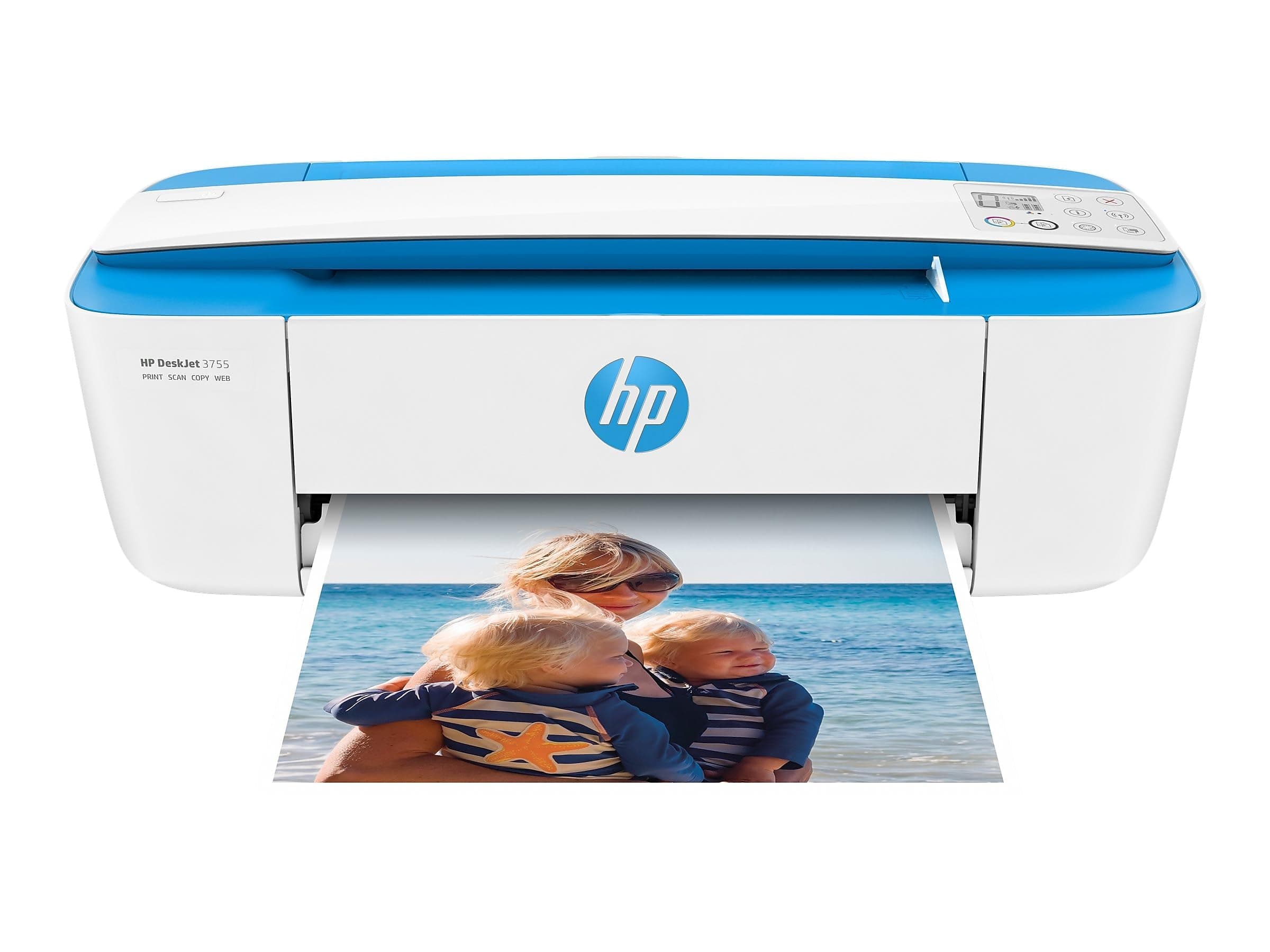
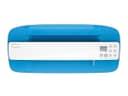
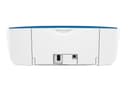
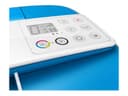
The HP DeskJet 3755 is a compact all-in-one wireless inkjet printer featuring 802.11bgn Wi-Fi, Alexa voice control, and a 60-sheet input tray. It delivers up to 19 ppm black & white print speed, supports duplex printing, and is designed for seamless smartphone compatibility, making it ideal for modern professionals seeking efficient, space-saving printing solutions.


| ASIN | B01GAIU7HG |
| Additional Printer Functions | Copy |
| B&W Pages per Minute | 19 ppm |
| Brand | HP |
| Built-In Media | Inkjet Cartridges |
| Color | Blue |
| Color Depth | 24 bits_per_pixel |
| Color Pages per Minute | 15 ppm |
| Compatible Devices | Smartphones |
| Control Method | App, Voice |
| Controller Type | Amazon Alexa |
| Customer Reviews | 3.9 3.9 out of 5 stars (6,938) |
| Dual-sided printing | Yes |
| Duplex | Automatic |
| Global Trade Identification Number | 00889894728661 |
| Hardware Interface | USB |
| Ink Color | Cyan, Magenta, Yellow, Black |
| Item Weight | 5.13 Pounds |
| Manufacturer | HP |
| Maximum Copy Resolution Color | 4800 x 1200 dpi |
| Maximum Copy Speed Black and White | 19 ppm |
| Maximum Media Size | A4/Letter |
| Maximum Sheet Capacity | 60 |
| Maximum print Resolution Color | 4800 x 1200 dpi |
| Model Name | J9V90A |
| Model Number | J9V90A |
| Number of Trays | 1 |
| Other Special Features of the Product | Network-Ready |
| Output sheet capacity | 60 |
| Print media | Envelopes, Glossy photo paper, Paper (plain) |
| Printer Connectivity Type | Bluetooth, Wi-Fi |
| Printer Output Type | Color |
| Printer Resolution Horizontal Max in Color | 4800 Centimeters |
| Printer Resolution Horizontal in Black and White | 4800 Centimeters |
| Printer Resolution Vertical in Black and White | 1200 Centimeters |
| Printer Type | Inkjet |
| Processor Count | 1 |
| Resolution | 4800 x 1200 |
| Scanner Type | Sheetfed |
| Series Number | 3700 |
| Specific Uses For Product | Home/Office Document Printing, Photo Printing |
| Total USB 2.0 Ports | 1 |
| UPC | 889894728661 |
| Unit Count | 1 Count |
| Warranty Type | limited warranty |
| Wattage | 2.2 watts |
S**R
I purchased this printer and it works just fine. Some reviews on amazon and a few other websites claim that the setup for this printer is "impossible". Either these people are completely inept at computers or they have a defective item. Many claim the instructions are too hard so I will do my best to explain it here. First off It requires you to install from the CD, so it's not plug and play. Once you have plugged the printer into your computer and turned it on, you will then need to install the ink cartridges. Open up the front panel that has the HP logo on it. The ink cartridge head should automatically reposition itself for you so you can install the cartridges. (Make sure the printer is turned ON when you do this). After you have done that you will need to install the drivers from the CD that is included. (or you can download the software online) Once you do that you're almost done. It will ask to install not really necessary software like to make calender's and other things. you can choose to not install that. I recommend then opening up the HP deskjet 3700 series software and click on "Manage Your Printer" and print a diagnostic page. If everything is aligned and there is no streaks on the page as the test say's then you're done. You can now start using your printer. I did a diagnostic print myself and everything was perfect nothing else was needed on my part. Printer prints fine and it prints pretty fast over all. The only "con" of this machine is that the paper feeder is at the top of the printer. It would save more room with people who have full on computer desks if the paper feeder was on the bottom in a slot.
T**N
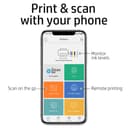
Great printer. Prints right from my iPhone with no issues so far. Great app features that accompany the printer as well. It's small and compact, fits right on my old desk. I don't print a ton of paper so I don't have any spilled over documents. Someone said they do had the issue so if you print a lot, I suggest placing a box/bin under neat to catch any paper. It doesn't print slow for me. I printed four papers in one sitting by time I was finish with all I had edit and print so was the printing tasks. Someone said it took them a while (what could you be possibly printing) I haven't printed any pictures. I use my photo printer for that. Just saying. Scanning is a breeze as well. Just place your document in the feeder ...under what looks like a handle... select between color print or black print and there you go. For me using my iPhone as a scan it printed very slowly. I hit scan option fed the document and followed the options. That was the only issue. But seeing as I can scan from the printer I won't need to scan from my phone.
Q**K
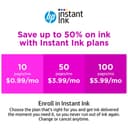
The HP DeskJet 3755 Compact All-in-One Wireless Printer has proven to be an absolute lifesaver for my daughter's college dorm room. This pint-sized powerhouse is not only the perfect size for a dorm but also delivers exceptional performance that has made it a popular hub for all her friends. The compact design is a game-changer, fitting seamlessly into the limited space of a dorm room. Its sleek blue accent adds a touch of style, making it a functional and fashionable addition to the workspace. Setup was a breeze, and the wireless capability makes printing from laptops, tablets, and smartphones incredibly convenient. Functionality-wise, this all-in-one printer has exceeded expectations. It handles printing, scanning, and copying with ease, and the print quality is impressive. Whether it's essays, reports, or photos, the DeskJet 3755 consistently delivers sharp and vibrant results. The compatibility with HP Instant Ink is a brilliant feature for college students. It takes the hassle out of running out of ink at the most inconvenient times and ensures that there's always a fresh supply ready for those last-minute assignments. What's truly remarkable is that it has become a communal resource for my daughter and her friends. Its reliability and user-friendly design make it a go-to choice for everyone in the dorm. The fact that it has become a central hub for printing needs among her peers speaks volumes about its popularity and performance. In conclusion, the HP DeskJet 3755 is a dorm room essential. Its compact size, stylish design, and reliable performance make it the perfect companion for college students. If you're in search of a reliable all-in-one printer that won't take up much space, look no further. This printer has made a significant impact on our college experience, and I highly recommend it to others.
C**N
Let me preface this by saying I'm a pretty tech-savvy person. I don't usually need to use manuals when it comes to things like printers or other computer peripheral devices, because usually they're very simple and easy to sort out on their own. But setting up the wireless connection on this printer (as well as the HP Instant Ink feature) was a lot more painful than it should have been. I think most of my issues were a result of this printer only being able to connect to 2.4GHz wifi networks - it cannot connect to 5GHz wifi networks. Luckily I have a router that broadcasts both types. Next, none of the connection instructions worked for me - following the instructions in the manual did not work. I had to watch several videos and even then, those instructions didn't seem to work either. Finally, I had to download some sort of "Printer Doctor" software from the HP website and I had to plug the printer into my computer with a printer cable, and only then could I connect to the printer. On top of all this, the next time I turned on the printer, I had to go through the ENTIRE PROCESS all over again because it was like my computer forgot the printer - it was still listed in my printer devices section, but had the "Offline" status and was not able to print. So now I just leave the printer on (I think it goes into a power-saving/standby mode after awhile) so that hopefully I don't have to repeat all this again. But aside from these issues, the printer itself works well when connected and the print quality is great. Hopefully you have better luck connecting it than I did, because it really is a great printer!
S**N
Perfect printer! It’s so easy to use and it’s compact so doesn’t take up too much space. I was worried about set up as some of the reviews mentioned it was hard, but I had nothing to worry about it was super easy! As long as you’re decent with technology you shouldn’t have a problem. The scanning was easy too. Also I love that you can print and scan documents directly from your phone as well. 10/10 would recommend this printer to anyone I don’t have a bad thing to say about it.
TrustPilot
1天前
3 周前