
下载应用程序


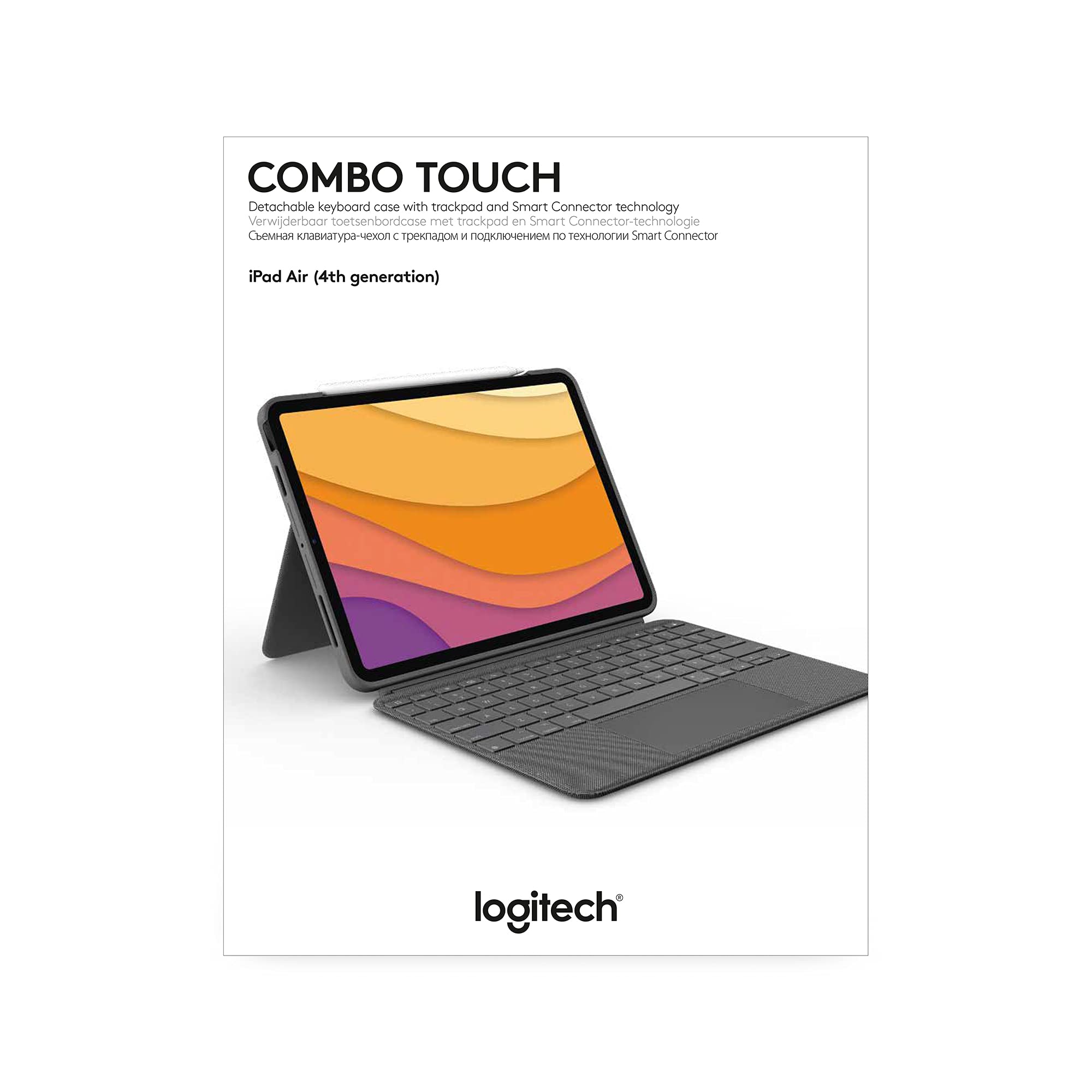


⌨️🖱️ Elevate your iPad Air into a powerhouse workstation — productivity never looked this sleek!
The Logitech Combo Touch Keyboard Case for iPad Air (4th & 5th gen) combines a detachable backlit keyboard with a large click-anywhere trackpad and a flexible kickstand offering 50° tilt. Powered via Smart Connector, it requires no charging and instantly pairs with your iPad. Designed for professionals on the move, it protects your device front, back, and corners while enabling seamless Apple Pencil charging. This ultra-thin, premium case transforms your iPad Air into a versatile, laptop-like productivity hub.


| ASIN | B07W6HPP3R |
| Are Batteries Included | No |
| Best Sellers Rank | 42,998 in Computers & Accessories ( See Top 100 in Computers & Accessories ) 768 in Tablet Keyboards |
| Brand | Logitech |
| Colour | Grey |
| Customer Reviews | 4.5 4.5 out of 5 stars (1,175) |
| Date First Available | 23 Jun. 2021 |
| Guaranteed software updates until | unknown |
| Hardware Platform | iPad Air (4th gen), iPad Air (5th gen) |
| Item Weight | 574 g |
| Item model number | 920-010303 |
| Lithium Battery Packaging | Batteries packed with equipment |
| Manufacturer | Logitech |
| Operating System | iOS |
| Power Source | docking |
| Processor Brand | Apple |
| Product Dimensions | 25.2 x 18.93 x 1.71 cm; 574 g |
| Series | Combo Touch for iPad Air (4th generation) |
| Standing screen display size | 10.86 Inches |
D**S
Title: The Perfect iPad Companion for On-the-Go Productivity!
The Logitech Folio Touch iPad Keyboard Case has been an absolute game-changer for me. As someone who prefers using an iPad over a laptop, this keyboard case has become my go-to accessory for on-the-go productivity. It not only provides a fantastic typing experience but also includes a trackpad, transforming my iPad into a powerful portable workstation. First and foremost, the keyboard itself is a joy to type on. The keys are well-spaced and have a satisfying tactile response, making typing feel natural and comfortable. The backlighting feature is incredibly useful, especially in low-light environments, allowing me to work efficiently regardless of the lighting conditions. The keyboard layout is intuitive and includes useful function keys that enhance productivity. What sets this keyboard case apart is the inclusion of a trackpad. The trackpad is responsive and works seamlessly with the iPad's operating system. It adds a new level of precision and control to my workflow, especially when editing documents or navigating through applications. The integration of the trackpad is smooth, and it feels like a natural extension of the iPad's touch capabilities. The design of the Logitech Folio Touch is sleek and lightweight, perfectly complementing the iPad's aesthetics. It offers reliable protection for my device, safeguarding it from scratches, bumps, and spills. The case is easy to install and securely holds the iPad in place, providing peace of mind while on the move. The Smart Connector feature is a true standout. It eliminates the need for Bluetooth pairing and ensures a stable connection between the iPad and the keyboard case. The convenience of instantly connecting and disconnecting the keyboard whenever needed is a time-saver and enhances the overall user experience. Additionally, the Logitech Folio Touch provides multiple viewing angles, allowing me to adjust the iPad's position based on my preference and workspace setup. Whether I'm typing, sketching, or watching videos, I can find the perfect angle to suit my needs. In conclusion, the Logitech Folio Touch iPad Keyboard Case with Trackpad is an exceptional companion for anyone who wants to enhance their iPad productivity while on the go. The combination of a comfortable keyboard, responsive trackpad, and sleek design makes it a must-have accessory. The Smart Connector feature and multiple viewing angles add to the overall convenience and versatility. If you're tired of lugging around a laptop and want a seamless typing and navigation experience with your iPad, this keyboard case is the perfect choice. I highly recommend it to anyone seeking a premium and functional keyboard case for their iPad.
A**R
Absolutely fantastic.
I didn't really want something like this for my iPad at first because it would defeat half the point of having my Macbook, but in the end I decided to pick this up after I started using it more at work. This case feels extremely sturdy and it has a nice premium feel to it. The keyboard provides a great typing experience and the trackpad is perfect - accurate, decently sized, and feels satisfying to press. The shortcut buttons are super useful. The backlight is perfectly bright enough for late night typing. The keyboard attaches to the case with magnets with a very sturdy connection - almost too sturdily as I feel like I'm going to tear the keyboard in half with how much it wants to stay on! The volume buttons being a plus and minus shape is great for quickly finding what button you need to press. One thing I wish it had was an adjustable typing angle, but I suppose it's a bit difficult to do that without making the case even larger. The stand works well, but I don't know how long it will last - it feels like I'm just bending a sheet of metal back and forth. I'm sure there's a proper hinge in there, but it does concern me a little.
A**W
High Quality Keyboard for iPad Air
I bought the new iPad Air 2020 (10.9in) version of this Logitech keyboard after reading reviews of this and the Apple Magic Keyboard. Both are very different designs, there are pros and cons to both. The main pro for the Logitech is of course the price, being less than half the price of the Apple Magic Keyboard, but there are other benefits to this solution too, such as the ability to position the screen at different angles and use it more like a traditional display stand if that’s what you want. The keyboard is well laid out for the size and feels comfortable to type on with both hands and now that iPads support pointers the trackpad makes this feel more like a traditional laptop, which is far better suited, for me, for productivity such as Word and Excel as well as emailing. The backlight is a little puny compared to a fully fledged laptop keyboard, but perfectly acceptable. The keys had good travel and feel responsive. The fishing is an attractive grey fabric which looks hardwearing. The unit is a little chunky when closed up, but still a lot smaller and lighter than most of the other iPad keyboards available, plus this will protect both front and back of your iPad. Your device slots in securely and the keyboard draws the power from the power connector on the rear of your iPad. All buttons are accessible easily, including the tiny Touch ID button on the new iPad Air models. There’s a small download that your iPad needs to make when you plug the keyboard in for the first time, which allows you to use the external keyboard and mouse function, plus a Logitech app that you can safely bury after installation. This is a high quality product, works as you would expect with no bugs that I have found so far and is a good price compared to the Apple equivalent. Would happily recommend to any iPad Air owner.
I**C
Llegó perfecto.
C**N
In quanto studentessa la trovo utilissima e molto comoda. Ho acquistato la versione compatibile con iPad Air di 4ª generazione per sostituire la tastiera che già possedevo e sfruttavo tantissimo al liceo. L’iPad, seppur mantenendo le sue caratteristiche, diventa praticamente un computer. Acquisto super valido, l’unica pecca è che è un po’ costosa.
C**S
La frappe est agréable et le pavé tactile est d'une qualité très agréable ! Le seul défaut viendrait du placement de la touche de verrouillage de l'appareil qui se trouve juste au-dessus de la touche backspace donc faites gaffe en voulant effacer des trucs !
J**E
Das Logitech Combo Touch für das iPad Air hat mich positiv überrascht. Die Tastatur bietet ein komfortables Tipperlebnis mit ausreichendem Tastenhub und gutem Feedback. Die Hintergrundbeleuchtung ermöglicht produktives Arbeiten bei schlechten Lichtverhältnissen. Die Integration der Trackpad-Funktion verbessert die Navigation deutlich. Die Schutzhülle schützt das iPad effektiv und die Möglichkeit, den Apple Pencil zu verstauen, ist praktisch. Die vielseitigen Betrachtungswinkel sorgen für angenehmes Nutzen im Alltag. Insgesamt eine hochwertige Tastaturhülle, die die Funktionalität des iPad Air erheblich erweitert.
D**D
Quality product, the touch pad is very responsive and makes the iPad behave like a laptop, for browsing and Microsoft office suite it’s perfect. Connects via the smart connectors, no need for any pairing. Works straight out for the new iPad Air
TrustPilot
4天前
1 个月前