We remain fully operational. Our teams are working around the clock to ensure your deliveries continue safely.

下载应用程序


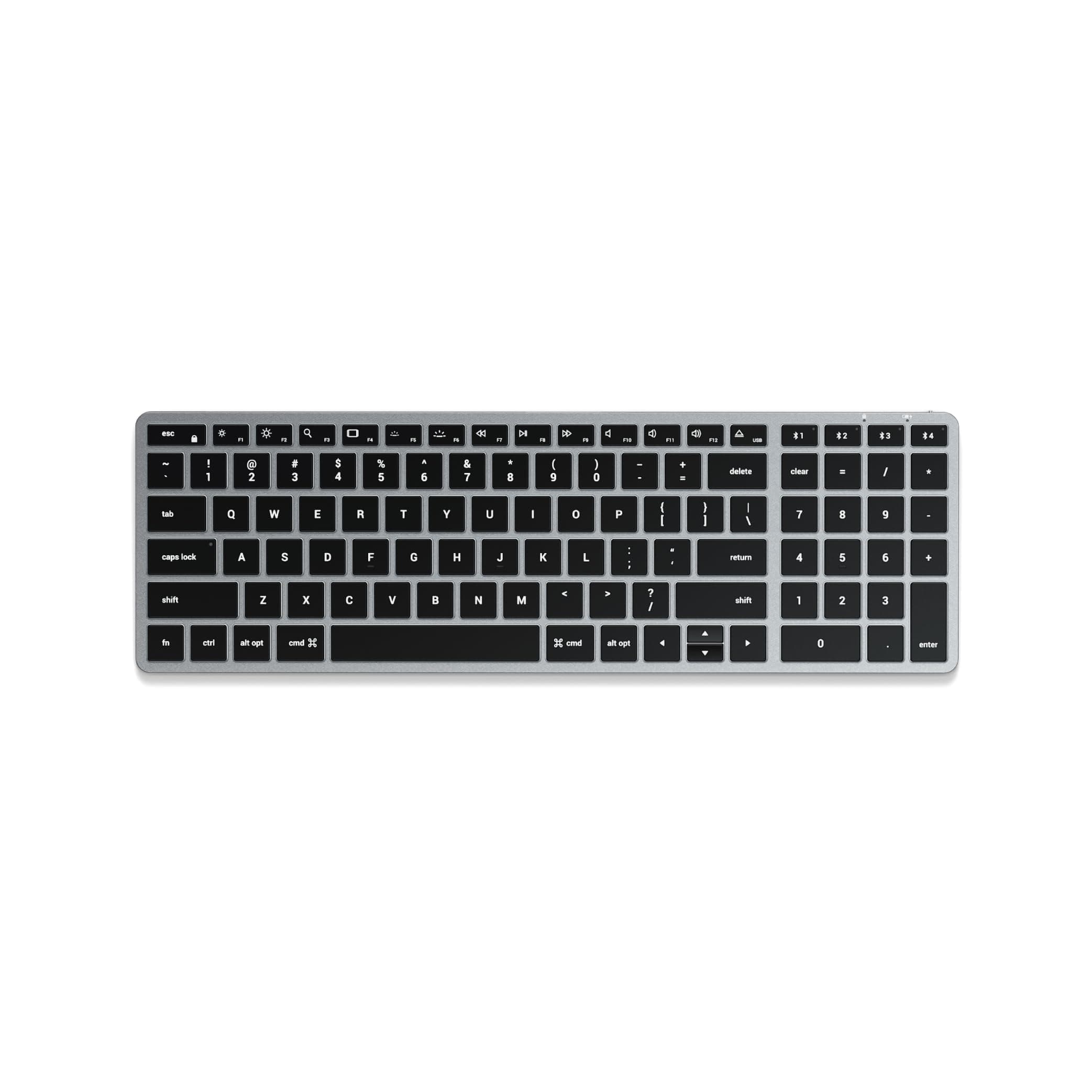
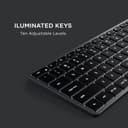
⌨️ Elevate your Mac setup with the keyboard that keeps pace with your hustle.
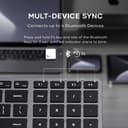
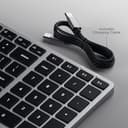
The Satechi Slim X2 Bluetooth Backlit Keyboard is a premium, Mac-optimized wireless keyboard featuring a full numeric keypad, 10-level backlit keys, and multi-device Bluetooth connectivity for up to four devices. Crafted with a sleek aluminum finish and equipped with a powerful 1300mAh rechargeable battery, it offers a comfortable, Magic Keyboard-like typing experience with enhanced functionality and portability, backed by a 2-year warranty.


| ASIN | B094SWJ1MP |
| Additional Features | Backlit, Lightweight, Rechargeable, Travel, Ultra Slim |
| Antenna Location | Programming, Gaming, Business, Office |
| Best Sellers Rank | #151 in Computer Keyboards |
| Brand | Satechi |
| Built-In Media | USB Cable |
| Button Quantity | 78 |
| Color | Space Gray |
| Compatible Devices | MacBook Pro 14/16-inch (2025 M5/M4/M3/M2/M1), MacBook Air 13/15-inch (2025 M4/M3/M2/M1), iPad Pro 11/13-inch (2025 M5/M4/M2/M1), iPad Air 11/13-inch (2025 M3/M2/M1), iPad Mini (2024 A17/6th Gen), iPhone 17, iPhone Air, iPhone 17 Pro, iPhone 17 Pro Max, iPhone 16/15/14/13/12 Series, Mac Mini (2024 M4/M2/M1), iMac (2024 M4/M3/M1), Mac Studio (2025 M4/M3/M2/M1), Lenovo ThinkPad, Microsoft Surface, Google Pixelbook, Google Pixel Pro 8/9, Samsung S24/Z Flip 5 Compatible Devices MacBook Pro 14/16-inch (2025 M5/M4/M3/M2/M1), MacBook Air 13/15-inch (2025 M4/M3/M2/M1), iPad Pro 11/13-inch (2025 M5/M4/M2/M1), iPad Air 11/13-inch (2025 M3/M2/M1), iPad Mini (2024 A17/6th Gen), iPhone 17, iPhone Air, iPhone 17 Pro, iPhone 17 Pro Max, iPhone 16/15/14/13/12 Series, Mac Mini (2024 M4/M2/M1), iMac (2024 M4/M3/M1), Mac Studio (2025 M4/M3/M2/M1), Lenovo ThinkPad, Microsoft Surface, Google Pixelbook, Google Pixel Pro 8/9, Samsung S24/Z Flip 5 See more |
| Connectivity Technology | USB-C, Bluetooth, Wireless |
| Customer Reviews | 4.3 out of 5 stars 2,439 Reviews |
| EU Spare Part Availability Duration | 2 Years |
| Enclosure Material | Aluminum |
| External Testing Certification | Não Aplicável |
| Generation | Latest Generation |
| Global Trade Identification Number | 00879961009045 |
| Hand Orientation | Ambidextrous |
| Item Dimensions L x W x H | 15.16"L x 5.91"W x 1.5"H |
| Item Weight | 376 Grams |
| Keyboard Backlighting Color Support | Single Color |
| Keyboard Description | Wireless |
| Keyboard Layout | QWERTY |
| Manufacturer | Satechi |
| Model Name | Slim X2 |
| Model Number | ST-BTSX2M |
| Number of Keys | 100 |
| Power Source | Rechargeable Battery |
| Recommended Uses For Product | Programming, Gaming, Business, Office |
| Series Number | 2 |
| Special Feature | Backlit, Lightweight, Rechargeable, Travel, Ultra Slim |
| Style Name | X2 |
| Switch Type | Mechanical |
| Theme | Modern Technology |
| UPC | 879961009045 |
| Warranty Description | 2-year limited warranty |
S**R
I HAVE NEVER WRITTEN AN AMAZON REVIEW
I HAVE NEVER WRITTEN AN AMAZON REVIEW despite buying things on Amazon for years. This review is true. I tried 5 different keyboards and the Satechi Slim X2 and the Satechi Compact are #6 and #7 to try. I use Mac and love Magic Keyboard but it does not have backlight. I also wanted something small but that also had the number pad (useful for Sibelius). I wanted bluetooth connectivity and a similar typing experience to the Magic Keyboard. Many offerings have the CTRL key and FN switched in position which bothers my hot key routine. The Logi MX is excellent however the backlight shuts off and is activated by motion, therefore it is constantly going out and there is no way in the software or hardware to adjust this, as of writing. I am very glad I found these Satechi keyboards because they are the only ones that do exactly what I need: - backlit - backlit stays on - all keys are in the correct place for mac - the typing experience is similar to quality of Magic Keyboard - they are compact - include number pad The Satechi Compact is slightly thicker, probably of equal thickness to Magic Keyboard, and the X2 is slightly less thick. The Compact has rounded corner keys and the X2 has the square keys like on Mac. They are both excellent so far and I am returning the other keyboards. The X2 is more like the Magic Keyboard experience because of the square corner keys but they both feel the same otherwise. I am wondering if the Compact has better battery life as it is slightly more thick. But I just got these today so only time will tell. I am keeping both - one will live on my desk and one will live in my bag for travel. Unless the battery life turns out to be terrible I am glad to find these keyboards. I highly recommend. I don't care for writing reviews but I am very satisfied that I found these after quite a search that I felt inclined to share, which is very rare for me. The X2 could basically be a Mac product if it had the logo - it really matches it well and it has backlight. Odd that Apple does not make Magic Keyboard with backlight. Thanks for reading I hope this review saves you time and toil. UPDATE 11.24.23 So far so good. I have been using the Slim X2. It is very similar to Magic Keyboard. I have not charged it yet even from the package opening. I read on the Satechi website (which is good) that the battery in the X2 is 1300 mAh and the battery in the Compact is 700 mAh. This is interesting because the Compact is slightly wider and thicker. In any case, both have good build quality, especially the Compact. It has some really nice metal binding and I think the body of both are aluminum or some other metal. I will probably choose the X2 first because the keys are square it is more reminiscent of the Magic Keyboard and the battery capacity is listed as being greater, though I am not sure at this point that this is an important consideration. One final note - the backlight does fade out if not typing and is reactivated with motion of fingers on keyboard. But unlike the MX keys the fade out does not happen immediately (was really annoying) and it takes approximately 60 seconds of inactivity for the fade to occur. This is a good thing. Also if the backlit setting is at full brightness when the fade happens it does not completely fade to zero it seems, which is also good. I am very happy with the X2. The Compact is really good too. The build quality is wonderful.
M**E
Better than Apple with more features!
After owning this keyboard for over 18 months I can honestly say this is one of my favorite accessories I’ve purchased for my office. This keyboard looks great, feels great, a really quality built product. The keys don’t get shiny or worn down, and the backlight is my favorite! the battery lasts FOREVER, I’ve only charged this keyboard 3 times since I’ve gotten it! And being able to have 4 different devices saved on Bluetooth is very nice. I’d choose this over the Apple equivalent any day.
J**H
Possibly the best bluetooth keyboard for mac
I was torn between the logitech mx keys mini and this satechi slim x1 for my mac and other devices. Both offer some similar features such as backlighting and multi device support. However... On the mx keys mini, device switching is on keys F1, F2, and F3, and because of that, there is no monitor brightness control there as you normally have on a mac keyboard. On the satechi, they put multi device switching on keys 1, 2, and 3, and you hold the FN button down and press one of those to switch. This way they were able to keep the monitor brightness controls and other F-keys virtually identical to what we are used to having on our macs, including back and forward buttons for music. The Mx keys also doesn't have back and forward keys for music because they opted for other buttons there. So basically this one is more true to the mac key layout. You CAN, in the logi software remap some of the F keys to compensate for what's missing, but on the satechi there are no compromises to be made. The satchi is MUCH lighter, so if you ever lounge back in your chair and type from your lap, this one is more comfortable to pull off of your desk. There is also an issue with the mx keys mini, where on an initial bootup or restart, it doesn't pair until after you enter your passkey. Meaning you need to use another keyboard, or if you're using it with a laptop, use the laptop keyboard for that first login. That's wild, because the satechi works on the initial login without issue. It takes a second or two before the keyboard pairs on startup, but it does work for that initial login. So whatever reason logitech gives as an excuse for that, satechi seems to have made it work. The backlight stays on around a minute but dims after a few seconds, but overall works nicely. The MX keys mini now allows users to set anywhere from 5 seconds to 30 minutes of backlight though - which I believe is a new feature. This comes at the cost of battery and I normally don't need more than a minute of idle backlight anyways. Overall/TLDR: The satechi is light weight, closely resembles the true mac key layout, quickly switches between three devices, can be used corded, and can be used for an initial password screen on your mac unlike the mx keys mini by logitech. The logitech looks nicer and feels a bit higher quality, but the drawbacks still put this one ahead in my opinion. I will say though, that my power switch broke and fell into the keyboard so it is stuck on, and it took less than a month of use for the keys to get shiny from use even though I try to keep it clean. That is inevitable for any keys on a keyboard, but it happened very fast on this one, and those are the reasons I took a star off.
T**E
Perfect desktop companion
I personally picked up this keyboard to use with my ipad pro 12 inch. I must say it is a perfect companion especially with the grey color choice which matches my apple trackpad and ipad very nicely. Besides the look and feel of this keyboard being premium it provides an additional handful of useful options. * Perfect length size as it is the exact length of my ipad pro 12 inch. * Backlighting keys (only in one color though but with 10 brightness levels) * The keys are large in size where you wont be pressing other keys by accident. * Function shortcut row * LED indicator for CAPS lock, FUN lock and battery charging LED * Can LINK up to 3 BT devices * Comes with two rubber stubs to be able to lift the keyboard to a more angled view * Comes with USB C to USB C cable that is used for charging and can also be used as a wired keyboard solution. One other huge benefit with his keyboard and its battery level is that this works with the Apple battery widget. I have not come across any 3rd party KBs that are compatible with this widget so I was happy to see this manufacturer was able to get this to work. The one issue I have faced with the keyboard is typing errors. First I was feeling that the keyboard was not registering all the key presses and it was a BT issue. The more I use it, I am feeing that since the individual keys are pretty large and need a little force to press, its more of a physical typing user issue rather then electronically. I am hoping overtime as this keyboard gets used more frequently the keys will register a bit more easily and wont have to be pressed down so much, as the key travel time might be the issue on not all keys registering. I am coming from an apple keyboard where the slightest touch would register and with this one it takes a little more persistent push of a key. So I am feeling this typing experience will get better overtime as it seems to have already gotten better. Well done Satechi. Hope they continue to make revisions with this keyboard on updating BT version and look into the travel time on the key presses and it’s Sensativity.
G**L
Works great, love the backlight
I bought this to use with my M2 MacBook Air 15" and my M2 Pro Mac Mini. It works great- Bluetooth and USB-C connections are reliable and it stays connected. The battery life is great (charged it initially, haven't needed to charge it again yet) and the numpad works great. I prefer 96% keyboards (with a dedicated numpad and no big arrow keys). I use a Logitech Ergo K860 with my work PC, and while it is nice, it takes up a ton of desk space. This keyboard is much more compact, and the keys are more crisp. There's less key travel and less ergonomic functions but it looks great on my desk and works well for home use. I use a slide out keyboard tray and it works great. The color (space gray) does not exactly match my Mac mini, but the color is complimentary and it looks good with my midnight MacBook. I have switched between the Ergo and a K380 (compact Logitech keyboard) with my Mac, but I think this is the best compromise of both. The K380 will stay in my laptop bag for my MacBook, and the Ergo will likely be pulled out when I work from home. I prefer a backlit keyboard when working in the evening, so this is the ticket! I'll update my review if anything changes, but so far I love this keyboard!
J**R
Poor build quality; worse customer service
The keyboard looks nice, but it stopped working in a bit less than nine months. Around 1/3 of the keys are totally unresponsive, including the keys needed to perform a reset. A Google search revealed that this is a common issue with Satechi slim keyboards. I reached out to customer service, as the device is warranted for two years. After a week of runaround asking for videos and for me to do the sorts of things I'd already told them I'd tried, I gave up any hope of having the problem resolved. It's clear that customer support knows this is an issue and that they have been told to delay in the hopes that customers will give up. If you want Apple aesthetics, then just save up and buy an Apple keyboard. It costs twice as much, but it'll actually work, and if it doesn't, well, Apple actually honors its warranties.
J**Z
Great Keyboard
This keyb5oard looks n6ice b5ut it doesn6't work perfectly well b5ecause itran6domly does this... Yes, I'm writin6g this review usin6g this keyb5oard con6n6ected to my Mac Airb5ook, an6d when6 pressin6g certain6 keys (e.g. the n) it gen6erates extra characters. I can6 turn6 it off an6d on6 again6, b5ut it persists. It feels fin6e, very similar to the Mac keyb5oard, b5ut this is an6n6oyin6g. If I press the down6 arrow, it starts deletin6g text. The color is much like the silver color on6 Macs, it con6n6ects seamlessly to the computer with the cab5le, an6d the b5attery has last well. B%ut the on6e thin6g that it's supposed to do, it does n6ot do it perfectly well, whcih is, typin6g. I would N6OT recommen6d this keyb5oard n6or would I b5uy this b5ran6d again6. I chose somethin6g more b5udget frien6dly than6 the Apple Magic Keyb5oard an6d well, I'm payin6g the price, I suppose. EDIT: Sept 27, 2025: After having the issues I described before, I performed a proper troubleshooting and unpaired the keyboard from my computer. After pairing them again, the keyboard has been working flawlessly. This was a couple of months ago since I tried it and was giving it a chance to see if the issue reappeared, but no--it's been great. So, in the end, I can say this keyboard is a recommended peripheral for a Macbook.
R**H
Working well on PC and beyond!
This product embodies just about everything I'm looking for in a keyboard. Switching from Mac to PC, I'm coming off of 10 years with Apple's magic keyboard, the one that connects exclusively through Bluetooth and lacks a number pad. In the end, I missed the number pad, and having to change batteries was boring to me. Otherwise, I enjoyed the design of it. This keyboard is a natural upgrade. I'm thankful that it has the wired option, so I no longer have to deal with batteries. And the number pad checks the number pad box. This is essentially the only magic keyboard variant I could find with these features while retaining the more compact layout. So thanks to Satechi for this design. Just because I'm on a PC doesn't mean I want a loud, clunky keyboard and carpel tunnel syndrome from working the thing. So if you like the feel and style of the apple keyboards, this is just the thing. You'll know from the imagery if the layout is for you. Do I miss the "page up," "page down," "insert," etc. buttons? No, not enough to give up the smaller form factor. Am I bothered by the compact design of the arrow buttons? Not in the slightest; use that space up. If these things bother you, look elsewhere. Do I have a hard time finding the buttons? No. Would I use it for gaming? I'm not much of a PC gamer, but, yes, I would. I like the keyboard; I'll use it for everything that requires a keyboard. Contrary to its intended design, I bought it to use with Windows 10, so I'll shed some light on how it performs there. There are a few idiosyncrasies, but overall, it suits my needs, so I'm happy with it. Right out of the box, I plugged it into my PC and, to my surprise, it worked instantaneously. I guess I thought I might have to pair it over Bluetooth or download drivers. Nope. It just works. Of course, it does pair over Bluetooth without issue. (UPDATE: As per Satechi, connect through control panel if you have trouble with the standard Bluetooth menu.) Also to my surprise, the function keys seemed to carry some of their functionality over to Windows without any extra effort. For instance, the brightness and volume keys function smoothly. The buttons for the backlights work as well. The search key on F3 does not work, presumably because Windows doesn't have Mac's "Spotlight" search feature. I haven't tested the "previous" and "next" buttons on F7 and F9 respectively, but I can confirm that "play" on F8 does its job. You can lock the function keys to just plain old F1-F12, which is actually fantastic because then there isn't any overlap in functionality when using an application that utilizes those buttons. It's a welcome feature that I hadn't realized I needed. And it works exactly as intended on Windows. Apple keyboards like this one don't have the "Windows" button, which is, of course, a centerpiece of all PC keyboards. Here, the "command" key functions as the Windows button. And, if you're coming from Apple like me, the "Control" button essentially takes the place of "command" in all the usual apple shortcuts. Not a problem, really, and I'm rapidly getting used to it despite my initial resistance. The rest of the modifier keys function as normal. The "clear" key, located on the number pad, is of great importance here. "Clear" actually functions as "num lock," and the num lock has to be engaged in order to type the numbers on the number pad. Otherwise, Windows interprets them as a "up" (8), "down" (2), "left" (4), "right" (6), "home" (7"), "end" (1), "page up" (9), and "page down" (3). There isn't an LED indicator of the num lock's status, so you just have to make a mental note. The "=" on the number pad doesn't do anything, irrespective of the num lock. And I have yet to find any functionality in the "eject/usb" key. I did spend a decent amount of time exploring the idea of remapping keys so that I wouldn't have any quirks like the dead "=" key, for instance, or so I could switch ctrl and cmd so that it would be more like working on a Mac. But it can get weird, and will often create a conflict. If you try to remap the search shortcut on F3, for example, Windows interprets that as a "space" button; remap it and now you have no space bar. There's only one "space" function to go around, it seems. But remember that that F3 search button does nothing on its own, so one would think you could assign it to something else without giving up a non-existent space button. If you're scratching your head a bit, then you're reliving my experience. In the end, I decided that it was best to do no remapping at all, and to let the keyboard do its thing. It did seem entirely feasible to remap F1-F12 in their standalone, locked state, however. But some of my apps use those buttons, so I keep them clear for that. If you're a tech wizard, you may have a remapping solution that solves every problem I've mentioned. I knew nothing about keyboard remapping going into this, I feel like I learned a lot about it in the process, and yet I decided against it. For reference, I was using PowerToys, with a brief dabble in SharpKeys. At first, I had written off the ability to switch between multiple Bluetooth devices using the buttons in the top right. But once I had it connected, I thought, "Why not connect it to my phone?" One pairing later, and now I can use it to type on my phone by pushing one button. Then I thought, "Why not connect it to my old iMac that's just sitting here waiting to be discarded?" So I did. I can jump between all three devices with ease; the switch takes about a half a second. As someone who wasn't interested in the feature at first, I was sold on it in no time, and I can easily see myself taking advantage of it in the future. My only minor complaint is that it seems to take just a second too long to connect to my computer upon startup despite the fact that I keep it wired to the PC. I'm ready to type in my password, and I tend to jump the gun just a little. I suspect, therefore, that the keyboard doesn't send the input signals over the cable. I would prefer it did, but I'll let it slide. By the same token, I can't seem to use it to enter my BIOS on startup because it presumably has not connected yet. My magic keyboard always seemed to connect to my iMac right away, so perhaps the responsibility for these minor connectivity quirks falls more squarely on the shoulders of my PC; who knows? (UPDATE: It does have a wired mode; press fn+eject to use it. But it still doesn't connect automatically on boot up. I'm not sure if something changed, but what I actually have to do is boot the computer, unplug the keyboard, and plug it back in for it to be recognized on the wired connection. A hassle, but....) Other than that, it seems to be smooth sailing, and I'm having a comfortable and efficient time gliding across this keyboard. I wasn't expecting it to be as compatible as it seems to be with Windows 10, and for that, I can safely say that it has exceeded my expectations. Make me a PC version and maybe I'll get that, but this will do just fine in the interim.