We remain fully operational. Our teams are working around the clock to ensure your deliveries continue safely.

下载应用程序


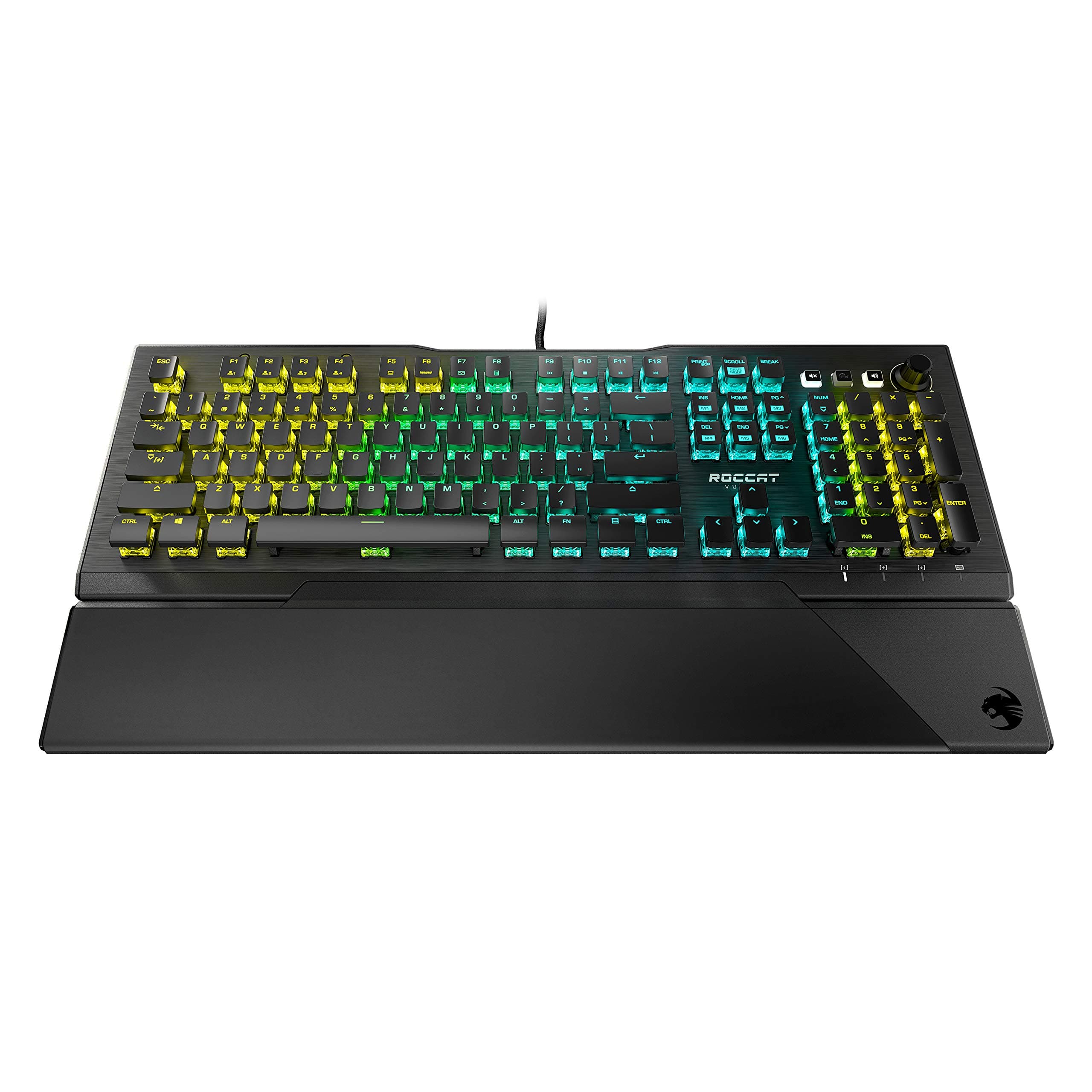
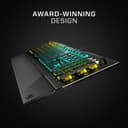
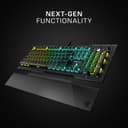

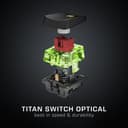
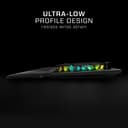
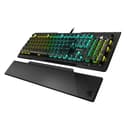
⚡ Elevate your game with speed, style, and unstoppable durability!
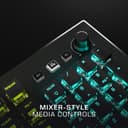
The ROCCAT Vulcan Pro Linear Optical Keyboard combines cutting-edge Titan Linear Optical switches with a sleek low-profile design and per-key AIMO RGB lighting. Built on a robust anodized aluminum frame and featuring a detachable magnetic palm rest, it offers gamers lightning-fast responsiveness, customizable vibrant lighting, and ergonomic comfort. With 100 million keystroke durability and dedicated mixer-style media controls, it’s engineered for professionals who demand precision and style in every keystroke.


| ASIN | B08J4HQGZ2 |
| Additional Features | Magnetic |
| Antenna Location | Gaming |
| Best Sellers Rank | #10,145 in Video Games ( See Top 100 in Video Games ) #710 in PC Gaming Keyboards #954 in Computer Keyboards |
| Brand | ROCCAT |
| Button Quantity | 104 |
| Color | Black |
| Compatible Devices | PC |
| Connectivity Technology | wired |
| Customer Reviews | 4.5 4.5 out of 5 stars (381) |
| Enclosure Material | Aluminum |
| Hand Orientation | Ambidextrous |
| Item Dimensions L x W x H | 16.14"L x 8.27"W x 1.97"H |
| Item Type Name | Keyboard |
| Item Weight | 2.5 Pounds |
| Keyboard Backlighting Color Support | RGB |
| Keyboard Description | Gaming |
| Keyboard Layout | QWERTY |
| Manufacturer | ROCCAT |
| Model Name | Vulkan Pro Keyboard |
| Model Number | ROC-12-537 |
| Number of Keys | 107 |
| Number of Sections | 7 |
| Power Source | wired |
| Series Number | 537 |
| Style Name | Vulcan Pro |
| Switch Type | Linear |
| UPC | 731855525379 |
| Unit Count | 1.0 Count |
| Warranty Description | 2 year manufacturer |
G**P
Extremely functional and elegant
Affordable for the quality and features. Keys are satisfying and responsive to the touch without being overly loud, and the RGB has a pleasant glow without being offensively bright. A great combination of practicality and style.
A**N
Love it!
I needed a lighted keyboard for use in low light, not necessarily for gaming. A family member researched several different keyboards and ultimately ordered this one for me, based on reviews and the discounted price. It's perfect, and the instructions and software link provided by the manufacturer made it easy for me to set up the keyboard options to my liking. What I especially like is the ability to customize not only the key light colors but also their brightness and color intensity. Now I can finally see the keys in low light and the colors are pretty.
C**S
So far, so good
I was a little nervous making this purchase based on some of the reviews so I'm here to give my .02c to help other people that might be on the fence about this set. I was in the market for a new KB/Mouse setup for my office and chose to go with the ROCCAT AIMO Mouse (Kone), Keyboard (Vulcan Pro), and Mousepad (XXL Gaming Pad). I was looking at a couple of other competitive brands but ultimately decided to go with this set. The Keyboard is nice, the keys take a little bit to get used to if you're used to a clicky/tactile response. The button response is smooth and fairly quiet. Only issue I have with the keyboard is that when you've built up a little bit of sweat on your palms and it gets on the wrist rest and keys, it can leave marks quickly. Not a huge deal but I'm a bit of a neat freak and hate spots/streaks so I'm constantly wiping it down. The build is solid and the I love the look of it. My other choices were very nice also, but ultimately, the aesthetics are what made me chose this KB over the others. The exposed switches are unique and look awesome. Makes for easier keyboard cleaning too, nothing gets stuck under the keys because it's pretty open and a blast or 2 of air should clear anything out. I wanted to stay with the same brand mouse to sync the lighting. I have had wireless mice on all of my PCs for as long as I can remember but ROCCAT does not offer a wireless mouse that works with the AIMO intelligent lighting so I had to start looking at wired mice. The Kone was pretty much my only choice for what I wanted to do, luckily most of the reviews were good and it was about half the price I'm used to spending on a wireless mouse. It's very comfortable (It seems like it was made for bigger than average hands), and has a ton of programming options/settings. Tracking is on point and you can fine tune your DPI to your liking. The mouse also has an "easy shift" function that allows twice as much programming capability, which is pretty useful for gaming, but it will allow other PC functionality if you're not a gamer like media control, web browsing, etc.. I haven't gotten "the claw" from using it for too long but I haven't had any 16 hour benders since I've purchased this mouse so I can't comment on long-term comfort just yet. The ROCCAT Swarm software can feel a little overwhelming and confusing at first if you just dive in but it gets easier to use once you play around with it a bit, it's highly customizable and you could probably lose yourself in there if you love to tinker with settings. When you plug in a new compatible device, the software will let you know that an update is needed and it will run the update with the click of a button. You won't need to go to the web and get a driver for each device and the Swarm Software is about the only thing you'll have to install manually. The lights sync nicely between all 3 devices but can only be (truly) synced if you turn on AIMO intelligent lighting on each device. You can still set each device to it's own lighting, breathing, static, heartbeat, mixed, etc., but syncing all device is reserved for AIMO. One other thing about the software, I wish that there could be a hotkey setup to turn all lights on all ROCCAT devices off. If I'm playing a game, the lights can be distracting and it would be nice to just tap a hotkey to turn everything off instead of needing to alt/tab out of the game and open the software to turn it off. I'm still researching and tinkering with the software so I might be wrong about this claim but I haven't found anything yet that has explained how to do this, if it in fact, can be done. The Mousepad is the last item of the set. The mouse glides without issue but make sure to take those blue plastic things off of the sliders on the bottom of the mouse, that will cause issues with tracking if you don't. It fits under the mouse and keyboard well and it leaves the perfect amount of extra space so everything doesn't seem so crammed together and you have room for big movement with the mouse. Bottom line is, I'm impressed so far and love the way everything looks and functions. As I said early, a few reviews made me a little nervous but I'm glad I went with ROCCAT. I'm hoping someone reads this and makes their decision easier. $300/350 is a lot of money for a keyboard/mouse/mousepad but if you have it in your budget, give this set a solid thought. It's worth it I will update this review if I run into any issues. Thanks for reading!
G**R
Great Keyboard
This is a great keyboard. Have had for some months now. Use for both games and work. Comfortable. The lights are bright. Keys do not feel mushy. Having the volume control knob on the keyboard is so much more useful than I imagined. The extension for your wrist at the bottom is easily added and removed. Would repurchase.
M**N
Over 1 year old and holding strong!
If you're in search of a gaming keyboard that combines durability, versatility, and high performance, look no further than the ROCCAT Vulcan Pro Linear Optical PC Gaming Keyboard. As a heavy user who types over 100 words per minute, I have been thoroughly impressed by this keyboard's resilience and performance over the past 15 months. Durability and Design One of the standout features of this keyboard is its exceptional durability. Despite my high-speed typing and extensive daily use, every key remains readable and intact. This is a testament to the quality of the Titan Switch technology employed by ROCCAT. The anodized aluminum top plate not only adds a sleek, premium aesthetic but also enhances the keyboard's durability. Performance The keys are incredibly responsive, providing a smooth, tactile experience that is perfect for both gaming and everyday typing tasks. The full-size layout ensures you have all the keys you need, while the low-profile design offers a comfortable typing experience without compromising on speed or accuracy. Comfort and Usability The detachable palm/wrist rest is another thoughtful feature that enhances usability. After long hours of work or gaming, this feature helps prevent strain and offers much-needed comfort. Overall, the ROCCAT Vulcan Pro is not just a keyboard; it's a reliable companion for both work and play. Its exceptional durability, remarkable performance, and thoughtful design make it a worthwhile investment for anyone in need of a high-performance keyboard.
C**N
R G B
it has rgb so it must be good. Honestly this is my first actual mechanical keyboard, as I do not like em at all. And i gotta say this keyboard kicks ass. Love how it feels, being clickly but having the feel of thin keys. And the rgb is very nice.
C**S
Aesthetically pleasing and comfortable to use
I bought this as a holiday gift for a relative because I purchased one earlier in the year for myself. It's a great keyboard and the optical switches make it feel fun to use. The lighting is very strong and customizable. I plan on buying the all white one for my girlfriends rig as we are really happy with this keyboard. I will say that the keys show sweat or dirt very easily so cleaning it regularly is a must to keep it in pristine condition.
S**N
Took a bit of getting used to, but we'll worth it
C**A
Best keyboard I’ve ever used. The way the keys move is so satisfying and it’s really quiet to type on. This is the second Roccat product I’ve purchased and I will definitely buy their products again
S**V
The keyboard is amazing, works like a charm. Looks fantastic with the software controlling how it looks. I am really sad Roccat got sold to Turtle Beach. I bought a few of the remaining keyboards and mice to last me a while until I have to chose again. I had Razer before and I won't buy that crap ever again.
R**V
Sehr empfehlenswert
W**G
Has the perfect balance of actuation force and actuation distance. Keys register noticeably faster than any regular mechanical keyboard. It is not stupidly light like the Huntsman TE where the keys can't support the weight of a resting finger.
TrustPilot
2 周前
4天前