We remain fully operational. Our teams are working around the clock to ensure your deliveries continue safely.

下载应用程序



🎬 Elevate your live streams—be the director of your digital stage!
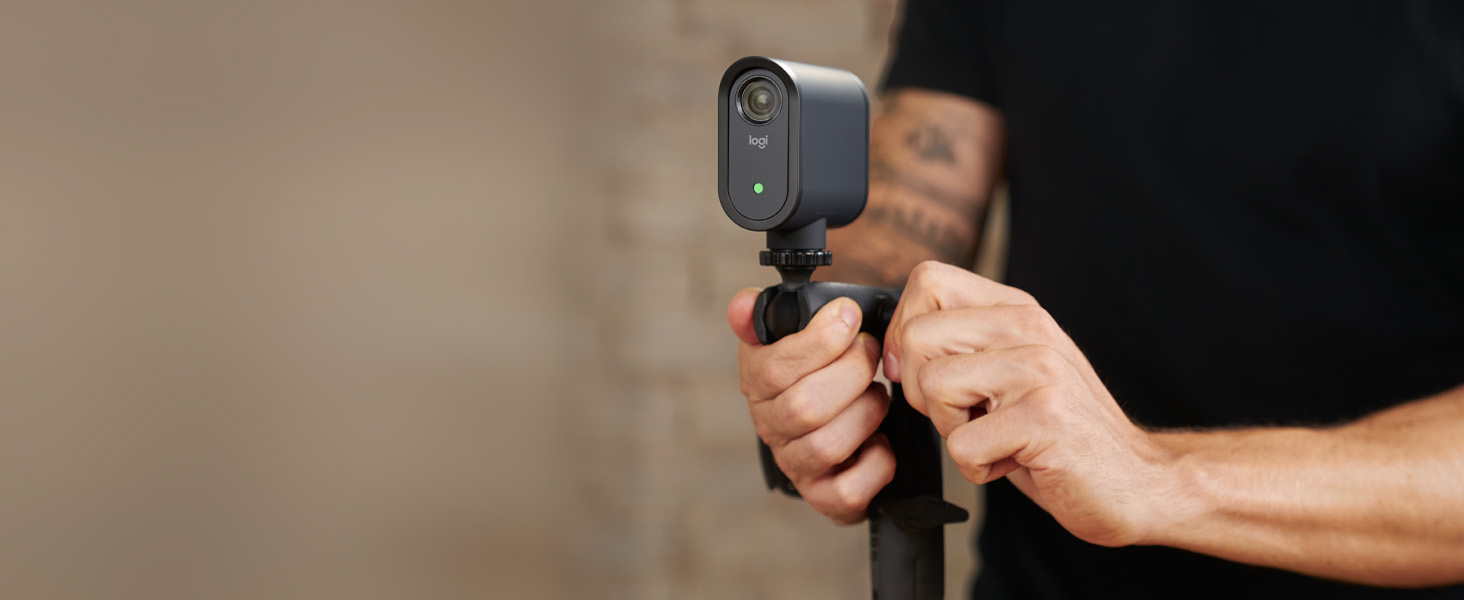
The Logitech for Creators Mevo Start is a compact, wireless live streaming camera delivering stunning 1080p Full HD video with built-in microphone and intelligent app control. Stream effortlessly to YouTube, Facebook, Twitch, and Zoom using Wi-Fi or LTE, with up to 6 hours of battery life. Its multicam capability and versatile connectivity options make it a must-have for creators seeking professional-quality broadcasts on the go.




| ASIN | B0866PZN76 |
| Batteries | 1 Lithium Ion batteries required. (included) |
| Best Sellers Rank | 95,772 in Electronics & Photo ( See Top 100 in Electronics & Photo ) 50,988 in Camera & Photo |
| Brand | Logitech for Creators |
| Camera Lens | low distortion, 8 elements, f2.8, Focal length 3.6mm |
| Colour | Black |
| Customer Reviews | 4.3 4.3 out of 5 stars (2,248) |
| Date First Available | 29 April 2020 |
| Focus type | Fixed Focus |
| Guaranteed software updates until | unknown |
| Has image stabilisation | No |
| Included components | Mevo Start Camera, Microfiber Cloth, Quickstart Guide, USB-C Cable with QuickCharge |
| Item Weight | 8.2 Ounces |
| Item model number | 961-000498 |
| Lens Design | Prime |
| Max Focal Length | 3.6 Millimeters |
| Memory Slots Available | 1 |
| Min Focal Length | 2.8 Millimeters |
| Package Dimensions L x W x H | 12.6 x 12.4 x 8.2 centimetres |
| Package Weight | 0.53 Kilograms |
| Part number | MV3-01B-BL |
| Product Dimensions L x W x H | 8.7 x 3.4 x 7.5 centimetres |
| Style | Single unit |
| Water Resistance Level | Not Water Resistant |
| Zoom Type | Digital |
A**R
Mevo - Start - a good starting point...
+ Quality materials + Compact size + Simple to use + Excellent battery life + Behringer UCA222 USB interface connects to the USB-c (with a converter) and it powers it + Wireless if you want to use the built-in mic which is good (but not as good as my line in via USB) + Ability to be used as a wireless webcam - App is good but could be better (I'm happy to beta test) as it's not the most user friendly - Gated functionality behind Vimeo is costly and adds little value - Additional cost carry case - a free soft case/bag would have been a good addition to the box I wish it could (but it can't): - Allow mp4 to be played as a separate scene selection in my stream allowing me to have placeholder screens, additional video presentations, music etc
R**G
Mevo - really effective for streaming In-Church Services to YouTube
Our Church is looking to stream Christmas Services. The issue was, how and within budget. The Mevo delivers exactly what we need: a) simple to set up b) simple to operate c) simple to stream d) simple to live edit e) acceptable broadcast quality. The online tutorials are helpful and it took about an hour of trial and error to get the Mevo up and running. The sound quality generated when the camera is placed two or three metres from a presenter is really good. A Soft spoken reader five metres away could be heard - just The Mevo camera is expensive but well made. Importantly it exactly meets its function. Highly recommended
T**B
Simple, easy, livestream in a box
Purchased this as an upgrade to a PTZ camera used for live-streaming church masses. This has been so simple to setup in comparison to the PTZ, which needed port forwarding, LAN connection etc. Took it out of the box, downloaded the app, connected the camera & we were live-streaming via Facebook in minutes. Camera quality is amazing in comparison even if average Wi-Fi connection. For best results in large areas external microphones are needed but even they were easy to use. This is simplicity itself.
D**E
Great idea to have a wireless camera
Its a bit restrictive in that you can only use it in wireless mode with an iOS or Android device. Cannot be used in wireless mode with a Windows PC or a Mac/Macbook. Also if you want to have the facility of introducing graphic overlays/ Powerpoint etc over your video image they want you to take out a Vimeo regular subscription which isn't cheap. Managed to overcome the difficulties, albeit in a cumbersome fashion using the RTMP interface in the Mevo App. Good functionality available in the Mevo App for manual/auto panning.
K**N
Brilliant for Live Streaming or recording events
After doing lots of research, this was bought to live stream services and events held in a church building. I bought 2 and they work with the Mevo Multicam App really well, enabling Pan and Zoo and switching between cameras using the App as well as controlling the sound source and volume. I use a wireless lapel mic connected to one of the Mevo Start cameras for sound from the leader. Other mics can be added even using a mobile phone as the source. Just brilliant.
F**O
Brilliant!!
This little camera is magical for a lite livestream setup. The guys at Mevo have really tried to think of everything to make livestreaming quick and easy while maintaining a very high standard of production. Recommend
B**S
Mervo we’re very helpful
At the moment waiting to set it up. It’s not as easy as the advert says. How ever Amazon and mervo have been very helpful. When I get it going I’m sure I’ll give it full marks . Thank you. Unfortunately I’m sending it back taken hours and still not working. I want to use it with P C laptop . Apparently they are still in the beta stages? A shame.
O**R
Want to use Multi-Cam? That will be £19 a month!
The Mevo camera is amazing but it comes as an unnecessary subscription model. If you want to use more than one camera at once Logitech charges £19 a MONTH to be able to use two of your Logitech cameras at once… keep in mind your camera pairs with its self locally meaning that everything is being done locally and not server side… I am worried about what will happen when Logitech decides to kill off the product. Will my £668 investment turn into a bricked e-waste device or will Logitech let people use the cameras locally with OBS? Time will tell… the build quality of the camera feels cheap, it’s wrapped in what can only be described as nasty cheap rubber which will easily degrade over time. The battery isn’t replaceable making repairability impossible. I am happy with the output but concerned about the camera. I wish there was more competition in this market space because it’s a fantastic idea, executed abysmally.
J**O
Si eres practico y funcional, una cámara para agregar a tu worflow que te servirá de mucho.
S**N
We use this for streaming our church services and it works great for the technology that we have and the speed of internet that we have
C**N
Camera video estremamente efficace per chi deve lavorare da solo. Grazie al pannello regia è possibile, già con una sola mevo start, realizzare e gestire diverse inquadrature con zoom in e zoom out
O**R
Très bon produit, petit, élégant. Apres quelques jours d'utilisation je ne regrette pas mon achat. Belle qualité d'image et de son. L'application iphone fonctionne très bien meme si elle mériterait d'être en français. La fonction zoom sur l'image fonctionne vraiment très bien. Je me sers de plusieurs MEVO START avec le logiciel pour mac MIMO live ca fonctionne vraiment parfaitement. Latence assez faible. LA possibilité de brancher un micro en jack 3,5mm sur la camera elle même est très pratique pour du multicam ca evite d'avoir a gérer aussi le mixage son, car le son est transporté par la camera.
W**I
The Mevo Start is a great camera for live streaming or for recording. It is good for those getting started in streaming. It is reasonably priced and has a lot of great features. You can live stream to most any service. The camera can be connected via Wi-Fi or with Ethernet (requires a separate adapter). Wi-Fi works well if you have good access points and signals. Streaming quality will depend on your upload speeds. Recording are saved directly to the camera but you will need get a micro-SD card as it does not come with one, but those are so affordable. You will need an Android or iOS tablet or phone to work with the camera. There is an app that controls and configures the camera. There is a built in microphone that works well. You can also alternatively connect an external sound source to the Aux 3.5 mm jack. It is configurable for Mic level input or Line level input (like sound board). There are level controls for audio within the app. It fits on most any tripod (standard 1/4 screw). I found battery life to be 4-5 hours which should be good in most cases. There is a USB-C connector on the camera that can be used for external power or ethernet adapter. Indicator LED on the front of the camera tells you the connection status and I believe can also act as a Tally light. One of the nice features is digital zoom. You can view what the camera sees from within the app. The app also lets you zoom the camera view in and out. You can also move a zoomed box around with the full field of the camera, so it almost like having PTZ. The video feed is quite good and there are settings for things like low lighting and outdoor. Camera looks and feels well built. There is no lens cover so you might want to get a case for it. The camera can also be configured as an NDI source and it works great with OBS, zoom and all. Good starter and can still be used in more advanced setups (like OBS). Keep in mind that the app can only be used with one camera at a time (you can move back and forth between cameras). A multi-cam app is being developed and is currently in Beta at this time.
TrustPilot
2 个月前
1天前