We remain fully operational. Our teams are working around the clock to ensure your deliveries continue safely.

下载应用程序


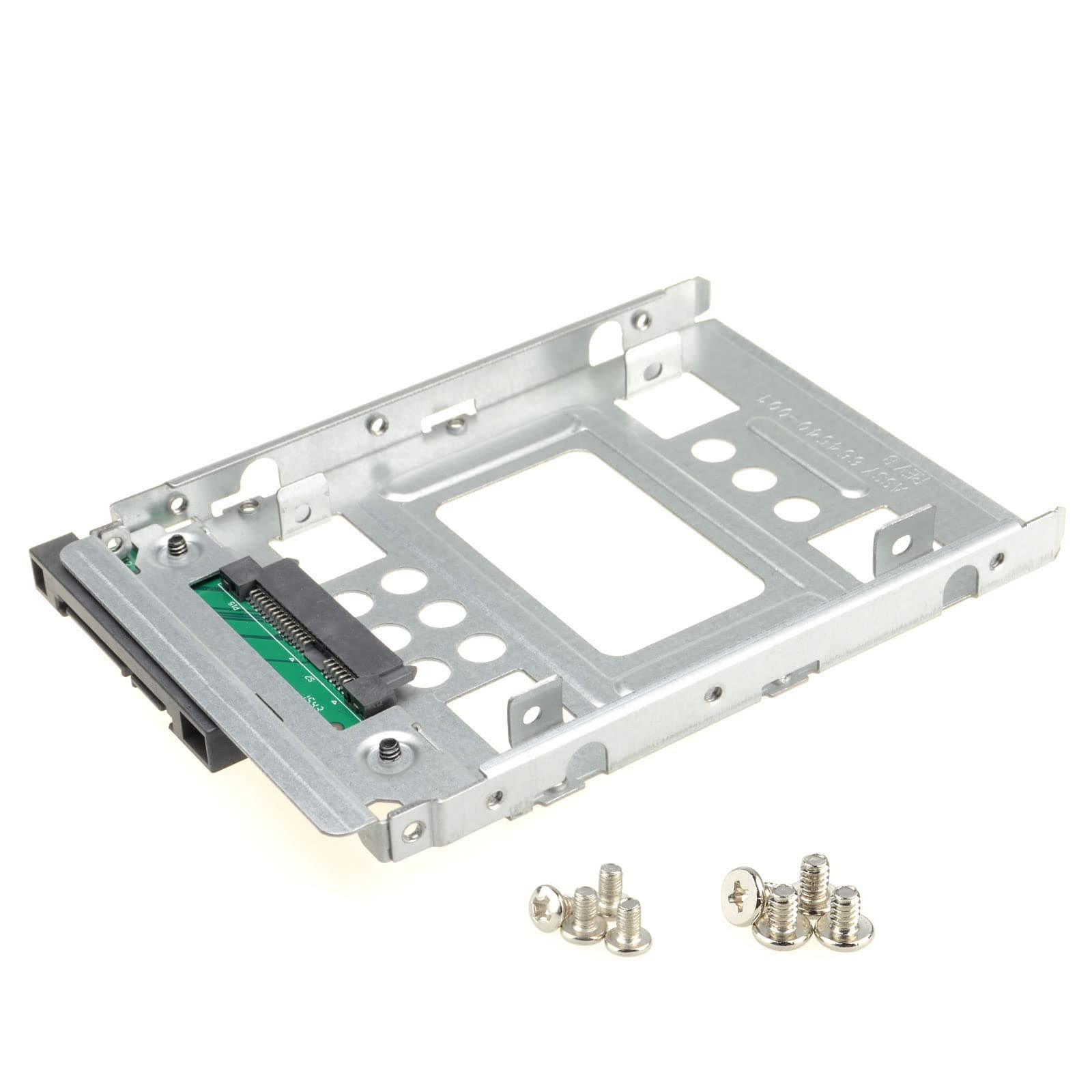
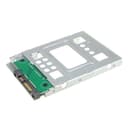
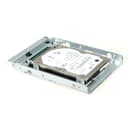
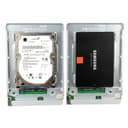
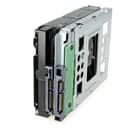
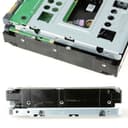
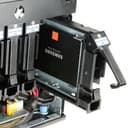
⚡ Upgrade your storage game—big bay, small drive, zero limits!
The DSLRKIT 2.5" to 3.5" SATA SSD/HDD adapter tray enables seamless installation of smaller 2.5" SATA or SAS drives into standard 3.5" bays. Designed for hot-swap environments, it supports blazing 6000 MB/s transfer speeds with a secure, durable plastic frame. Compatible with all 3.5" drive cages and enclosures, this adapter offers a cost-effective, reliable solution for professionals seeking to maximize storage flexibility and performance.
| ASIN | B00F3QFKNS |
| Brand | DSLRKIT |
| Color | Silver |
| Compatible Devices | Laptop |
| Customer Reviews | 4.7 out of 5 stars 3,570 Reviews |
| Data Transfer Rate | 6000 Megabytes Per Second |
| Enclosure Material | Plastic |
| Hard Disk Form Factor | 2.5 Inches |
| Hardware Interface | SAS |
| Hardware Platform | PC |
| Item Dimensions L x W x H | 5.78"L x 3.97"W x 0.47"H |
| Item Weight | 0.12 Kilograms |
| Manufacturer | DSLRKIT |
| Material | Plastic |
| Product Dimensions | 5.78"L x 3.97"W x 0.47"H |
| Supported Devices Quantity | 1 |
| UPC | 700371099893 |
H**N
A Reliable and Cost-Effective Solution
The DSLRKIT 2.5" SSD to 3.5" SATA HDD Adapter is a fantastic product that lives up to its description, providing a seamless solution for utilizing smaller SSDs in larger 3.5" SATA drive bays. Not only does it perform flawlessly, but it also offers excellent value for money. With its durable construction, effortless installation, and prompt delivery, this adapter has left me thoroughly impressed. First and foremost, the DSLRKIT adapter functions exactly as described. It allows for easy installation of a 2.5" SSD into a standard 3.5" SATA hard disk drive bay, making it an ideal choice for upgrading or repurposing existing systems. The adapter's design ensures a secure and stable fit, eliminating any concerns about compatibility or loose connections. It seamlessly integrates the SSD into the system, providing reliable performance without any noticeable impact on speed or functionality. In terms of value for money, the DSLRKIT adapter is truly a standout. Its affordable price point makes it an economical choice compared to other alternatives on the market. Despite its cost-effectiveness, the build quality of the adapter is commendable. It is constructed with durable materials, ensuring longevity and resistance to wear and tear. This aspect, combined with its reliable performance, makes the DSLRKIT adapter an excellent investment for anyone looking to optimize their storage solutions without breaking the bank. Additionally, the fast shipping provided by Amazon adds to the overall positive experience. The item arrived promptly, allowing me to proceed with my installation without unnecessary delays. This reliable delivery service further reinforces the convenience and satisfaction of purchasing the DSLRKIT adapter. In conclusion, the DSLRKIT 2.5" SSD to 3.5" SATA HDD Adapter is a stellar product that lives up to its promises. Its flawless performance, coupled with its affordability and durable construction, makes it a top choice for anyone seeking a reliable and cost-effective solution for incorporating smaller SSDs into larger drive bays. Thanks to its easy installation and the fast shipping provided by Amazon, the overall experience of using the DSLRKIT adapter has been nothing short of impressive.
N**N
fits in all 3.5in bays
Works suprisngly great, I didnt expect any companies to make a product like this but its amazing for our 3.5in servers that we want to put 2.5in in installation is easy fits in all caddys and the metal material is great.
A**X
Works very well
Works very well
M**Y
Slim yet very sturdy. Fit in 3.5 drive bays perfectly.
Well build. Not flimsy. The open design of the adapter let air flow around the drive. I am replacing another brand adapter that blocking all of the air flow. I used this to enable installing 2.5 drives in 3.5 drive bays of Jonsbo N2 NAS case and this fit perfectly. This adapter is need if you need to use 2.5 drive in a 3.5 drive docking/slot where the sata connector has to be exactly the same place as actual 3.5 inch drive. Definitely will buy more.
C**S
A Very Economical Solution That Works
I bought this caddy in order to install a SSD in my Asus Vivo VM42 mini PC. This is the perfect solution because it has the same form factor as the standard 3.5" HDD that originally comes in the PC and allows the new SSD drive to simply plug in to the chassis via the caddy connector. Mounting hardware is provided with the caddy and its outer frame accepts the same coarse thread screws that standard HDDs use while the inner frame uses M3 fine thread screws for the SSD. This is a plus in my application because I reused the coarse threaded screw-on mounting grommets that were on the OEM drive. Then, I installed the caddy (with the SSD mounted) in the same fashion as the original drive for a perfect and secure fit. The only reason that I give it four stars instead of five is because compared to a brand name caddy, this one is a little on the cheap as far as construction and finish are concerned. However, I had originally bought a Rosewill caddy for this project and it doesn't accept the coarse-threaded screws on the outer frame. Instead it takes M3 fine thread screws. In other applications that may be fine, but for me I really needed the coarse threaded holes instead. It was made better though. Oh well, as I said, it worked great and I'm very happy with this find.
K**R
Buy this adapter!
I am preparing for an upcoming project, where I replace the hard disk drive, in a 5th Generation Time Capsule. I decided on a SATA SSD, for weight reduction, reduced operational noise and improved cooling. I am prejudiced against the 2.5" to 3.5" adapters with the SATA port electronics because I read disheartening reviews where customers usually get reduced read/write speeds from their drives. However, I gambled on this one because 1. its dimensions are closer to 3.5" drives and 2. its superior build quality made it extremely attractive. This adapter is made of steel, has the full, 5.79" length of a 3.5" HDD and is 3.98" wide. While the reduction in weight of the Apple NAS is not a dealbreaker, the ability to run a SATA SSD, is already a bonus. Also, being mostly constructed of steel and more than half the thickness of a 3.5" HDD at .47" compared to, 1.03", the steel construction and increased space by the smaller volume of the adapter and SSD, all facilitate improved cooling. All of these make this DSLRKIT, the ideal choice to replace a HDD in the 5th gen Time Capsule. (And any other drive too) Also, the electronics do not hamper the speed of the installed drive. I have attached screenshots of two benchmarks, testing a 2TB TEAMGROUP T-Force Vulcan Z SSD, before and after it was installed in the DSLRKIT adapter. I also uploaded photos of an SSD in the adapter, comparing it to the 4TB Western Digital RED HDD. From now on, this is my go to adapter. And when I am finished with the AirPort Time Capsule project, I will provide an update. If you need a 2.5 inch to 3.5 inch adapter, buy this one. And if keeping your drive cool is important, then this is definitely the drive for you.
R**R
Works with Lenovo Thinkstation P920
This worked perfectly in the Lenovo Thinkstation P920. I was able to add extra 2.5" SATA SSDs to the workstation, just make sure to turn it upside down. Even the Lenovo branded caddy didn't work. The Lenovo caddys seem are misaligned to where to SATA connector lines up with the motherboard. So, I sent them back to Lenovo and ordered these along with the FENLINK 2.5in to 3.5in Internal SSD Hard Drive SATA Drive (hey I was at my wits ends here) and to my suprise the both worked. My workstation has been chugging along for awhile now and I have no issues with these caddys. Great product and will definitely purchase again when I'm able to obtain another workstation.
M**C
super useful if you have old 3.5 inch drive bays
I needed to throw a 2.5 inch SSD into a desktop that only had the bigger 3.5 inch bays and this adapter was the perfect solution. Took maybe 5 minutes to screw the drive in and slide the whole thing into the bay and the system recognized it immediately no problem. Worth every penny and definitely something worth keeping a spare of if you do any kind of PC building.