We remain fully operational. Our teams are working around the clock to ensure your deliveries continue safely.

下载应用程序


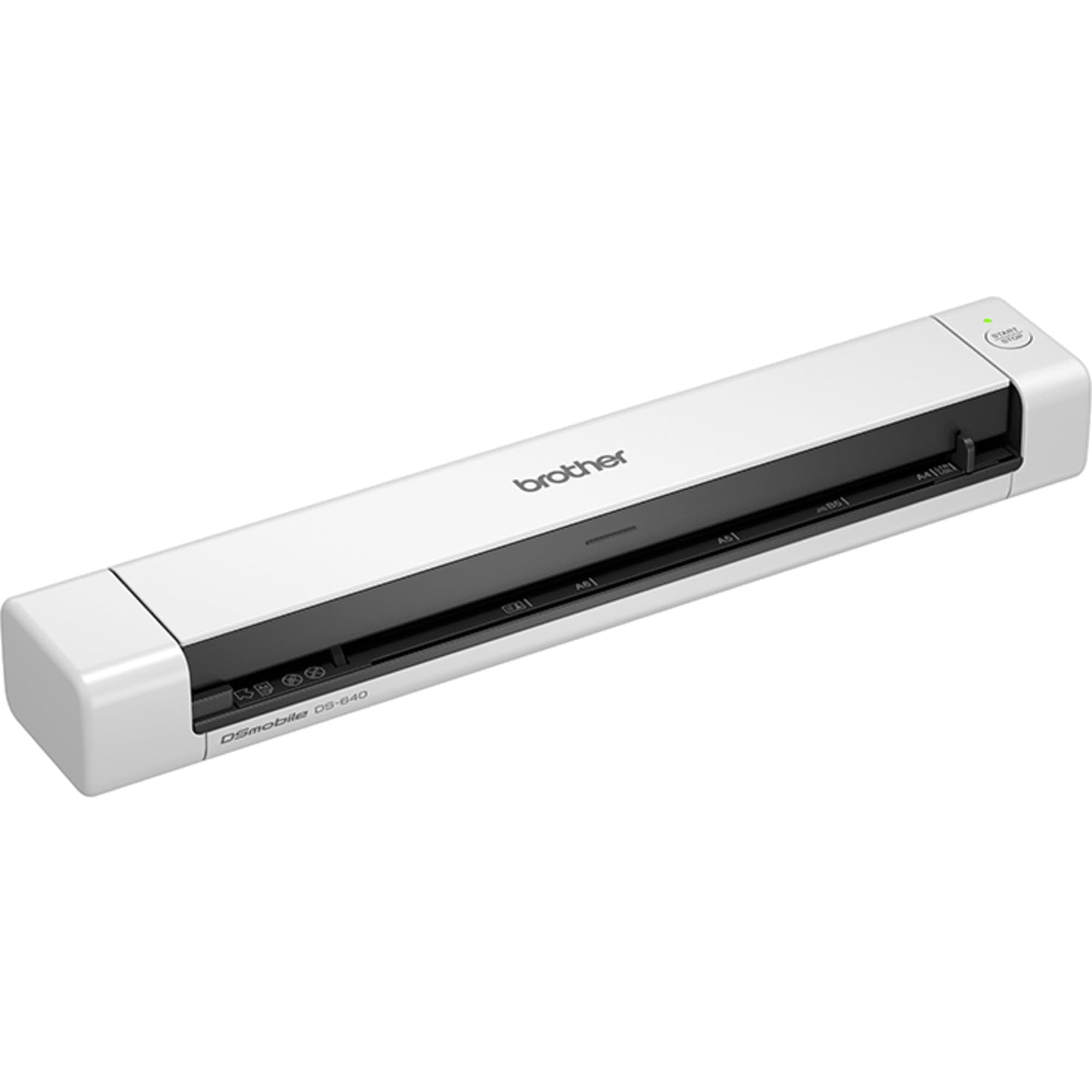
🚀 Scan smarter, not harder—your portable productivity partner!
The Brother DS-640 is a compact, lightweight portable document scanner delivering up to 15 pages per minute scanning speed. Powered via USB 3.0, it requires no external power source, making it ideal for professionals on the move. It supports A4 documents, receipts, ID cards, and photos, and comes bundled with advanced scanning software to streamline document management. With a slim profile and 3-year warranty, it’s designed to maximize productivity in limited spaces and remote work scenarios.


| ASIN | B083ML7X9B |
| Best Sellers Rank | 4,403 in Computers & Accessories ( See Top 100 in Computers & Accessories ) 4 in Document Scanners |
| Box Contents | 1 piece |
| Brand | Brother |
| Brand Name | Brother |
| Color Depth | Output: 24bit Bits |
| Connectivity technology | USB, 3.1 Gen 1 |
| Country of Origin | China |
| Customer Reviews | 4.3 out of 5 stars 1,910 Reviews |
| EU Spare Part Availability Duration | 2 Years |
| Global Trade Identification Number | 04977766800495 |
| Greyscale Depth | 8-bit |
| Item Dimensions D x W x H | 7.6D x 16.2W x 37.7H centimetres |
| Item Type Name | Portable Document Scanner |
| Item Weight | 390 Grams |
| Manufacturer | Brother |
| Media Type | Business Card, ID Card, Paper, Photo, Receipt |
| Minimum System Requirements | Windows, macOS |
| Model Name | DS-640 |
| Model name | DS-640 |
| Network Connectivity Technology | USB, 3.1 Gen 1 |
| Optical Sensor Technology | Other |
| Paper Size | A4 |
| Product Warranty | 3 Years |
| Product dimensions | 7.6D x 16.2W x 37.7H centimetres |
| Resolution | 1200 dpi |
| Scanner Type | Handheld scanner |
| Scanner type | Handheld scanner |
| Standard Sheet Capacity | 1 |
| Unit Count | 1.0 count |
| Wattage | 2.3 watts |
C**H
Impressed with the performance given the size and price
I confess to being sceptical, having read a few reviews of this, but overall I've been impressed. The unit is highly portable. As another reviewer mentioned, there's no case (not even a cloth one) to protect it, which might be a detractor given its intended portability. I bought this as a cheap scanner to digitise a number of reports more quickly than using my existing (old) flatbed. Windows 11 recognised the device immediately, but I downloaded the software bundle from the Brother website in order to use the main scanning utility and update the firmware, the latter of which was quick and simple. I didn't install either the PaperPort software or Kofax Power PDF standard, the latter of which is only a free trial. Changing the scanning settings is really easy in the iPrint&Scan software, and creating a single document from multiple pages is straightforward having ticked the Continuous Scan option in the settings under Feed Control. Using this, it's a simple case of pushing the next page into the scanner after the last and the unit automatically pulls it in. Once you're done, hit Finish and the PDF save options appear. I scanned a 50 page (single sided) report, generating a single searchable PDF, in about 5 minutes. This is much quicker than the hour or so I'd anticipate it would take to do the same on my flatbed scanner. The quality of the document at 300x300 dpi was good; plenty sufficient for a document. Invariably a flatbed scanner (and one more modern than mine) would produce higher resolution images, which is possibly an advantage for scanning photos, but for quick and decent scans of documents and images this is perfect. I only have two "niggles" with this product: a) the paper guide slider moves very easily, which can make the paper feed in slightly crooked, although the de-skew function is good here, and with a little practice it didn't prove and issue. I used a small piece of blu tack just to hold it in place, which worked fine. b) the PDF creation software doesn't have a great compression algorithm. The 50 page PDF I created was 20mb. I ran it through ABBYY PDF editor and even on high quality it shrunk it down to around 4mb. Overall, I would recommend this product if you want a decent portable scanner that'll make digitising documents quick and easy. If you want high resolution scans of photos, you're going to want a flatbed.
P**L
Fabulous little scanner
I hate paperwork and hate huge scanners that take up valuable desk space, so I got this. I was purchasing a small property for my son and was bombarded with forms to fill in by the solicitor. So I got this. It took about 10 minutes to install on my Windows 10 laptop. I plugged in the scanner, it was detected by the Brother software. I put the paper face up on the desk and clicked scan. It quickly scanned the sheet, then I clicked add page. After 5 pages I clicked save to location, and breathed a sigh of relief. A few more documents and the whole job was done in about 15 minutes, and the scanner is stored away ready for the next set of documents to scan. For around £80 it was fab. Job done. Highly recommended.
W**A
It doesn't works with Passport.
It doesn't work with Passport. I couldn't find any reviews mentioning passport compatibility, so I bought it and gave it a try! It's easy to install and use, fast (2 seconds per page), and efficient. It doesn't make noise, and the scanner produces high-quality, excellent image results, but it lacks Bluetooth connectivity for smartphones. Overall a good choice for documents only.
I**T
I had to scan a lot of documents so I bought this
I had to scan a lot of documents so I bought this. It can be a bit fiddly linings up pages but the speed of the scanner more than offset any extra time lost through lining up the pages Very easy to setup and use, also much faster than the scanner I previously used
S**R
Fantastic little product
It scans just as well and easily as a large desk bound scanner, yet is as small as a 30cm ruler, so is perfect for keeping in a drawer when not in use. I have been so impressed with it that I've already recommended it to several friends, and am honestly surprised there aren't more manufacturers making ones of this size
S**B
Rubbish scan quality, decent software
Of course what you really need for a good job is a flatbed scanner. If you need portability, this machine is better than some alternatives of similar price, in that at least it doesn't produce washed out streaks and similar blatant problems on the scanned images. Pros: - Decent, user-friendly software with occasional glitches (which might be due to Windows 11, though) - Sturdy construction Cons: - Terrible scanning quality - tweaking the settings doesn't help, it's the sensor that's poor quality. Good for an on-the-spot-in-a-hurry scan, but if you have the option, take your document home and use a flatbed machine. - Awful document alignment: no matter how carefully you feed the sheet in, it will always be skewed. Verdict: buy only if you desperately need portability (as I do at the moment). Beg, borrow or steal a flatbed scanner for a decent job. (I have one of those too.)
S**W
Value for Money
Love it’s handiness
J**N
dont buy
i tryed to use it but when i was installing the software to run it my pc crash and when it restared it bulescreened on me. which its never done to me sense i have own it, i have had my pc for 2 to 3 year. i am retruning it. i cant say for sure that there software cause this but safe to say considering it never happened before on this pc. also tryed it on there app which also didnt work.