We remain fully operational. Our teams are working around the clock to ensure your deliveries continue safely.

下载应用程序


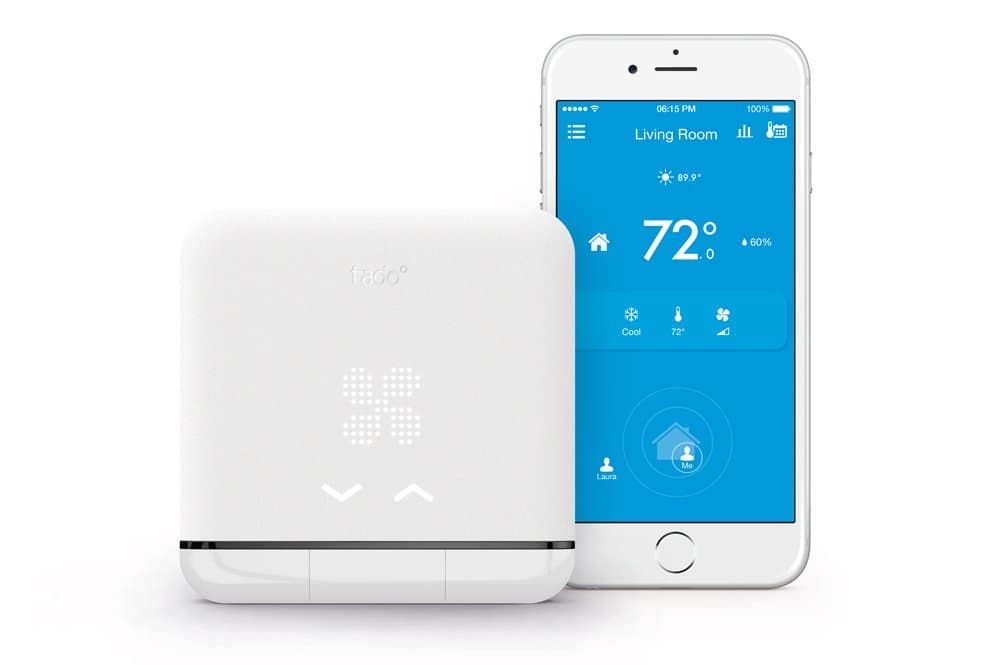
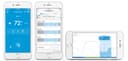


🌍 Smart Comfort, Anywhere You Go!
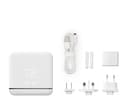
The tado° Smart Air Conditioner and Heater Controller is a cutting-edge device that transforms your traditional AC or heat pump into a smart appliance. Compatible with iOS and Android, it allows for remote control via the tado° app, voice commands through Alexa or Google Assistant, and offers significant energy savings of up to 40%. With its sleek design and easy installation, it’s the perfect addition to any modern home.


| ASIN | B010ACFKNE |
| Batteries Included? | No |
| Batteries Required? | No |
| Best Sellers Rank | #1,809,484 in Home & Kitchen ( See Top 100 in Home & Kitchen ) #3,990 in Accessories (Home & Kitchen) |
| Color | White |
| Customer Reviews | 3.1 3.1 out of 5 stars (159) |
| Date First Available | June 14, 2015 |
| Display Style | Digital |
| Installation Method | Split system |
| Is Discontinued By Manufacturer | No |
| Item Package Quantity | 1 |
| Item Weight | 14.4 ounces |
| Item model number | AC01-TC-US-03 |
| Manufacturer | Mother HomeAutomation |
| Part Number | AC01-TC-US-03 |
| Power Source | Corded Electric |
| Product Dimensions | 3.94 x 3.94 x 0.51 inches |
| Special Features | heater |
| Style | Modern |
| Voltage | 240 Volts |
| Warranty Description | Limited 1year |
S**C
It works great.
If you aren't good with gadgets or get frustrated if they don't setup seamlessly then this isn't the right device for you. I am a home automation enthusiast and needed this specific unit for my NYC apt ac/heating unit that has a remote. It's a Simonaire but has the same remote settings as fridigaire. So I needed this unit because the competitors don't support frigidsire and don't have a manual setup i.e. Setting up each button press from the remote manually so the device can "record" them (or so I was told / researched). Also this device is the only one that connects to IFFT so I can use voice commands from alexa. If You don't have these same requirements or aren't savvy with this stuff then don't get this device or be warned - setup is a nightmare. Had to set this up like 4 times. Keep that remote close when recording and if the server or device and app get out of sync, start the recording over again for the entire heat or cooling cycle. For my purposes I did not record low and high settings (I never use these cause I have auto). So in the end I did cool and high auto only and only for the temperature range I realistically use. Cut down on the setup a little but again I had to do this 4 times to figure this out and actually get it working. The hardware control is retarded. Like just put buttons cause the touch controls is a mess and not logical. Needs an entirely new software for the current hardware. I'd like to see integration with wink hubs. Otherwise now I can set timers schedules and geofencing and control ac heating with Alexa!. Hoping updates will make this more reliable.
D**L
Extremely poorly designed software cripples an otherwise decent piece of hardware
Originally I was planning on giving this a 3 star review, however the egregious software design and ridiculous setup process made me retract even those 2 extra stars I was going to give it. First things first, this unit functions as an IR remote. It connects to Wifi and relays commands via IR to AC units to control them. That's about all it has going for it, that it can blast IR signals to my AC. The touch interface on it isn't very intuitive nor responsive, but most of us probably aren't getting this to have an alternate remote we have to poke at to control our portable AC units. Let's talk about setup. I unboxed the unit and followed the setup instructions, which involve downloading an app available on Google Play and the App Store. I started on my Android Nexus 6P. Followed the instructions to connect to the wifi network that the Tado had created--connected just fine--but no dice, the app could not communicate with the Tado to set up wifi for the unit itself. Rinse and repeat miscellaneous troubleshooting for about 30 minutes before I just give up. I try the iOS app, and that one is able to successfully configure the wifi network for the Tado. Next, I'm asked to configure my AC unit. I have an LG LP1415SHR. This unit isn't in the database, so I'm asked to teach Tado how to operate it. No problem. This AC unit supports the following modes: Heating, Cooling, Dry, and Fan. It also has 3 fan speeds: Low, Medium, High It also has adjustable vanes: On and Off. It also has adjustable temperature from 60F to 86F You might be wondering why I'm listing out all the specs of my AC unit. To teach Tado, I needed to teach it 156 separate "commands" just for the heating mode, and another 156 commands for the cooling mode. Luckily in Dry and Fan mode, there are no temperature options. This in itself is a bit of a set back, but ultimately not the reason why I consider the software crippled. Each one of these are configured in a run. For cooling, I had 6 runs: Vane On, Fan Low Vane On, Fan Medium Vane On, Fan High Vane Off, Fan Low Vane Off, Fan Medium Vane Off, Fan High. Each one of these runs consists of 26 individual temperature commands, from 60 to 86 degrees. In doing one of these runs, the unit inevitable fails to pick up at least 2-3 commands (repeating the command does nothing, I just have to wait about 15 seconds or so for the unit to timeout and give me an option to retry the last command. After finishing a run, I'm given the option to test all of the commands that I just saved. As of now, I've had about 2 out 3 runs have at least one failed command. You're not given an option to edit one command out of a run, if one of them fails you have to redo the entire run. Suddenly, of the 156 commands I need to do to teach it one mode, I now need to do 468 commands, since inevitably I have to repeat each run multiple times, and this is just for the cooling mode. If I tack on the heating mode, now I need to do well over 900 commands. Which brings me to another design failure. You're unable to edit command sets. Meaning that you have to complete this all at once. If you leave out one of the modes now, you'll have to completely restart this procedure in the future to add that additional mode. As of the writing of this review, I'm well into 6 hours spent just trying to set this unit up. After finally getting through all of the programming, it finally attempts to download the command set to the Tado unit. For me, this had a spinning circle for about 30 minutes before I finally unplugged the device and power cycled it. This left the unit and my mobile app in a perpetual limbo state where the mobile app thought the unit was downloading a command set, and the unit was in a configuration mode waiting for instructions from the mobile app. I finally find my way onto the tado.com website, where I find a reset button in the settings, which successfully resets the device, but leaves back at square 1. Great. Going beyond the setup, I'm feeling a bit misled by this. The marketing material makes claims about how its smart and etc, however the only thing I can see is the ability to configure schedules. I can't set any temperature based controls. For example, if my AC unit is set to 70 degrees, the compressor kicks in until the temperature falls below 70 degrees. After that point, the fan stays on until the temperature rises above 70, where it triggers the compressor again. I had wanted to have Tado turn off the unit entirely after it hit my set temperature so I don't waste power on running a fan when it's not needed. No way of doing this in the app. For such an expensive control unit, I expected far more. Extremely disappointed by how low quality the user experience is in the software and how limited the functionality set is.
J**M
Not just for a tech freak
I’m not a tech freak whatsoever, but still wanted to turn my air conditioner into a smart device so I decided to give this German product a shot. I checked out their website before and I checked if my air conditioner is supported by their system. It is really well explained. You can choose your AC brand and it tells you if it is already in the database. Also you need to have a look at you remote. Unfortunately it does not work with all air conditioners...But good to know in advance. So before buying it, have a look at their homepage. I also read through the reviews here on Amazon and since there are a few complaints about the installation, I decided not to set the system up all by myself. Seemed like it is a little tricky. So I contacted their customer support and asked them to help me. They gladly did and guided me through. I probably would have been able to do it myself, but wanted to make sure it works. And guess what: it does! I love the app. It is really simple but has so many handy functions and features. Now i dont have to use my old remote anymore. I just use my phone which I always have on me. And as I said, I’m not a tech freak but I do enjoy the comfort of the A/C control. I use the auto-off/on function when I leave the house. And I also use the schedule for days when I am at home or I just change the settings of the AC manually in the app. To sum it up: great product, nice customer support. I have nothing but good things to say about this product.
F**U
wow. just wished it was on batteries . the usb cable looks cheap . otherwise great unit.
C**S
Súper recomendado para volver tu aire acondicionado smart. Excelente equipo funciona mejor de lo que esperaba. . . . .
C**N
Non compatible homekit donc pas utile pour moi de plus c’etait du materiel usage. Je l’ai retourne
J**N
Little disappointed, my ac is just doing on off with maximum and minimum values. I emailed the customer service for more informations multiple time, never answered. Also the devices is switching on my ac randomly, I have to disconnect it...
C**L
I chose this because it was compatible with iOS, Android, and IFTTT. Sounded good. Only problem is that the thing is a brick if the manufacturer thinks it is registered in another home. I got it from Amazon Warehouse, so maybe it was a returned after registering, but I clearly have the object. The fact that it is totally unusable without the manufacturer recognizing it makes one worried about whether the manufacturer might one day go out of business and make the thing useless, or just decide it is time for remotely planned obsolescence. In addition, the app is very invasive asking for where you live, what your phone number, etc. There is no way to just turn the thing on, and control it. We will see how happy I am once the manufacturer unbricks it.
TrustPilot
2 个月前
1天前