We remain fully operational. Our teams are working around the clock to ensure your deliveries continue safely.

下载应用程序


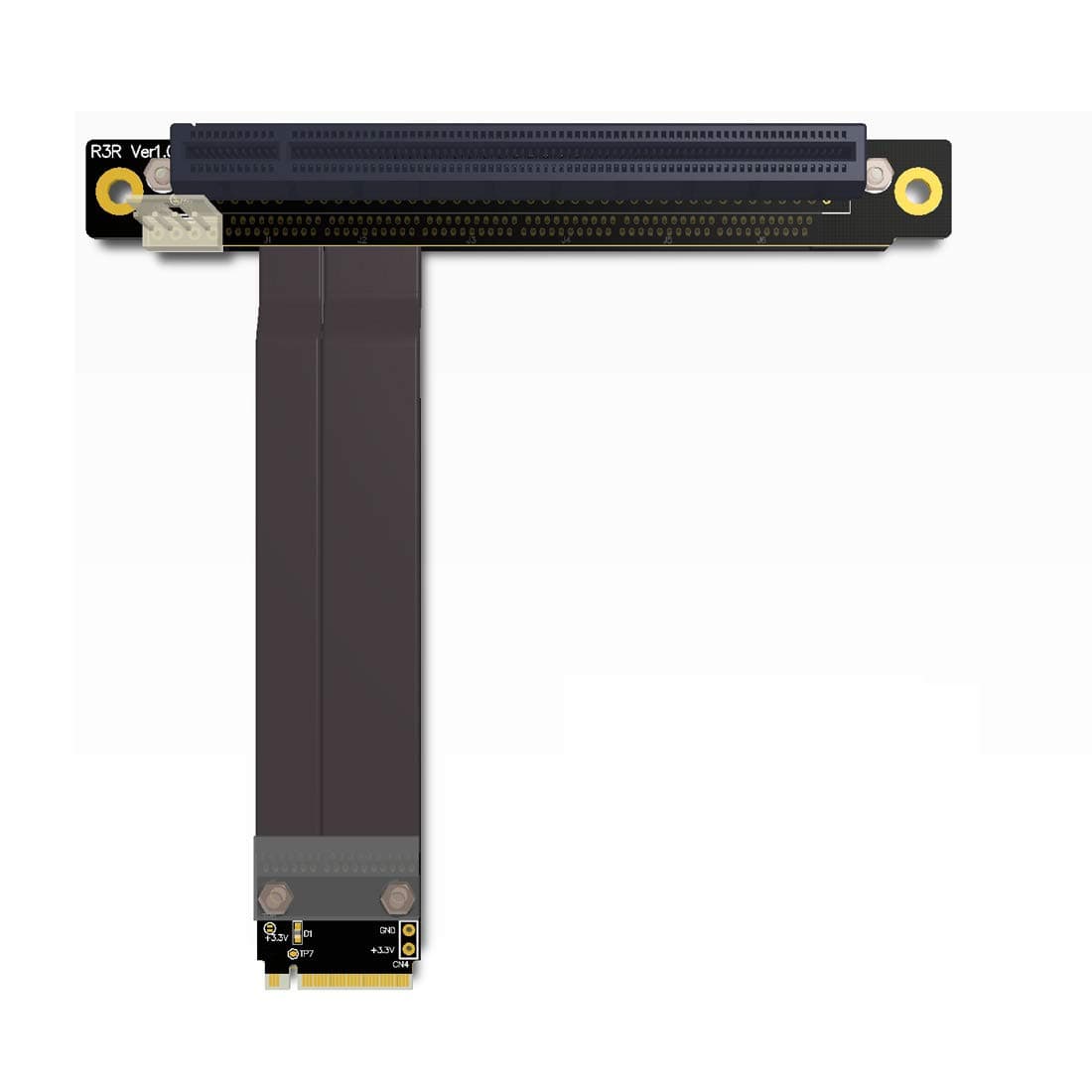
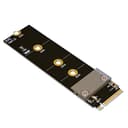
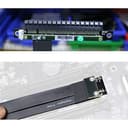
🚀 Elevate your rig with pro-grade PCIe extension — don’t get left behind!
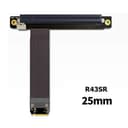
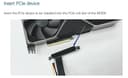
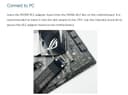
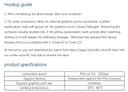
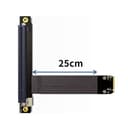
The ADT-Link M.2 NGFF NVMe Key M Extender Cable is a 25cm PCIe 3.0 x16 riser adapter designed for high-end graphics cards and PCIe devices. Featuring German patent cables, Taiwan Lotes connectors, and a gold-plated high-TG PCB, it delivers stable 8Gbps data transfer with minimal signal loss. Compatible with all PCIe cards released after 2015, it’s ideal for ITX builds, mining rigs, and professional setups requiring reliable, high-speed PCIe extension.
| ASIN | B07YDH8KW9 |
| Best Sellers Rank | #121 in Computer Graphics Cards |
| Brand Name | ADT-LINK |
| Cable Type | Component |
| Color | 25 cm. |
| Compatible Devices | Desktop Computer, Server, PCIe Compatible Devices |
| Compatible Phone Models | No Compatible Phone Models |
| Connector Gender | Male-to-Female |
| Connector Type | Pci-express |
| Customer Package Type | sealed anti-static bag |
| Customer Reviews | 4.1 4.1 out of 5 stars (97) |
| Data Transfer Rate | 8 Gigabits Per Second |
| Frequency | 8 GHz |
| Indoor Outdoor Usage | Indoor, Outdoor |
| Item Shape | Round |
| Item Weight | 0.05 Kilograms |
| Manufacturer | ADT-Link |
| Model | M 2 NGFF |
| Model Name | R43SR |
| Number of Items | 1 |
| Number of Pins | 38 |
| Other Special Features of the Product | Support PCIe 3.0, high data transfer rate, high quality materials |
| Recommended Uses For Product | Connecting high-end graphics cards and other PCIe CARDS |
| Specification Met | UL |
| UPC | 713091056541 740646223561 |
| Unit Count | 1 Count |
E**Y
Worked great to add PCIE slot to ITX board!
Happy with past ADT-Link item, so was "go to" again. ADT tends to cost more than alternatives, but part and build quality, and stability, matter. Used this to add additional PCIE to single-slot ITX board using open storage m.2 (using SATA drives). Installed GPU in the single onboard slot, and used this to support an x1/x4 PCIE mining-like extender for external GPU riser connections. Four-x extender only needed x1 connector but got this x16 because of availability, and future re-use options. Using for hashcat on Kali Linux to support multiple external GPU connections. Installed and worked first attempt. Very satisfied and recommend ADT-Link for well-constructed and reliable cables/adapters.
H**L
Worked with HBA 8x Card
This is promoted as a video card riser, but I took a chance to connect an LSI 9200-16e 16-Ports SAS PCIe 8x HBA card in it. Each of the external ports in the HBA can connect to 4 hard drives for a total 16 hard drives. I have connected just 1 drive to the HBA as a proof of concept that this M.2 to PCI slot converter worked for my HBA card, and I can see the hard drive just fine in Windows 11. Installed it, booted and it was just there. But what took me minute to figure out what how to connect a 12v PSU to a antiquated floppy drive 4 pin for power. I used a 4 Pin Floppy Drive to 15 Pin SATA Male Power Cable (https://www.amazon.com/dp/B076Q19PZS?psc=1&ref=ppx_yo2ov_dt_b_product_details) and it worked perfectly. Please keep in mind...... An m.2 port only has 4 lanes, so no matter the application that should be the expectation. I look at this as simply adding a PCIe 4x slot that will fit up to a PCI 16x card....so if you plug in a 8x or 16x card the good news is you can use it, but must realize it will be limited down to 4 lanes. So if you have a 16x video card you probably will be get the full potential out of the card.... but you should be able to use the card, which sometimes is really all you need.
K**.
did not work, tried 4 cards
I am not a noobie, I've built many pcs... I wanted to try this to spice up a MOTILE laptop that is great but is lacking on gpu, I connected this to M.2 slot and it would not power up, even using a 780w power supply, tried a geforce gtx 980, then a geforce rtx 3080 and finally both an amd r9 and a decrepit old geforce 550ti in all instances, nothing would power up... a friend came over with a different brand m.2 dock and we connected that to the motile using my power supply... we got to play battlefield with the gtx 980 and thr rtx 3080 at 120fps.... but not with the one I bought... this is going back, it's is useless
A**S
Worked like a charm
I bought this to enable me to run 4 GPUs on a motherboard with only 3 x16 PCI-e slots, but that happened to have a spare m.2 slot. I must admit I was pretty skeptical that it was going to work at all. But the build quality was good, and even though I had to bend it pretty harshly to get it to fit through the giant heat-plate covering most of the motherboard, it worked like a charm. Also if you're thinking about getting one of these, be aware that many m.2 slots share bandwidth and/or are mutually exclusive with other PCI-e slots, so do your research to make sure it'll work for your setup. I also had to use an additional PCI-e x16 extender to actually have enough reach to mount the graphics card where I wanted.
E**N
Surprisingly high quality.
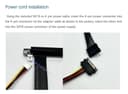
I was very surprised by the high quality of this product when I received it. The cable is more durable than I was expecting, easily handling the routing requirements in my case. The product came with everything you need, including an adapter for the floppy power connector to SATA power, and even all the screws you might need in various sizes, because you probably lost, or might lose while installing, one of those tiny things. When plugged in to an m.2 slot directly connect to the CPU, which is the top slot on AMD boards, this works exactly like you would expect a four lane PCI e interface to work. I use it to connect an Intel Arc 310 as a third video card to connect to VMs. It works well. The reason I am only giving this four stars, however, is that there is one design improvement that I think really needs to happen. These floppy power connectors do not handle 75 Watts of power, which is what the port is rated for. A much better connection would be a GPU style connection. It would also be nice if it was facing backwards, and not perpendicular to the video card. Because this represents a fire danger in some use cases, you should be careful. Please note I have no evidence of any product actually burning, this critique is only based on the specifications for the parts.
J**S
Cable can easily rip
The product worked great for me but the cable ripped right where it was soldered to the 16x slot. I'll be rebuying mine because it is still a really good product. just be careful when you use it.
D**.
Works great!
Works as described. Was expecting cheap quality but very impressed. Has a nice thick cable. Hooked my Radeon 6700 xt to it and powered right up. Getting 60 fps + in games like nms and 7 days to die. Would recommend if you already have a PSU
A**R
Worked perfect.
Ran out of pcie slots on my MOBO. This utilized my M.2 port perfectly to add another GPU. Showed up on HIVE OS with no bios mods to mobo. Just plug and play. If youre using it on a mining rig, I would recommend still using a riser with 6 pin pcie power in conjunction with this. This adapter is SATA powered. So power this adapter with SATA cable, add riser pcie card to this adapter, power riser with 6 pin PCIE, install card. Just my recommendation. Has ran close to a week with this setup, zero issues.
F**E
Bery good. I saw only few reviews from India. Tested with Zephyrus G14 2021 with a GeForce 210 (I know, very old). Working fine. Need to test with a 3080 when I find one.
S**K
Lo e probado con gtx560ti, nvida quadro 410, rtx 2060 y rx 470 en 4 PCs diferentes 2 de ellos con 2 puertos M2 cada uno. Un total de 6 puertos M2 probados con 4 GPUs diferentes cada uno, volviendome loco buscando drivers, buscando alguna opcion en las BIOS ni desactivando las tarjetas integradas... nada. he perdido un dia entero de mi vida.
A**ー
DESKMINI A300のマザボ表面のM.2スロットに差し込んでモニターにちゃんと映りました。 MSIのRTX2060SuperITX使用。 25cmだとDESKMINIケース外に引き回し出来ないので、中継ケーブル買うか50cmのが必要です。
D**E
Arrivato in anticipo rispetto alla data prevista (sempre nei limiti di un pacco che arriva dalla Cina), e trattenuto una settimana dalle sempre inefficienti Poste Italiane. Collegato al primo slot m2 della scheda madre (asus x570 tuf come da foto), usando una delle viti fornite in confezione (ce ne sono 3 di cui una per lo slot m2). Non super flessibile da piegare (non ho gradito fletterlo eccessivamente) ma comunque sufficientemente morbido per installare la scheda video nei posti più disparati (vedi foto). Qualitativamente di buona fattura, ho anche apprezzato molto l’alimentazione con l’attacco floppy, in quanto l’unico avanzato nel mio server; viene comunque fornito in confezione un adattatore sata-floppy, quindi si casca in piedi. Utilizzato per aggiungere la terza scheda video(niente di che, una gt 730)per una macchina virtuale, che (la gpu) è stata subito riconosciuta dal sistema operativo (unraid) senza l’installazione di alcunchè. Mi sento di promuovere a pieni voti il prodotto, che nonostante sia cinesissimo costituisce l’unica opzione per certi tipi di configurazioni, anche se si perdono un po’ di prestazioni (non l’ho mai provato con una scheda video “seria”, anche se c’è scritto che dovrebbe andar benissimo) P.S. aggiorneró la recensione in caso di malfunzionamenti
J**L
Utilisé pour installer une carte PCIe x4 Marvel SFF+ 10 Gbps. Lorsque j'ai upgradé mon PC, j'ai acquis une CM MATX sans port PCie x4 pour connecter ma carte réseau 10GB SFP+, avec cet adaptateur j'ai pu la connecter sur le second slot M2 de la CM et retrouver un meilleur débit. La carte Marvel a été positionnée sur une réglette du boitier en position normale (mais en dehors de la CM). Je n'ai pas utilisé la position Riser du boitier PC. Pour cela j'ai dû passer la nappe de 20cm sous la carte GPU et c'était juste (elle ne fait pas 25cm comme indiqué dans le descriptif).