We remain fully operational. Our teams are working around the clock to ensure your deliveries continue safely.

下载应用程序


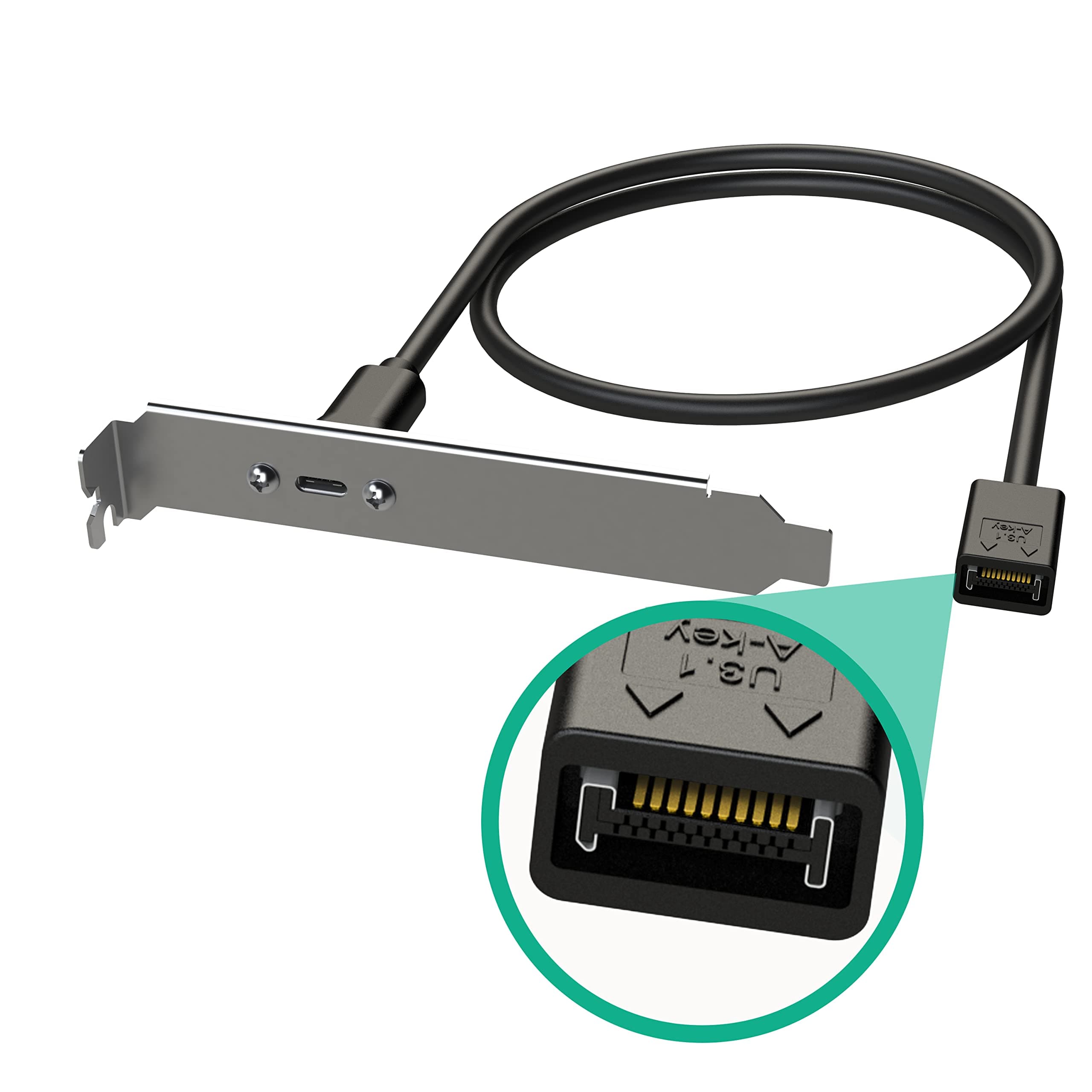
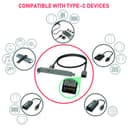
⚡ Plug into the future with LINKUP’s ultra-secure, lightning-fast USB-C extension!
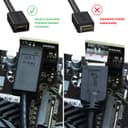
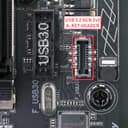
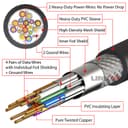
The LINKUP USB 3.2 Gen 2x2 20Gbps internal panel cable adapter extends your motherboard’s 20-pin A-key USB-C header to a convenient PCI bracket-mounted USB-C female port. Featuring patented secure connectors, gold-plated contacts, and double EMI shielding, it guarantees stable, high-speed data transfer compatible with all USB-C devices, backed by a 1-year warranty and premium support.


| ASIN | B07TGF4XCJ |
| Best Sellers Rank | #3,590 in Computer Cable Adapters #6,479 in Audio & Video Connectors & Adapters |
| Brand | LINKUP |
| Brand Name | LINKUP |
| Cable Type | USB |
| Color | Straight Connector |
| Compatible Devices | Tablet |
| Compatible Phone Models | All USB-C enabled phones |
| Connectivity Technology | USB |
| Connector Gender | Male-to-Female |
| Connector Type | Usb |
| Customer Reviews | 4.4 out of 5 stars 326 Reviews |
| Data Transfer Rate | 10 Gigabits Per Second |
| Frequency | 10 GHz |
| Included Components | SB3.2 Gen2 2x2 20Gbps USB-C Type Internal Panel Cable Mount Motherboard Header Extension Adapter┃20-Pin A-Key Male with Cover to USB-C Female Connector with PCI Bracket |
| Indoor Outdoor Usage | Indoor |
| Item Shape | Round |
| Manufacturer | LINKUP Technology Inc. |
| Maximum Voltage | 5 Volts |
| Model | ADP-U3CAKEY20PM-U3CF-60 |
| Model Name | ADP-U3CAKEY20PM-U3CF-60 |
| Number of Items | 1 |
| Number of Pins | 20 |
| Other Special Features of the Product | High Speed |
| Recommended Uses For Product | Connecting USB type C ready devices to a computer or motherboard |
| Special Feature | High Speed |
| Specification Met | RoHS |
| UPC | 882991005062 |
| Unit Count | 1.0 Count |
T**Y
It works as advertised, but beware...
I bought this because the rear USB C port on my motherboard wasn't working. I was able to utilize the front USB C with this and it works. The product in question is good and works as advertised, however, your motherboard may not offer all features. Sadly, my motherboard (aorus gaming 7 OP) did not support quick charge (even though the product page advertised mobile device charging). The C port actually charged slower than the Type-A USB 3.0 ports, weird... but at least I have an extra port, that's ok. In short, make sure your motherboard supports quick charge before you decide to get this, IF that's what you're trying to do.
L**N
Works great, bracket different than pictured
Installed easily, seems to work as expected so far. If I could subtract 1/2 star it'd be due to the bracket being slightly different than pictured (USB-C connector is centered on bracket, instead of offset like shown in all of their photos). I would have preferred the offset bracket, but would have purchased this item either way, so it wasn't worth knocking off a full star. But hopefully this review helps in case the bracket is a deal breaker for someone else.
L**D
Works if you need usb c
It's actually usb 3.1
R**M
Quick Way
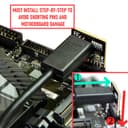
This is a quick way to add an additional USB Gen 2 2x2 port to your computer. Most newer motherboards have a socket on the motherboard for this device. Just open one of the back slots, place the item in there and secure with the screw, plug it into the motherboard and you have a C type Gen 3.2 2x2 socket to move information at up to 20gps speeds.
J**R
Worked fine.
My new MB had a type C header for a front socket but I have no such socket on my older case I reused. This let me add a second type C to the back. This is my first experience with type C and I am happy to have the second lead as they are very fast. I was concerned the lead might be too short to reach from the front of the MD to the back of the case and considered ordering a longer one but this worked fine.
R**5
Constantly disconnected from windows
Installed in a brand new PC with a 20gbps usb c header on the motherboard. Constantly disconnects and is unusable. Used an older 10gbps cable to test and worked fine.
J**N
perfection with my USB 3.2 Gen 3 2x2 mono header. Thank god it fit considering the 6900xt gpu!
Works perfectly with my Unicorn USB 3.2 Gen 3 2x2 receiving port on my mobo header. Thank god it just barely fit. Right angle connector maybe help you or hurt. I approve of this for ASUS Rog Crosshair VIII.
K**W
Get That extra USB Type C 10 Mbps Port On Your Maximus IX Hero mobo
This is the perfect cable to add an additional USB Type C 3.1 Gen2 port to my ASUS Maximus IX Hero motherboard. The cable plugs in perfectly with the USB3.1_E1 connector on the motherboard. I tested it with my USB-C 3.1 gen2/SATA dock and a SATA drive and it delivered the maximum transfer rate. Workmanship on the cable was top notch. My only request would be to place the Type C connector on a front panel plate.
TrustPilot
3天前
1天前