
下载应用程序






💿 Elevate your media game—because your digital library deserves premium access!
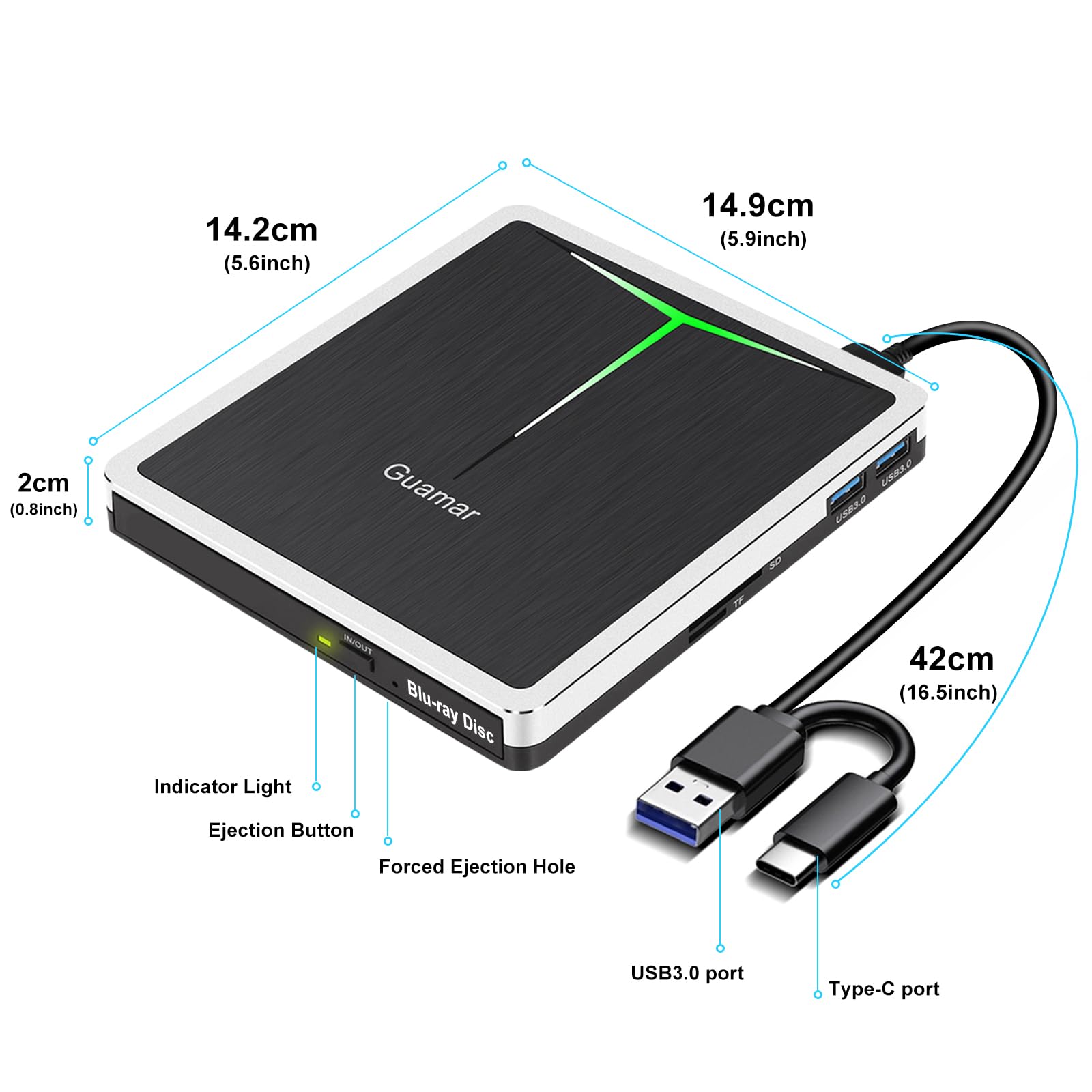
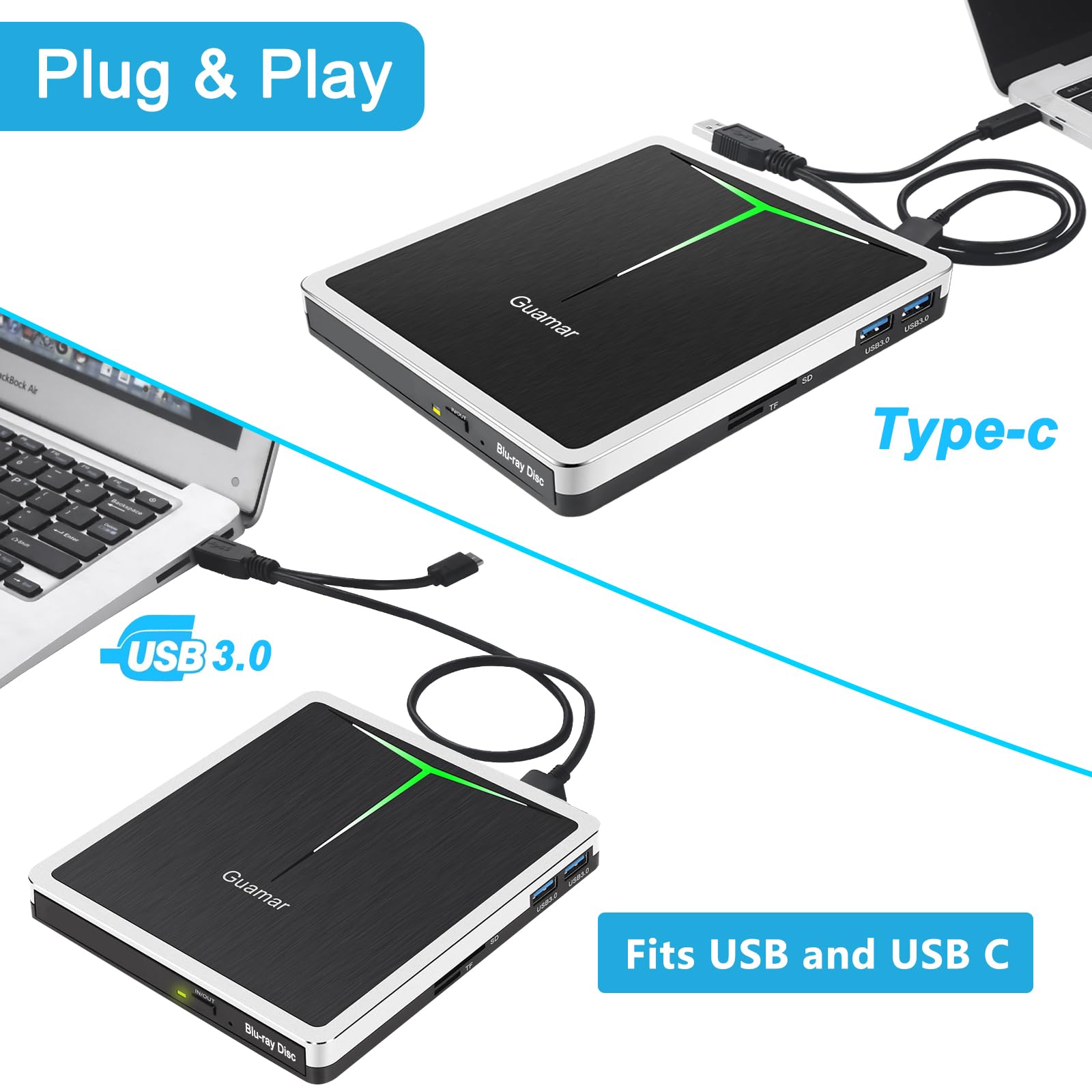
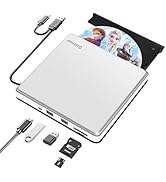
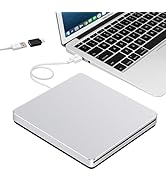
The Guamar External Blu Ray Drive is a versatile 5-in-1 optical drive featuring USB 3.0 and Type-C connectivity, supporting Blu-ray, DVD, and CD playback and burning. It includes SD and TF card readers plus two USB 3.0 ports, all packed in a slim, portable design with a carrying case. Compatible across Windows, Mac, and Linux, it offers plug-and-play ease and a 2-year warranty, making it a comprehensive media solution for professionals on the go.






| ASIN | B07TFNMRDD |
| Best Sellers Rank | #112 in External Blu-ray Drives |
| Brand | Guamar |
| Color | Black |
| Customer Reviews | 3.6 3.6 out of 5 stars (293) |
| Date First Available | July 1, 2019 |
| Hardware Platform | PC |
| Item Dimensions LxWxH | 5.87 x 5.59 x 0.8 inches |
| Item Weight | 1.3 pounds |
| Item model number | fdg-498 |
| Manufacturer | Guamar |
| Operating System | Windows 7/8/10/11/XP/Vista, Linux, Mac OS |
| Product Dimensions | 5.87 x 5.59 x 0.8 inches |
C**E
Great value and quality!
I have a Macbook Air running Sequoia 15.3.1. I spent hours trying to figure out how to get it to run. FIRST, I recommend downloading the VideoByte Blu Ray player. The trial puts a watermark front and center so you will need to purchase the download. There are a lot of options. I chose a package that is on sale today with the player (usually$29), and the burner VideoByte BD-DVD ripper for $89 lifetime. I had to TYPE in the key, don't know why... SECOND- I had to use my USB to Firewire adapter and connect the Data cable to it. The only way I could get playback was to plug the MICRO adapter into the back, not the short USB data cable. This also give you a little more extension for the cable. Plug it in to your laptop before you turn it on so it recognizes the drive. The icon shouldl show up on your desktop. Double click and follow the prompts. Good luck!! Very nice quality picture. Great value, I like being able to manually eject too. There is a little noise/humming and click when you first start playback, but I'm just thankful I can watch my DVD/Blu Ray collection I've invested in over the years!
C**N
Nonfunctional Out of the Box
It’s possible that I may have received a defective product, but I wasn’t going to take any chances ordering a replacement, so I just returned it after I tried for over an hour to resucitate it. What was wrong with this cute little device, you might ask? None of my machines recognized the drive when it was plugged in. The instructions, printed on a tiny piece of paper with teeny-tiny print, said to unplug and reboot your computer and try again. I unplugged the drive, rebooted the computer, then attempted again — nothing. It does a have pretty light that changes colors, but I have smart light bulbs that work better than that. The machines I involved, in this futile exercise, were a Macbook Pro, an MS Surface Pro computer and an HP computer. None of them recognized the drive when it was plugged in. By the way, the Pioneer drive (PIONEER External Blu-ray Drive BDR-XS07S @ $140.00 as of this writing) arrived a few days ago and it works fine. Oh, I almost forgot — the product description touts a USB-C connection. Nope! It does NOT have a USB-C port. It does have a strange cord (Y connection) to connect your USB-C device to the drive. I’m wondering if it could be that connector that makes the drive inoperable. I did try a few USB-C cables in the junk drawer, but they didn’t seem to do the job, either, but I don’t know enough about USB-C technology to know if there are varying types of USB-C cables supporting different functions (audio, video, data, etc.) or if they’re all the same. No matter — I have a drive that works now, and it isn’t this one. Hope this helps.
M**1
Works ok
This is hardware not software. It works ok. You must have your computer with software that plays DVDs . Plug and Play bluray or DVD just fine. I use the c port with windows 11 home on a HP omen 16 works great. I copied pictures on a BD-R bluray it did ok 👍. But went to read what I copied I had to unplug it and plug it back in the c port and USB port. I had to plug both the c and USB for it to work. I used power DVD 19 software to play the DVDs worked ok.
S**C
Its ok
Task a bit to get it going when it played in blueray sone times it likes both use and mini usb but u cant have both in at same time it keeps cuting in and out fast when playing cd only use usb blueray use the mini sone times u can use both but I had to keep plugging it in and out till it worked when u get it going on blue ray and u go to cd then u got to mess around to get it to work when switching between the 2 Sean's to be high durability hi qualaty other then the problem listed all in all it dos the job if u can mess around this it a bit
L**A
Great customer service with the warranty
This is a really nice portable Blu-ray disc player. I had problems with it about two months in. I contacted customer service about the warranty and they were very quick to communicate and ultimately ended up replacing my device.
R**N
Will not play movie DVD’s.
Copyright software prevents you from watching your old DVD movies on your computer with this external drive. Records your own DVD’s fine and plays them back. Just don’t expect to use it to watch a movie on a train or plane. They don’t tell you that before you purchase the product.
T**S
Great tool for reading a multitude of discs in various formats
I bought this to digitized my dvd and blue ray collection since player wear out and quit working over time. It worked well on my discs and the software to do the job works well most of the time. It also plays content on the computer if that is what you want to do with it. Good quality unit.
G**E
design flaws
Actually, this is a pretty nice unit if they could work out the bugs. To preface this, I have been a computer tech, teacher, programmer, and tech support for many, many years. At first, this unit wouldn't connect. Using the factory's troubleshooting guide, I eventually solved this problem. Then the drive wouldn't mount when I restarted the computer and I had to go through the same routine that "solved" the initial mounting issue. THEN the drive would drop the disk (i.e. lose contact) randomly. Amazon hooked me up with the manufacturer and they had me go through all the troubleshooting I had already done. After jumping through many hoops, they sent me a new drive that exhibited the same problems. I spoke to Amazon about the problem. Normally they wouldn't allow returns on this item but offered to refund me so I could order a different drive. I cannot say enough about Amazon's customer service. Even the manufacturer went through significant effort to keep me happy. Unfortunately, given my background, I can only conclude that the drive has some serious bugs that effect its performance. I can't recommend this unit.
A**R
I purchased my Guamar 5-in-1 External Blu-ray drive in December 2020 and after burning two 1 hour long videos I gave if a 5 rating for ease of use, burn quality and what I consider to be the excellent build quality of the unit itself. During the next 3 months I burned an additional 18 projects of various duration and the unit continued to perform as I had come to expect. In late March I attempted to burn another project and encountered what I believe to be was a problem with the “Micro USB' port on the unit or the “Micro USB” plug on the data cable. I then contacted the seller to discuss the problem. They in turn asked me to try a couple of things and requested that I send them photos of the USB plugs and port. After a couple of more emails both of which were answered within 24 hours the seller “[email protected]” advised that they would be happy to replace the unit. While I realize the unit is sold with a 1 year warranty, finding a company that stands behind their product and deals both promptly and effectively with any problems that might arise was a very pleasant surprise. If it was possible, I would certainly change my original rating to a “6 plus” based on my experience with both the product and the seller.
A**R
Pas capable de lire mes BR disques seulement les carte USB
F**S
Great product
S**G
Horrible product does not work and no support !!!!!!!!!!!!!!!!!! I have now wasted 15 DVD to try and get this to work it does not!!!!!
R**C
Very happy with this drive. the SD card slot is very handy!!
TrustPilot
1天前
3天前