We remain fully operational. Our teams are working around the clock to ensure your deliveries continue safely.

下载应用程序


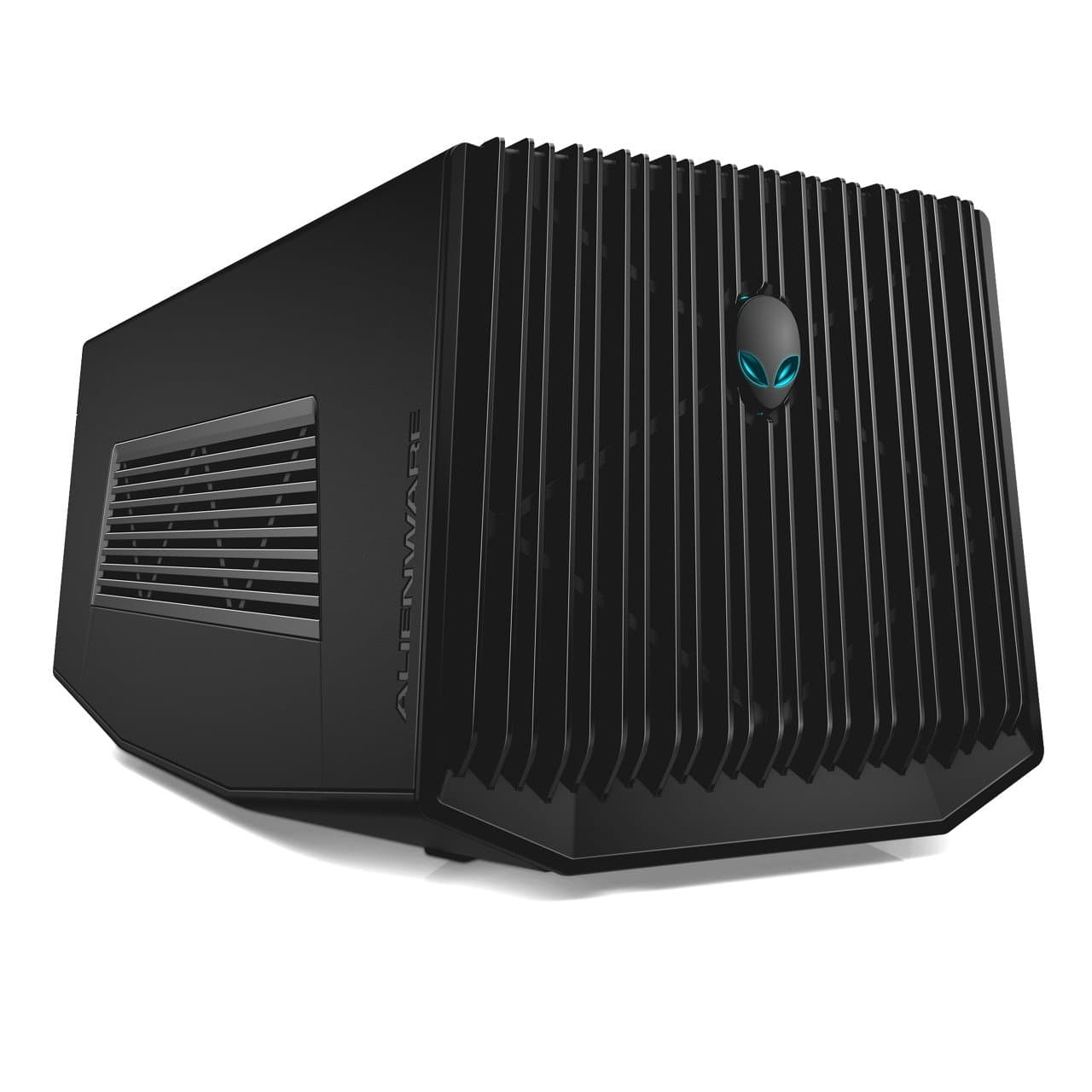
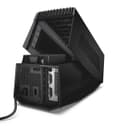

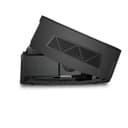
🚀 Elevate your Alienware gaming—desktop GPU power, laptop freedom!
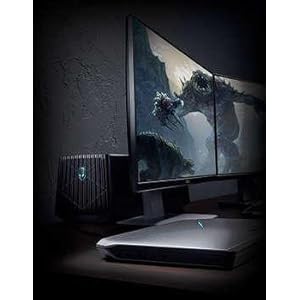
The Alienware Graphics Amplifier (9R7XN) is a high-performance external GPU dock designed exclusively for Alienware R2 laptops. It supports full-length, double-wide PCIe x16 desktop graphics cards up to 10.5 inches and 375W power, powered by a robust 460W internal PSU. Featuring four USB 3.0 ports and a proprietary single-cable connection, it delivers seamless, lag-free graphics expansion and peripheral docking. Its stealth black chassis complements AlienFX lighting for a cohesive gaming setup. Ideal for gamers seeking desktop-level graphics performance on the go.


| ASIN | B00PCJXN0I |
| Best Sellers Rank | #1,441 in Computer Graphics Cards |
| Brand | Alienware |
| Brand Name | Alienware |
| Customer Reviews | 4.1 out of 5 stars 440 Reviews |
| Global Trade Identification Number | 00884116181996 |
| Included Components | laptop |
| Item Dimensions | 16.1 x 7.3 x 6.8 inches |
| Item Weight | 7.7 Pounds |
| Item dimensions L x W x H | 16.1 x 7.3 x 6.8 inches |
| Manufacturer | Dell Computer |
| Model | 9R7XN |
| Mounting Type | Freestanding |
| Number of Channels | 1 |
| Output Power | 460 Watts |
| UPC | 884116181996 |
| Unit Count | 1.0 Count |
| Voltage | 240 Volts |
| Warranty Description | 1 |
M**W
Great boost for your Alienware laptop.
Bought this for my son's Alienware 13 R2. He is into games and wanted to hook the Alienware up to a monitor with a larger screen. At first we tried to avoid buying this amplifier and just connected a monitor directly to the HDMI port in the back of the laptop, but there was a lot of lag times...it just didn't work very well. In our configuration, we use a GeForce GTX 1060 Mini 3GB GDDR5 Super Compact Graphics Card ZOTAC GeForce GTX 1060 Mini 3GB GDDR5 Super Compact Graphics Card (ZT-P10610A-10L) and for the monitor we use an Acer XF240H Acer XF240H bmjdpr 24-inch Full HD (1920 x 1080) AMD FreeSync Display (Display Port, DVI & HDMI Port, 144Hz Refresh Rate) . At first, the signal from the amplifier was not picked up by the monitor. The laptop itself would not recognize the the second screen, although the light on the front of the amp would come on when we turned the laptop on. The signal just wouldn't transmit from the amp to the monitor. I then went online and downloaded the driver for the graphics card, rebooted, and then all worked well. We are using a display port connection. I highly recommend this if you want to give your Alienware a boost for gaming...it works perfectly. I also recommend the card and the monitor I mention above...no lag times, absolutely beautiful display. If things change as we use it more, I will update this review...thanks for reading....hope our experience helped!
A**R
Buy it now, while it's not too expensive.
Buy this now, because it seems as if they are gaining value every month. I bought this wonderful device for about $178. But before you buy this, MAKE SURE YOU HAVE A GRAPHICS CARD 10.5 INCHES OR LESS!!! Unfortunately they don't take big cards, and a lot of cards you see will not fit in this machine, but it is really a new concept that you can just drop in a desktop GPU and run your laptop off of it. Alienware really did it with this, a lot of companies don't really succeed, (I have never purchased another brand of amplifiers but I have heard they are not as efficient as Alienware's) this on the other hand, is absolutely marvelous. Make sure you dust it, just like desktops, they collect dust, and it can damage a computer. It will get a significant amount of dust in 2 months. Thankfully it will pop off real easy. Unfortunately mine gets stuck, and is super hard to open, but companies make lemons and I have coped with it, and it's not a big deal, just use some extra elbow grease. The real cool thing about this is, it syncs with your AlienFX, so it will change colors along with it. This is great for travel, just know, it is not made of metal, but a semi-tough plastic that I would imagine could crack if it got one good knock. Especially the grills in the front and sides. So be careful when transporting this on vacation or to a buddy's house. It's a great machine, it's not to expensive for what you get, but if you want this, I suggest you get it now, because it is getting more and more expensive (At least on Amazon.)
T**T
What to know in 2024
While you will need an Alienware laptop from a run of models that are no longer being made, the huge advantage that the Alienware Graphics Amplifier gives these laptops is that the custom cable is directly accessing the PCI BUS - no throughput delays having to go through the USB-C controller. For how old this product is, that is pretty impressive. That said, if you're looking for used, you need to be certain the one you're adding to cart includes cables because it'll have to have that very proprietary PCI cable to connect the AGA to the laptop (and should have a default PSU cable for the AGA's power supply). I happen to have a number of Alienware laptops to work with this and I can tell you that it easily supports the 3000 and 4000 series nVidia cards up to the 3070 Ti and 4070. This is with the native power supply that can provide up to 400W. I have used it in: - Area 51m - M17R3 - M17R4 - M15R2 Some of these have DOA PSUs, so you take a chance, but you can replace the PSU with a small form factor model such as the Corsair CX650M and be able to support a hungrier video card, which I had to do for one DOA PSU that I had. While I've read that some people have put a 4090 in one, I can't imagine that happened without leaving the lid fully open or removing it altogether and also replacing the default power supply. Other things to watch for: 1) Be patient and careful connecting and disconnecting the cable. It has buttons on the sides you need to pinch inwards before it will release and it can feel nerve-wracking the first few times you need to plug and unplug it. 2) Only ever connect or disconnect the cable when the laptop is 100% powered down. 3) You don't have to have an external monitor to get Windows to use the AGA. Windows 11 tends to know, Windows 10 sometimes needs you to specify which GPU you want it to treat as the primary graphics card. 4) You can mix GPUs - like a laptop with a 2060 that has an AGA with a 4070. You will need to install both sets of drivers, rebooting between installs, and then you're good to go. 5) The nVidia Control Panel's Help-->System Information will show you two video cards once the second one is detected 6) Whether the alien head lights up is anyone's guess. On one AGA I got Alienware's godawful buggy Alienware Command Center ("AWCC") to let me change the lights once, then the software crashed, the light went out, and the AWCC never saw it again. On another AGA the light lit up default blue while I was setting it up for the first time, then never lit again. On a third, the light was out until I launched AWCC, it lit blue, and I could never apply changes, so now it's forever just the default blue. 7) 4000 series nVidia cards have a custom power connector cable on the top of the card that sticks out straight up or at an angle, depending on the card's manufacturer and the model. I strongly recommend NOT closing the lid all the way on these because you would be putting pressure against that proprietary cable and the socket it sits in and in the long run that can damage both the cable and the card. 8) Dell support is nonexistent; for Windows 10 & 11, ignore the documents saying you need to install an AGA app, just let Windows, plug & play, and the AWCC pick up on the existence of the card. TIP: The USB hub that's part of the AGA is a fantastic way to plug in a monitor, keyboard, and mouse so it's easier to go from portable to desktop-level fun.
S**Y
no wonder they are selling so cheap....
Dell's Alienware Graphics Amplifier has got to be the biggest joke they have played on the general public. This supposed amplifier is designed to house a full size video card, thus boosting your video graphics capability. However, as you will find out if you purchase this hunk of plastic, you may be sorely disappointed, in this massive failure that Dell has produced. Some folks have managed to get their Graphics Amp to work, but not without some pain. I would HIGHLY recommend you do some serious internet digging to see if this thing will work with your system, before making a purchase. This thing cost me more money and time than it was worth. I have an Alienware 17R3 laptop with M.2 SSD drives and 32GB or RAM. The processor is an i7-6820HK, running the Alienware factory OS of Windows 10 Pro. This is not a weak system, and I've NEVER had issues running a 3840x2160 external monitor off the laptops internal Video card. But, as any gamer, I was looking for more, and decided to purchase the Dell Alienware Graphics Amplifier, and that is where things went bad... Some out there have found success with running an older BIOS. I have gone through every BIOS update possible to see if there was ONE that would work with this amplifier. I also made sure I had the updated drivers for the system and graphics card sitting in the external Amplifier. I started off with the latest BIOS 1.3.10 which has the following fixes: 1) Improve user experience in Battery mode 2) Add Caldera SW flag for Fn+F1/S3&S4 plug in Result: continuous reboot, until failure Next, I moved to the starting BIOS; 1.2.8, as some people have had “luck” with older BIOS versions. Result; continuous reboot, until failure Next, I moved to the next updated BIOS 1.2.15, which has the following fixes: 1) Updated suspend / resume protections Result; continuous reboot, until failure Next, I moved to the next updated BIOS; 1.3.6, which has the following fixes: 1) Caldera mode1 enter mode5 setting 2) Remove TDPL method for DPT Result, continuous reboot, you know what comes next.... Next, I moved to the next updated BIOS, 1.3.9, which has the following fixes: 1) Alienware Graphic Amplifier enhancement Result, continuous reboot I did a lot of research and found that some folks found that installing an Operating System from Microsoft helped them. So, I purchased Windows 10 Home from Microsoft, installed it, and ….... as you can see from the video; continuous reboot. I really tried to make this work, but in my opinion, this joke perpetrated by Dell on users signifies my last computer purchase from Dell.
A**R
Works great with a few quirks
Installing my Gigabyte G1 1070 was easy. Connected the AGA to my Alienware 13 R3 and everything worked the first time. I bought the AGA to retire my desktop PC and to consolidate my gaming onto my laptop. Right now the 1070 taken from my desktop isn't a massive boost over my 13 R3's built-in 1060, but with the price drops on the amplifier I figured I'd just buy it now for future proofing and in case the AGA becomes discontinued soon. I don’t have any benchmarks, but performance with the 1070 feels about the same as when it was in my desktop. Also, my 13 R3 now stays cool when gaming. While it works great for what it's supposed to do, I do have a few complaints about it: 1. It only has 4 USB ports and there’s no power through the AGA cable. I'd prefer if this could act as a true docking station with power, ethernet port, and sound ports. As it is, I ended up connecting a USB hub to it so that I could add a USB ethernet adapter (in addition to my USB keyboard, mouse, headset, and xbox controller). At least with the hub I only have to disconnect the AGA and power cables when I want to move my laptop now. 2. The sleep and hibernate options are disabled in Windows 10 when connected to the AGA. So I have to power off my laptop whenever I'm not using it. 3. I cannot update video drivers while connected to the AGA. I have to disconnect my laptop before updating the nvidia drivers. 4. The AGA’s fan makes a somewhat high-pitched sound. It’s not unbearable and I don’t notice it when I’m using my headphones, but it’s there. Despite those issues, I think it’s a good product and I would recommend it. Thanks to Alienware for making an affordable solution like this.
K**E
Works flawlessly (When setup properly)
PRO: The Alienware Graphics Amplifier paired with an MSI RTX 2070 Super works incredibly well. Borderlands 3 runs between 50 and 60 fps at 1440p maxed out. The performance from the amplifier to the laptop display do not appear to show any performance loss (at least to me) compared to something like a Thunderbolt dock (due to its limitations of bandwidth). This combination runs Monster Hunter World at 1440p with DLSS on at 80 frames per second. I haven't tested this with an external monitor yet. CON: The only flaw I can think of is: RTX cards fit snug into the amplifier (The ones that "CAN" fit). The height of the MSI RTX 2070 Super needs leverage placed on top of the amplifier to allow it to close fully (compared to taking the card out and attempting to close it and slide the switch to lock it closed). Ensure the graphics card you purchase is shorter than 10.5" in length (not height), otherwise it will hit the closing mechanic on the amplifier.
M**Z
Update. Edit
Ok. Its April 2024. Im currently using a laptop from 2015. Yes its not the best laptop but... I digress. I can say that CyberEZQ came thru on this. Though don't expect a perfect case. They do ship it with the AGA cable. I was honestly afraid for a while that it wouldn't come with the cable. I am honestly surprised it also came with a better PSU as well. As for fitment, yeah, lots of screws missing. the back panel is falling apart, and its definitely not perfect. But its all easily fixable. I had to bend back the mount on the GPU to get my EVGA GEFORCE GTX 2080 to fit. BUT DAMN IT FITS!!! AND THE AGA COMES WITH THE AGA CABLE!!!! What else can you ask for? I was gonna request a partial refund but god aligned the lines with this, and yes its $350, but well worth it for the 2015 Alienware 15R2 with 64gb of ram and a 1tb Crucial SSD NVME. Before i was getting 2560X1440 @ 60hz. but now im getting 2560X1440 @ 240hz. All thanks to the timeless AGA and CyberEZQ. Im using Windows 11 pro, with a refresh. Cleaned and repasted the laptop. Got almost a perfect score on 3DMark. You can't even get the cable anymore on ebay or anywhere, let alone the whole unit with a corsair 650. Results may vary. Make sure you install every single little bitty driver. From your GPU manufacturer and your basic dell drivers. Thank you CyberEZQ!!! EDIT: I am sad to admit this. But if you're gaming on a Alienware graphics Amplifier in 2024, its just not worth it. Build a PC. Trust me. I loved my Alienware 15R2, but its never going to perform the way you want it. Especially in 2024. The CPU's today are nothing what they were when this was supported.
A**R
You will want this.
Paired with a GTX 1080, this is really nice. The laptop already had a 970, which plays most games, but this put it up a notch. I can't believe people are not understanding that this requires you to choose a video card and install it. If you're more computer savvy than that, and you want to game at the next level, get this to pair with your Alienware laptop. The cable weight is a concern- and the way in which it sits in the port. Cable management will resolve the issue, but can make undocking your laptop to take on the go a bit more painful. Be sure to power down before you remove the cable, or press the button on the cable for the same thing. Otherwise it's basically the same as just pulling an active card out of a running desktop PC. Blue screens and unhappiness. Also, the light on the front will change itself to the selected color in your Alienware LED control app. I'm an adult, so I don't do such things- but it's pretty cool. Also, you can change the card when the next thing comes out, so it gives you that ability.