We remain fully operational. Our teams are working around the clock to ensure your deliveries continue safely.

下载应用程序



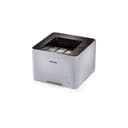
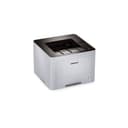
⚡ Print smart, save green, and stay ahead in the office game!
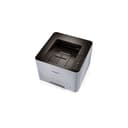
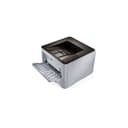
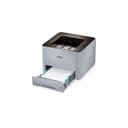
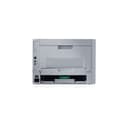
The Samsung ProXpress SL-M3320ND is a monochrome laser printer designed for small offices and workgroups, delivering fast 35 pages per minute printing with sharp 1200 dpi resolution. Featuring built-in duplex printing and an eco mode, it reduces paper and toner consumption, lowering operating costs. Connectivity options include USB and Ethernet, ensuring stable wired network integration. Its high yield toner compatibility and robust paper handling make it a dependable, cost-efficient choice for professional environments.
| ASIN | B00COA3GVE |
| Additional Printer Functions | All In One |
| B&W Pages per Minute | 35 ppm |
| Best Sellers Rank | #1,519,594 in Office Products ( See Top 100 in Office Products ) #2,503 in Laser Computer Printers |
| Brand | Samsung |
| Built-In Media | 1 x Samsung ProXpress M3320ND Mono Laser Printer |
| Color | black |
| Color Depth | 1 bpp |
| Color Pages per Minute | 35.00 |
| Compatible Cartridge | SAMSUNG laser toner cartridges |
| Compatible Devices | Smartphones |
| Connectivity Technology | USB |
| Control Method | Remote, Touch |
| Controller Type | Push Button |
| Customer Reviews | 3.6 out of 5 stars 150 Reviews |
| Dual-sided printing | Yes |
| Duplex | Yes |
| Global Trade Identification Number | 00887276024561 |
| Hardware Interface | Ethernet |
| Ink Color | Black |
| Item Type Name | Samsung ProXpress M3320ND Mono Laser Printer |
| Item Weight | 25.9 Pounds |
| Manufacturer | Samsung IT |
| Maximum Copies Per Run | 17 |
| Maximum Copy Resolution Black and White | 1200 dpi |
| Maximum Copy Speed Black and White | 35 ppm |
| Maximum Media Size | 8.5 x 14 inch |
| Maximum Print Resolution Black and White | 1200 |
| Maximum Sheet Capacity | 251 |
| Model Name | SL M3320ND |
| Model Number | SL-M3320ND |
| Model Series | SL |
| Number of Drivers | 1 |
| Number of Ethernet Ports | 1 |
| Number of Trays | 1 |
| Other Special Features of the Product | Monochrome |
| Output sheet capacity | 150 |
| Paper Size | 8.5 inches |
| Power Consumption | 700 Watts |
| Print media | Paper (plain), Transparencies |
| Printer Connectivity Type | USB |
| Printer Output Type | Monochrome |
| Printer Type | Laser |
| Printing Technology | Laser |
| Processor Count | 1 |
| Resolution | 600 x 600 |
| Special Feature | Monochrome |
| Specific Uses For Product | Office |
| Total USB 2.0 Ports | 1 |
| Total Usb Ports | 1 |
| UPC | 887276024561 |
| Warranty Type | limited warranty |
| Wattage | 700 watts |
S**R
Excellent price for a dependable machine that doesn't jam or become unusable (like an inkjet) with dried-out cartridges.
My Samsung ProXpress SL-M3320ND Monochrome Printer gives me no trouble. It costs $79.99. It prints quickly (more than 29 ppm.) It's size is 14" L X 14" W X 12" H. It's energy consumption is 600 W (only while printing). Standby is considerably less. It connects easily to my computer or network by USB or CAD 5 cables. OK, it's not (by itself) wireless. NBD. You'd need a wireless router for "over the air" connectivity. Operating costs are good. About 2.5 cents a page (using genuine Samsung toner cartridges from Amazon. The paper handling system is robust. This printer was designed for a small office or workgroup, so it has been very dependable for my home office. I'm done with the hassle and costs of ink-jets (and the stained fingers.)
L**N
Nice printer if you only print letter size paper.
The printer works well and produces excellent print. I deducted 2 stars for the inexcusable fact that it took me 45 minutes on the phone with Samsung after I had spent over 30 minutes on my own troubleshooting why the printer would only print part of a legal size page. I had changed the paper size in the Printer Properties of the print dialog box, but nothing I or two support agents found would make it print a full legal size page. Finally, as I was on hold being transferred to a third technician I was again searching through the Printer Manager app I found a very obscure button to enter Advanced Mode. Here I found a tab where the paper size was still set for letter size paper. When I changed that setting also the document printed properly. The manual, which covers several models of this series, was of no help. It seems to only deal with models with a display panel, which mine does not have. Also, the third support agent had such poor English skills that I had to ask her to repeat everything 2 or 3 times. I finally told her that I had solved the problem, goodbye. If you only need to print on letter size paper this is a nice little printer at a good price, but if you might ever want to print some other size, I wouldn't recommend this printer.
S**N
Configre with a Static IP address in "SyncThru Web Service".
I bought this because I wanted a robust simple monochrome printer for basic network printing in my home. So far it is a great printer and also like the fact it prints duplex. I've only had it for a couple weeks now but I have to say it was very easy to setup and haven't had issues at all. It is pretty much plug and play. I think however they charge too much for replacement toner. I might try an aftermarket brand at some point. I guess for the low cost, Samsung is going to make up the low cost in selling toner. My home network is Ethernet wired in my house but I do have one laptop that connects via wireless wen I need WiFi connection. I prefer wired networks for security and to reduce the effects of EMF on the human body. But I digress.... Anyway both methods work great and we can also print with android devices without issue when we have the WiFi on. Samsung devices find the printer without issue. Downloading a Samsung printer app helps non Samsung devices print to the printer as well. I have read some frustration with others about the printer changing IP addresses and their wireless devices not being able to connect to the printer. HERE IS A RESOLUTION... Not included in the instruction is a way to set the PRINTER FRO A STATIC IP ADDRESS, NOT BINDING AN IP TO YOUR MAC ADDRESS IN YOUR ROUTER, BUT DIRECTLY INTO THE PRINTER SETTINGS... Set the Printer to Static instead of DHCP using "SynThru". Type in the current IP address of the printer into a web browser. This will bring up the Samsung "SyncThru" Web Service for your printer. Here you can configure the printer with a static IP address and you won't have the issue with dynamic IP address change anymore. This way your wireless devices will always find the printer. You can find a demo on YouTube here: http://youtu.be/HuJP6RmkT0M I give this printer 4 stars because of the high cost of toner replacement.
A**F
The best printer
We have four printers on the office some of them since five years ago and I keep buying the same. Easy to install. Easy to replace toner Print doble page Toners are durable and good printing ink. Fast printing.
D**8
Yikes - fix the Mac drivers
This printer like many today install in Mac OS X in just a few clicks, using apple-supplied drivers. Everything worked fine over our network from 10.8 and 10.9 machines; however today I tried printing to number 10 envelopes and ran into trouble. No preset paper size seemed to appear in the native driver. I tried making a custom paper size approximating the #10, but jobs printed with this either failed or would print incorrectly. This behavior was a departure from the ML-2851ND that we had previously. Then I remembered that I'd installed Samsung's own drivers for that machine. So I did the same here. Now, Samsung's driver installer seems to be an unfinished affair for this model. To save you the confusion, after downloading the 18MB zip file from samsung's site, navigate to the unzipped "Printer Driver" folder > "MAC_Printer" > "Printer Driver.pkg". When running through the install, it will ask if you want to Add Printer. Go ahead and do so, however on the next screen where you select the printer from your available devices, the "Use" menu will default to "AirPrint". DON'T USE THIS. Instead select "Samsung M332x...." otherwise you won't get the printer driver's extended page size options in the print dialog. AirPrint is primarily used for iOS devices (which successfully print to this machine), so I'm not sure why it's an option on Mac OS. In any case, a properly done Mac installer should be more obvious and finished, so one full star deducted. Other than that, it's quick, fairly quiet, and seems to work well so far. The plastics feel a bit lighter/cheaper than previous generation, but for about $100 I can't complain. **Update**: After running this machine through it's paces attempting to use the manual feeder, including legal and duplex options, I can't recommend this printer anymore. The following problems remain: - only prints the letter-sized image portion of a document even when having selected Legal in the page setup - refusing to feed from the manual tray, automatically grabbing from the normal tray even when you've specifically told it to use the manual feed - losing the print job entirely I've now tried this on two copies of this printer (home and work) and same story. Epic fail until they fix either the driver and/or firmware.
R**K
Buyer Beware
Don't buy this printer if you need it to be able to work with more than one computer. I purchased this printer to replace my previous Samsung printer. With the older printer I was able to set up the network function within five minutes so that both my wife and I could use the printer. Unfortunately, I was unable to set this printer up so that my wife's computer could use it. I followed the instructions but they didn't work. I then spoke with two different Samsung technical support people, spending three hours on the phone with them, and they were unable to solve the problem. Since the printer was under warrantee, the second support person then referred me to a Samsung Area Support Representative so that I could have someone come to the house to fix the problem, at Samsung’s expense. When I called the Samsung ASR (a local computer store contracted with Samsung) they told me that they no longer worked with Samsung. I called the tech rep back, got the names of two more ASRs, only to find that neither of them worked with Samsung either. The second rep then promised that he would find an ASR to come to my house and fix the problem. But then, a few days later, he surprised me by writing, “Keep in mind that there will be a service charge.” It made utterly no sense to me that suddenly I was going to have to pay for a service appointment when my printer was under warranty. I wrote the tech rep to say this, and I have not heard back from him even though I have emailed him two more times asking what is going on. I purchased this printer because of its networking abilities, and (1) I've been unable to set it up for networking, (2) I have have spent over three hours of my time trying to solve the problem, (3) I have not been provided with repair services under the terms of the warrantee, and (4) the tech support staff has stopped any attempts to help. Therefore, if you need this printer for networking, I strongly recommend that you do not purchase it. This is been a very frustrating and dissatisfying experience, which is unfortunate because I had no problems with the previous Samsung printer.
M**K
Great for home or small businesses that are not doing high volume printing!
It's inexpensive and it works. Great for the small office that does not run 5,000 sheets of paper through it. It is better suited for the person that prints 500 or less pieces of paper through it a month. If you workhorse it to death with a really high duty cycle, you will need to buy a new fuser or other component which costs th same as the printer in a scant 4- 6 months. Can print duplex and has a manual feeder for stationary or envelopes. It's a bargain for the not quite yest paperless office. Love Samsung's drivers. Install easily unlike HP's convoluted drivers that are time consuming to install and their dot 4 crap.
T**T
Excellent laser printer!
I've used one of these printers at work for about one year now, and when I needed a new printer at home it was an obvious choice. Small footprint, prints fast, never a mis-feed (ever!), large capacity paper tray, solidly built, and a painless install. Indeed, I had an earlier version of this Samsung printer at home, and I would say the same things about it, too. Both are far, far better than any HP laser printer I've ever used, and are at least marginally better than the Brother I used at work for several years. Truly, if you need an inexpensive but very good laser printer, this is definitely it!