We remain fully operational. Our teams are working around the clock to ensure your deliveries continue safely.

下载应用程序


🎮 Dominate your game with speed that leaves lag behind!
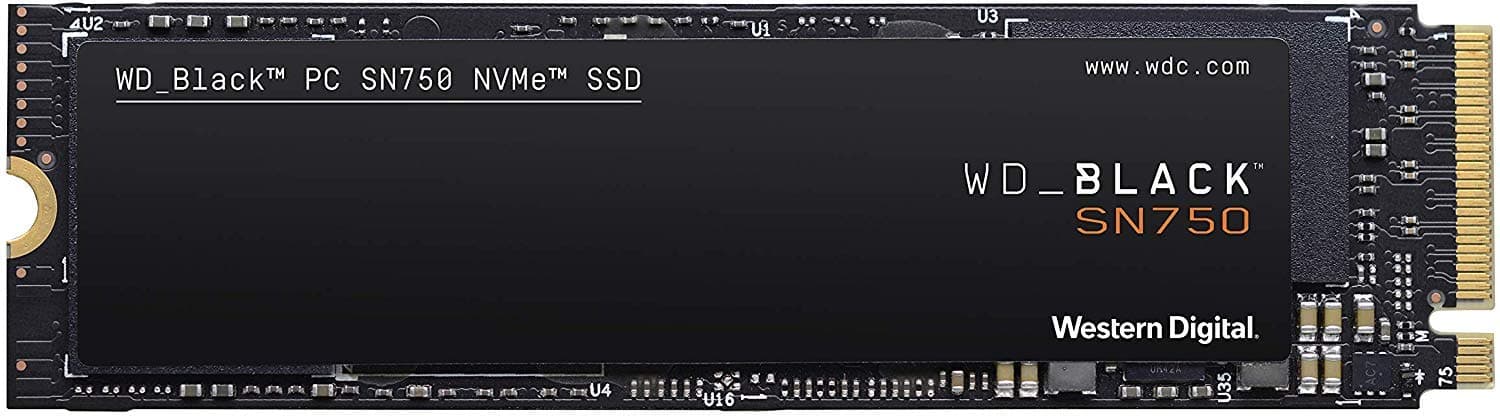
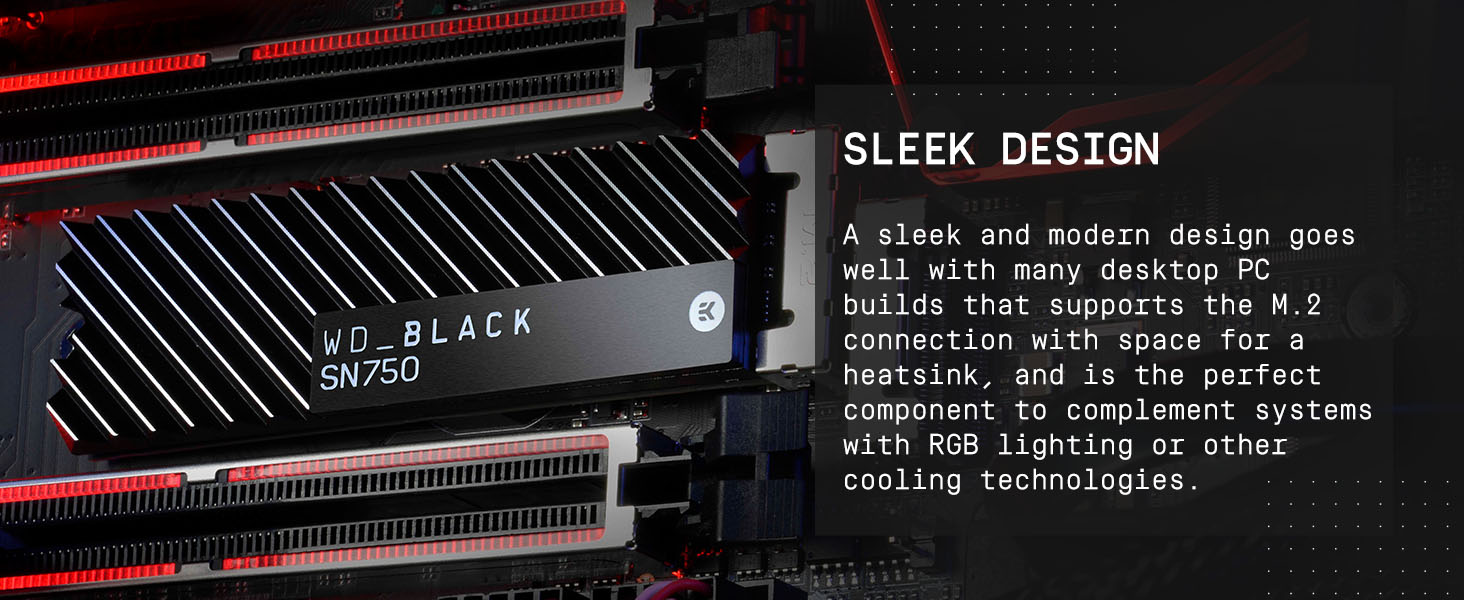
The Western Digital 1TB SN750 NVMe SSD is a high-performance Gen3 PCIe M.2 2280 drive delivering up to 3,470 MB/s read speeds. Tailored for gamers and PC enthusiasts, it features an exclusive WD BLACK dashboard with gaming mode to optimize performance. Its sleek design and large capacity make it ideal for custom builds and serious gaming setups.





| ASIN | B07M64QXMN |
| Additional Features | Portable |
| Best Sellers Rank | #311 in Internal Solid State Drives |
| Brand | Western Digital |
| Cache Memory Installed Size | 1 |
| Color | Black |
| Compatible Devices | Desktop, Laptop, NAS |
| Connectivity Technology | PCIe Gen3 x4 NVMe |
| Customer Package Type | Standard Packaging |
| Customer Reviews | 4.8 4.8 out of 5 stars (9,542) |
| Data Transfer Rate | 3430 Megabits Per Second |
| Digital Storage Capacity | 1 TB |
| Form Factor | M.2 2280 |
| Global Trade Identification Number | 00718037865393, 10718037865390 |
| Hard Disk Description | Solid State Hard Drive |
| Hard Disk Form Factor | 2.5 Inches |
| Hard Disk Interface | Solid State |
| Hard-Drive Size | 1 TB |
| Hardware Connectivity | PCI |
| Installation Type | Internal Hard Drive |
| Item Dimensions L x W x Thickness | 3.15"L x 0.87"W x 0.09"Th |
| Item Type Name | Solid State Drive |
| Item Weight | 7.71 g |
| Manufacturer | Western Digital |
| Media Speed | 3000.0 |
| Model Name | WD Black |
| Model Number | WDS100T3X0C |
| Number of Items | 1 |
| Read Speed | 3430 Megabytes Per Second |
| Specific Uses For Product | Gaming |
| UPC | 718037865393 |
| Warranty Description | 5 year limited manufacturer warranty |
N**E
Great older NVME SSD!
I got this to put the Windows drive into the M.2 slot instead of on a SATA SSD, to gain a little more life out of a PCIe Gen 3 system. I've only had it installed for about a week. So far it has resulted in faster bootups, and faster program and browser response. I got it because it was a highly-rated NVME and because it had DRAM cache as well. Recommend.
J**N
A future-proofing upgrade for my Mac
My wife and I have a 2015 Macbook Air. It still runs great and has plenty of life left in it. But after several years of trying to work with the 128GB SSD that it came with (across two user accounts), we decided recently that we need to upgrade the SSD in hopes of future-proofing it a bit. Reading up on our options led me the route of buying an M.2 SSD and an adapter that'd let me install it in my Mac, rather than having to accept the Apple/OWC surcharge for a drive with the original SSD's form factor. I liked what I was seeing with the specs of this SSD and decided to try it out, given my very good past experience with WD HDDs. Installation of both the adapter/SSD and a fresh copy of macOS 10.15 was a breeze. Black Magic benchmarks this drive at roughly 1350MB/s read and write, which is understandable given the bottleneck of this Mac's older PCI interface. But performance is still super snappy, and we have had zero issues with this upgraded setup so far. Sure, this drive is built with way more capability under the hood than what we'll ever use, but I'm totally ok with it considering how little we paid for it vs. buying an OEM/OWC replacement. I can imagine that if you're running a newer Mac/PC with a more current PCI interface that can take advantage of the additional read/write ability of this drive you'll have an even better experience. Regardless, if you happen to be a Mac user looking to upgrade your compatible MacBook Air (even if it's a relatively older one like ours), you owe it to yourself to check this drive out.
C**P
A Good Balance of Performance and Cost
So far this drive has been great. It’s fast and has plenty of space for all my games. Installation was easy and the price seems fair. I will buy this drive again or one or their newer models in the future.
Z**X
If given the option, always go for Solid State over HDD.
I'll make this review short as I really don't have much to say. On my previous computer, which was a Walmart prebuilt, I had a 1TB WD Blue 7200RPM for pretty much everything; OS, storage for media, installed programs, you name it. And while it's a decent enough hard drive, it took FOREVER for the PC to boot and for programs to start up. So when I built my current PC, I decided to go for Solid State as even the worst SSDs are four times faster than the best HDDs. I read about NVMe and was intrigued by the aspect and decided to spend the $228 for this product (I bought the 1TB drives because I like to futureproof) and I will say decisively that I will never go back to HDD if I can help it. NVMe is like Solid State on steroids, it's much faster and definitely the best choice for the OS, your favorite programs, and any Mulitplayer games. I installed Windows 10 on it and startup, including the motherboard startup, takes around 5-8 seconds, a far cry better than the 2-3 minutes on my HDD. Programs start up fast, games start up fast, and it is RAID compatable if you set it up in the BIOS UEFI. All that for a drive the size of a stick of gum. If your motherboard has the option for NVMe, DO IT. You won't regret it.
C**G
Great as a cloned boot drive
Cloned as a boot drive to increase storage Works perfectly
V**N
Worth ever penny
It’s been over an year and still going strong with minimal heat sink pad.
D**K
Bad Drive? *Updated*
I bought this drive to run my OS as well as the games that I play the most. However, I can't seem to get the drive to work properly. I've tried everything I could come up with to get this drive up and running but nothing I did worked. I got it installed quite easily onto the motherboard and everything but the drive never did show up in my Bios. So I figured that it just needed formatted before I could get it working. After formatting the drive, it still did not show up in my Bios. However, it did show up as a usable drive on Windows. This was the same case when formatting it as a GPT drive and an MBR drive. At this point, I gave up as using it as a boot drive and decided to just install my usual games on it. Once I started installing items on the drive, my computer would blue screen and crash and when starting back up, I would end up in a reboot loop. After even more troubleshooting, my roommate decided to get it a go on his computer to see if the drive itself was bad or if there was some other issue with my computer. He did manage to get the drive to show up in his Bios (a much older version than mine). However, he ran into the same issue as I. When installing anything, be it a game or Windows, the computer would blue screen and would put him in a reboot loop. UPDATE: The original drive seems to just have been a bad drive. Talked to Amazon support and got a replacement. Everything seems to be working great on my computer now. Updating from 1 star to 4 stars based on performance.
F**D
Easy to install and super fast.
I bought this for an older Dell Small Form Factor Optiplex 5040 desktop. I was worried that the wizard that WD does not say if this model is supported. It was a simple install, the only missing item is the little screw that is needed to keep the m.2 SSD in place. Make sure you buy one that fits it. Dell users guide has the spec on it. I think Amazon has them as well. I had the stock regular hard drive that came with the desktop, you can keep it after the install. Unplug the hard drive and install the M.2 ssd in place and then boot the computer into bios mode by hitting F2. Make sure that the computer is booting in UEFI mode, enable legacy option ROMs and disable the attempt legacy boot. UEFI boot path security code Always, Except Internal HDD. Sata operation on AHCI, make sure you have the drives under system configuration have the m.2 option selected. The product from Western Digital is amazingly fast and reliable. Windows took less than 5 minutes to install, probably faster, I did not time it. I will buy it again in the 2 TB configuration. Thank you WD for a great product.
T**S
Without a doubt this 1TB Ministick is the best bang for buck NVMe you'll ever get... as a boot drive. 1 Terabyte isn't a lot but it's enough to keep important things on it or things that require fast load times. Windows will boot up in sheer seconds and all of your games will open 10x faster than on any HDD on the market. As for why its the best drive in my honest opinion for most things when it comes to dollar per performance, well its because its an M.2 at just under the price of other standard NVMe drives. All it sacrifices is just a little bit of speed, and the best part about that is that speed does not matter at all for m.2 drives unless your working with a RAID setup. So as a boot drive or as a standard loading screen bypasser, this is the best drive you could ask for. For general storage and transfers, this thing is also an absolute beast but if you want the best of the best and feel little to no down time, even with decently full storage, you may as well just pay the extra $80 bucks for a FireCuda. Overall, this thing is insane and its one of the best purchases i've made when it comes to PC part acquisition.
T**L
Top SSD zu einem guten Preis.
T**M
Super bra och snabb
P**.
El producto llego en embalaje de bolsa, enrollado con papel de burbujas, tuve mis dudas de saber si venía golpeada la caja pero no, todo muy bien por DHL y Amazon. La instalación para nada difícil en mi laptop Y540 17", tenía temor de que no aceptará 1Tb pero sin problema lo detecto desde el inicio. En mi caso preferí instalar el windows 10 desde 0 pues tenía problemas con tanta cosa instalada, pensaba que tendría que buscar todos los drivers de nuevo pero el mismo Windows y la app de Lenovo Vantage hacen el trabajo por tí, solo tienes que checar bien que busquen todas las actualizaciones y las apps que te recomiende bajar Microsoft de su tienda. Por el otro lado, los que prefieran, hay una opción para clonar el ssd m.2 solo que OJO, aquí aplican 2 casos: 1° Para los que ya tengan un m.2 de menor capacidad instalado, estuve investigando y tienes que comprar un adaptador para volver memoria extraíble el m.2 nuevo para poder clonar tu sistema y datos, puesto que necesitas tener el viejo y el nuevo conectados. 2° Si tienes tu sistema en tu disco duro y deseas pasarlo al m.2, solo lo conectas, inicias tu Windows normalmente y checas que reconozca la nueva unidad, en caso de que no lo haga, ve al administrador de discos y checa que la moría no diga espacio sin asignar(busquen en YT, ahí explican como hacerlo). Y posterior a eso, registren su producto en la página de westerk digital, descarguen el software de controlador memoria WD Black SN , (no descarguen otro, solo el compatible con el m.2) al instalar ese software se detecta la memoria y ahí mismo hay una opción para clonar todo de manera segura por medio de Acronis (checar imágenes de mi reseña) y obvio, si tienen más dudas, vayan a YT ahí hay muchos videos que explican como usar el software de clonación correctamente. Terminado esto sigo con la Review del producto, anteriormente tenía un m.2 de 256gb el cual pedí al configurar mi laptop en la pag de Lenovo, por las apps que necesito y deseo aprender para mi trabajo necesitaba más almacenamiento, por eso decidí comprar está memoria, así que prácticamente no eh notado mucha diferencia puesto que la anterior era una Samsung ahí dejo una revisada del Software Crystal Disk Mark para que vean la capacidad de lectura y escritura que me da, supongo que debe dar ligeramente más puesto que no la tenía conectada a la corriente, aún así creo que al ser laptop, se limita la velocidad máxima a la que puede leer y escribir datos, aún así, es más que la que daba mi ssd anterior que apenas llegaba a R 2700 MB/s y W 2300 MB/s. En fin, muy buena compra, satisfecho con el producto a pesar de las limitaciones de mi hardware, ahora a a disfrutar ese TB extra!
M**K
ممتاز
TrustPilot
2 周前
2 周前